Installing RMS On-Premis Using Non-Standard Ports
As per the device flow document standard RMS on premise installation uses port 80 for device communication and port 80/443 for end user communication: RMS Software and Device Flow Diagram.
In some organizations different ports may be required.
The below describes a test installation using different ports.
Important:
- Any changes to standard install present risks.
- Rotronic AG cannot provide support for every custom method of installation.
- The below is for information only.
First install RMS as normal and confirm operation using standard ports:
- Load and run RMS from the server web browser.
- SQL communication is unaffected.
Now configure the web server to use the desired ports.
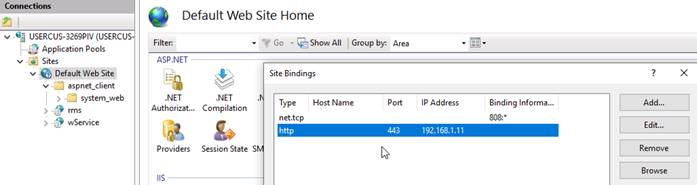
In IIS > Default Website, change ‘Bindings…’ HTTP >> Port= 443 and IP address = Server IP
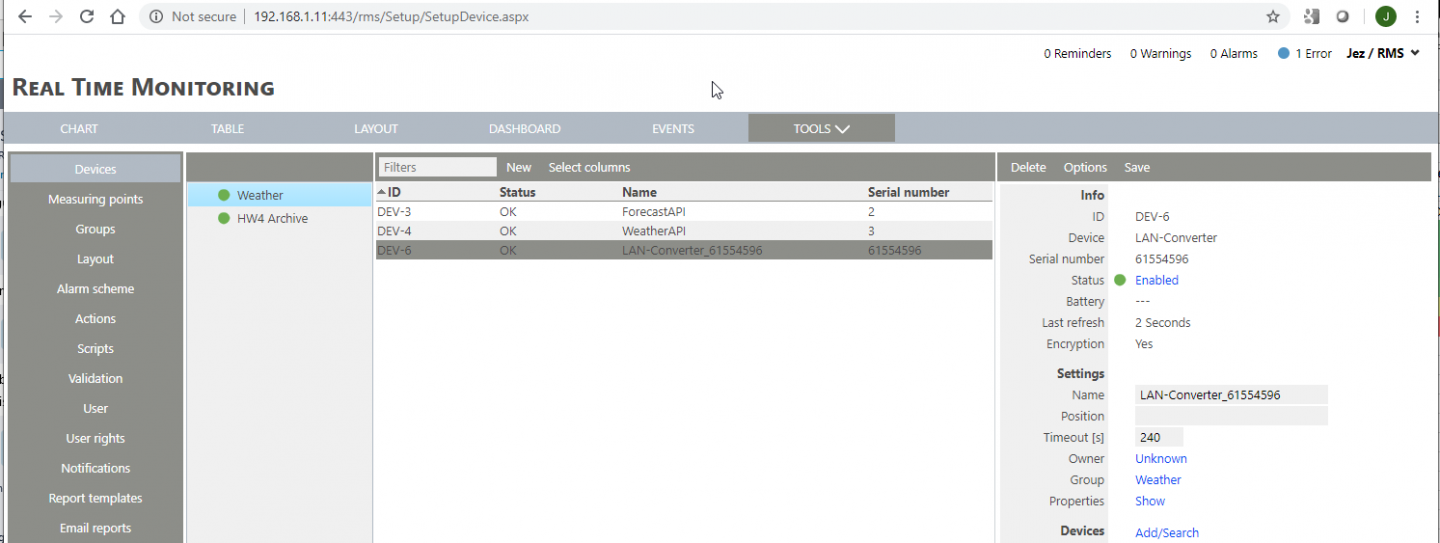
Now load RMS and include the port eg 192.168.1.11:443/rms:
- In RMS go to Tools > Setup > System.
- Update RMS and wService PATH with
:443.

All RMS LAN devices must now be configured with appropriate Host name, Service Path AND port.
The RMS-Convertor, within the Pairing settings enter the IP as
Any API scripts will also require port changes in the address path.
Test and confirm stable operation. Be aware of different port / network rules in different areas of a customer site.
Successful RMS connection via port 443 (not-secure) and RMS device connection & API data feeds functioning normally via port 443: