View Existing License
| Step 1 | Select a license: 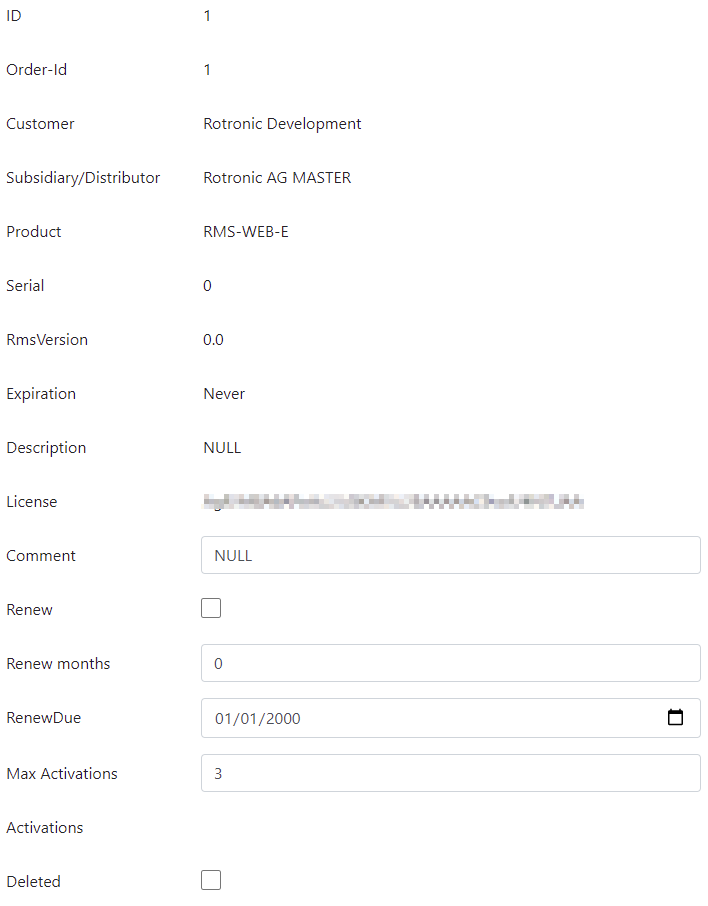 |
|---|---|
| Step 2 | - ID: ID for this license (license generator license ID). - Order-Id: ID for the order (license generator order ID). - Customer: Customer name. - Subsidiary/Distributor: Subsidiary/Distributor for the customer. - Product: Product order code. - Serial: License serial number (visible on RMS account page). - RmsVersion: Version of RMS that the license serial number is valid for. - Expiration: Date when the Saas/Cloud software expires (Rotronic add 3 months onto the expiration date to ensure that no data is lost during license renewal or that data can be downloaded if the license is terminated). - Description: Ordered options. - License: RMS license code. - Comment: User defined comment (can be edited). - Renew: Enable automatic renew (can be edited). Only required for SaaS/Cloud licenses. - Renew months: License period. - RenewDue: New renew date. - Max Activiations: Maximum allowed activations. Only required for on-premis licenses. - Activations: Activation count for this license. Only required for on-premis licenses. - Deleted: Shows if the license is deleted. |