Add a New User
Geben Sie hier den Text ein.
| Step 1 | Under setup users, click on add new user. Fill out all of the fields and click on save: 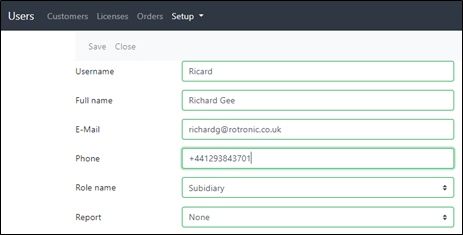 |
|---|---|
| Step 2 | IMPORTANT: if the user is to receive the orders that are placed in the system click on the user and set the OrderReciever tick box. 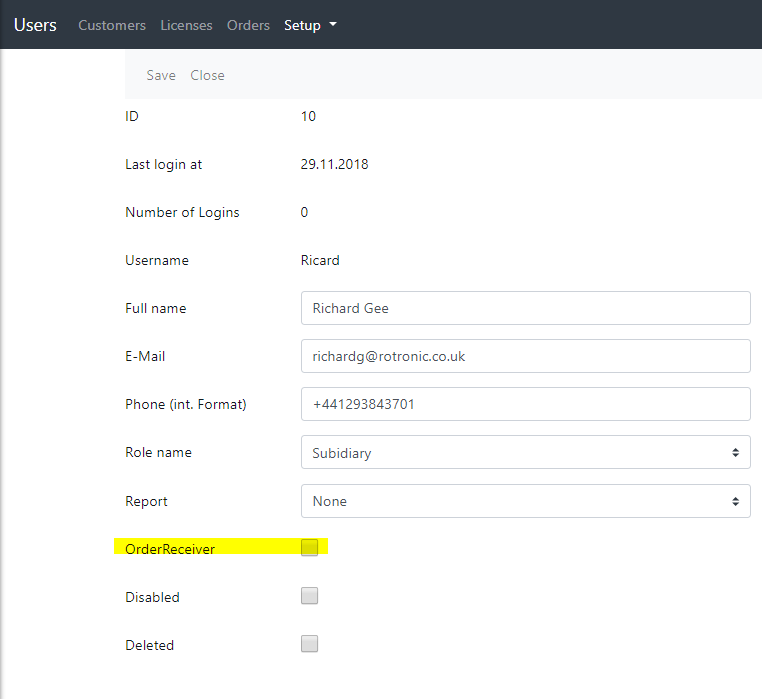 |