Enable IIS Web Server
| Step 1 | In "Server Manager" > "Dashboard", start "Add Roles and Features Wizard". 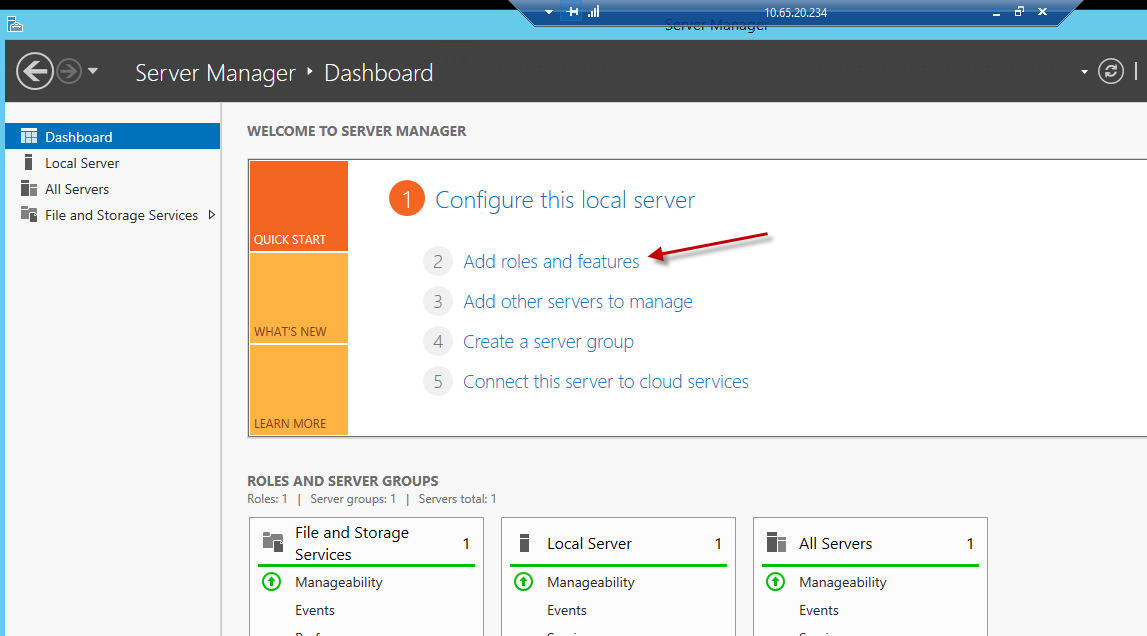 |
|
|---|---|---|
| Step 2 | There are no special settings needed for "Before you begin", "Installation Type" and "Server Selection" 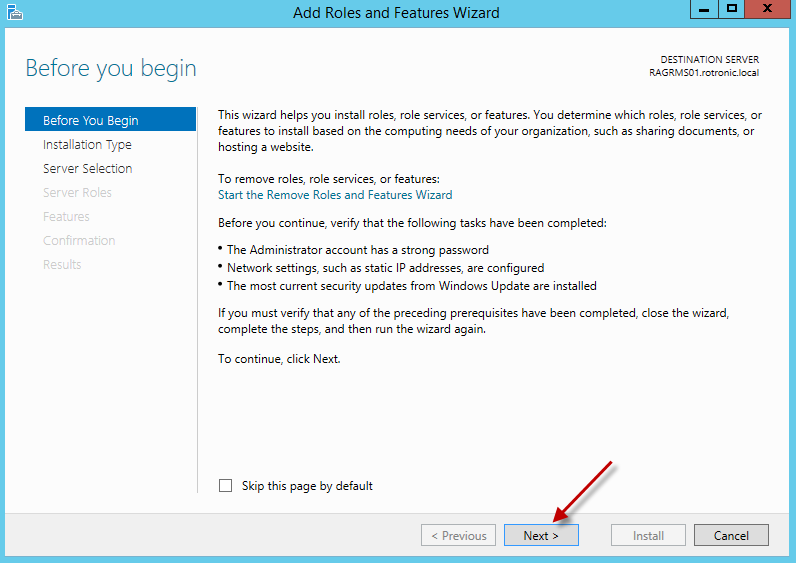 |
|
| Step 3 | Selection of the installation type 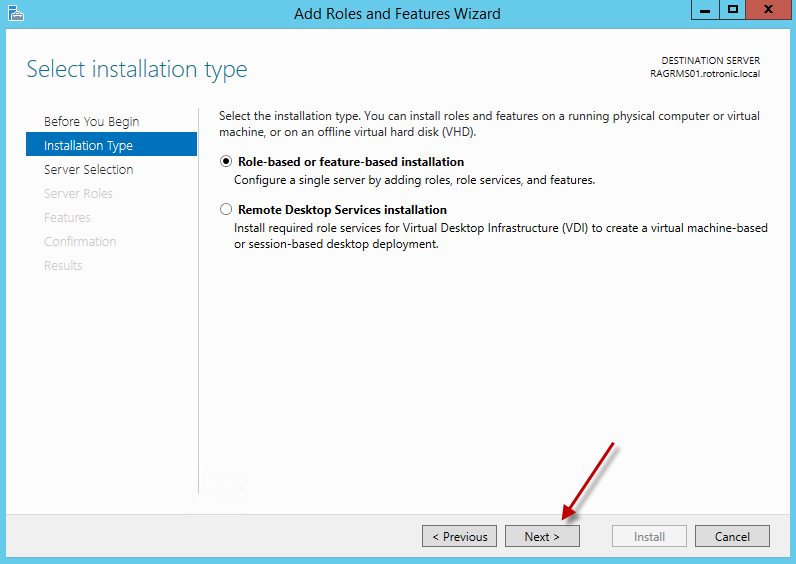 |
|
| Step 4 | Selection of server 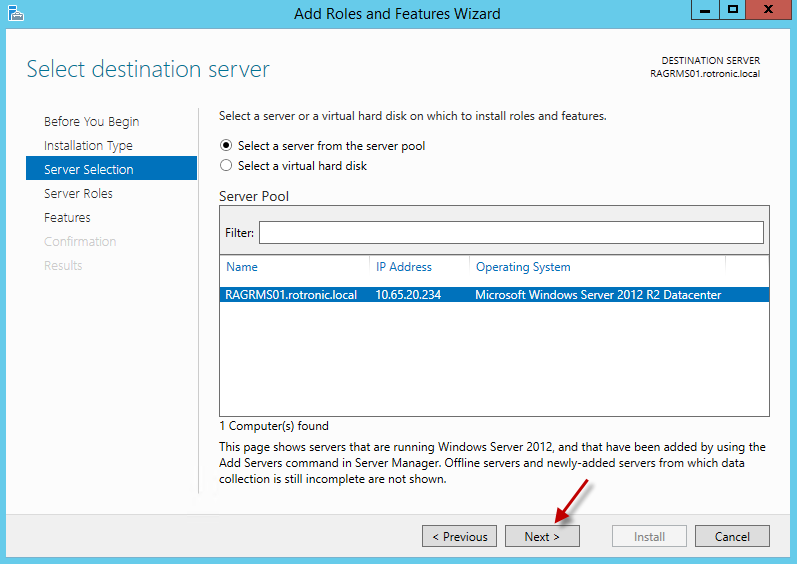 |
|
| Step 5 | Enable IIS Web Server. Click "Add feature" to install IIS 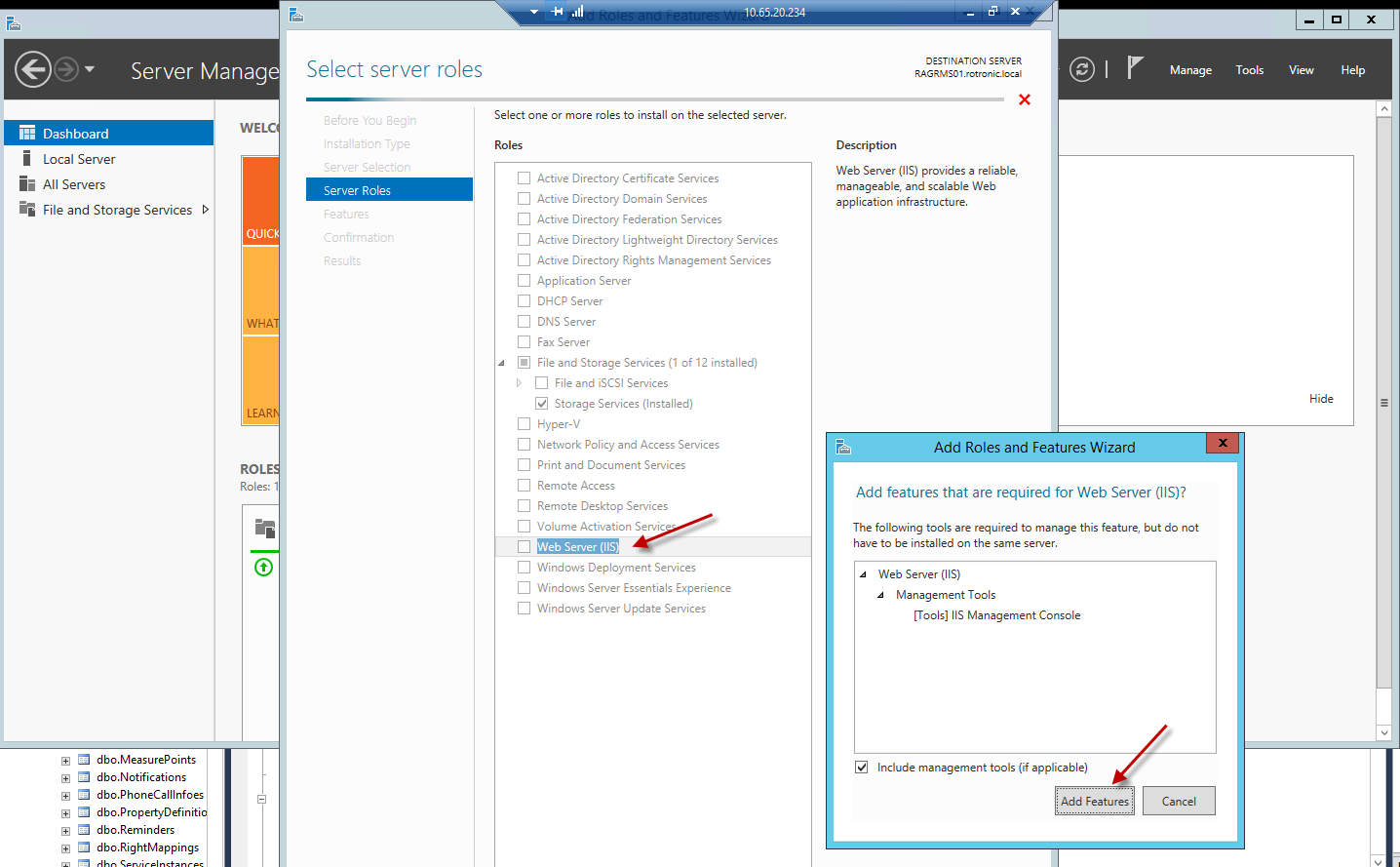 |
|
| Step 6 | Configure the IIS web service as shown. NOTE: The settings in following figures represent mostly the standard settings. For RMS installation, the following settings are important: |
Step 1: 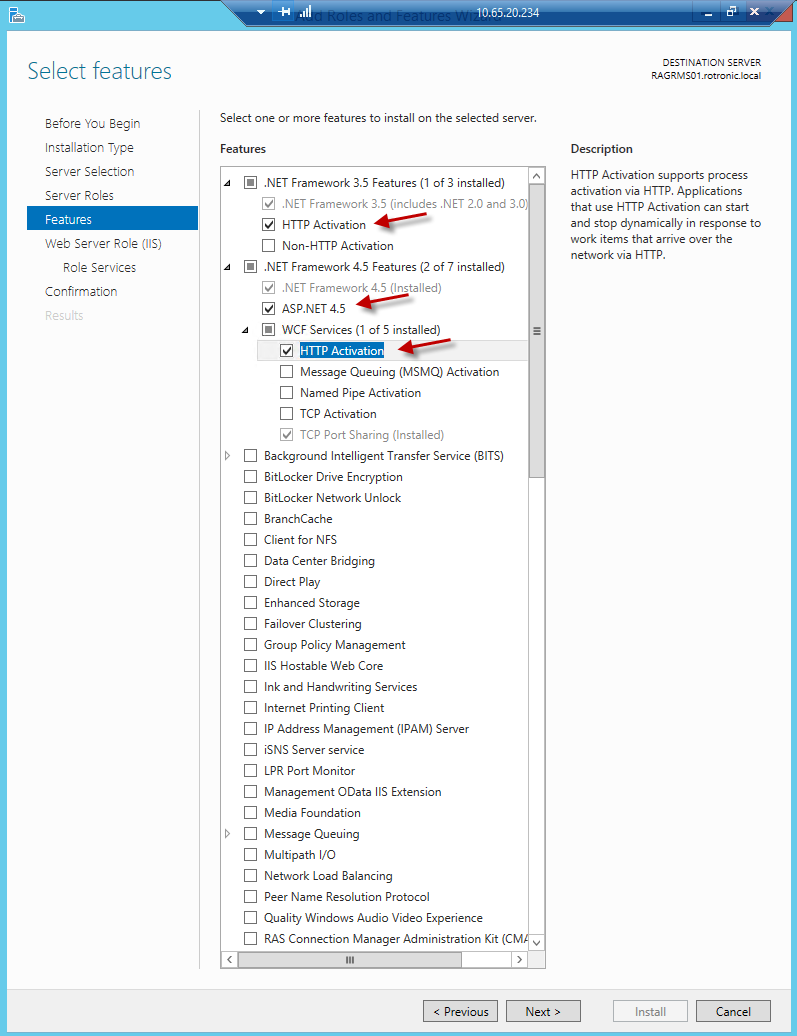 Step 2: 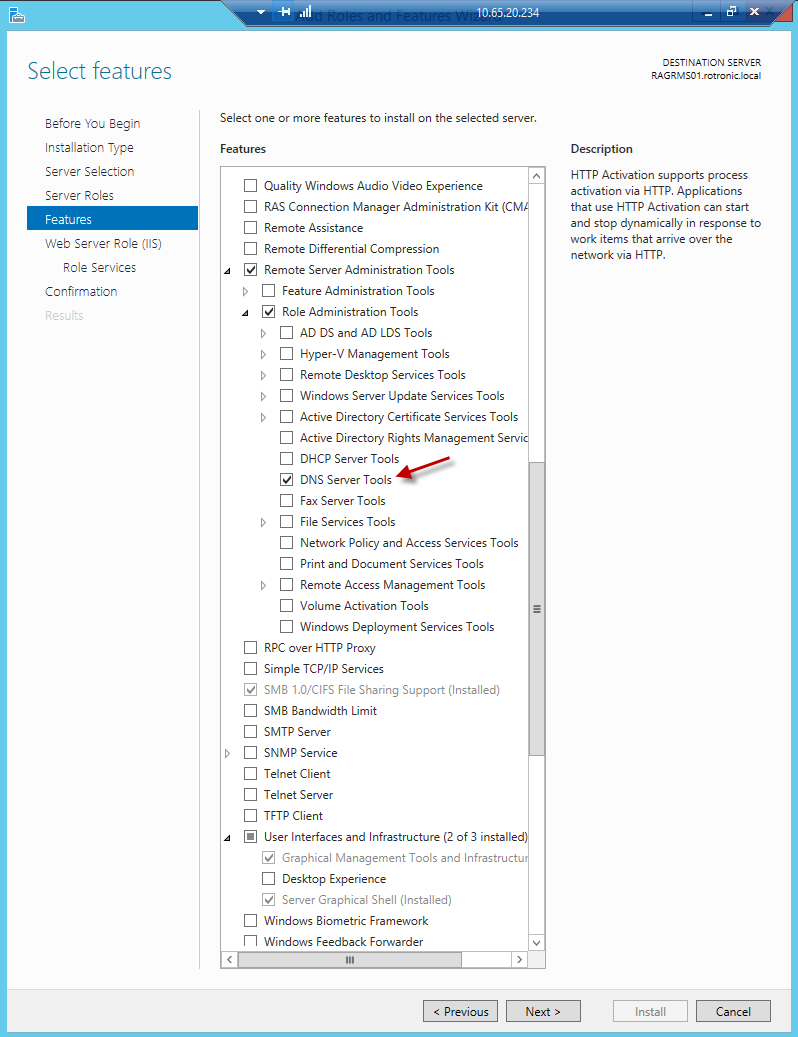 Step 3: 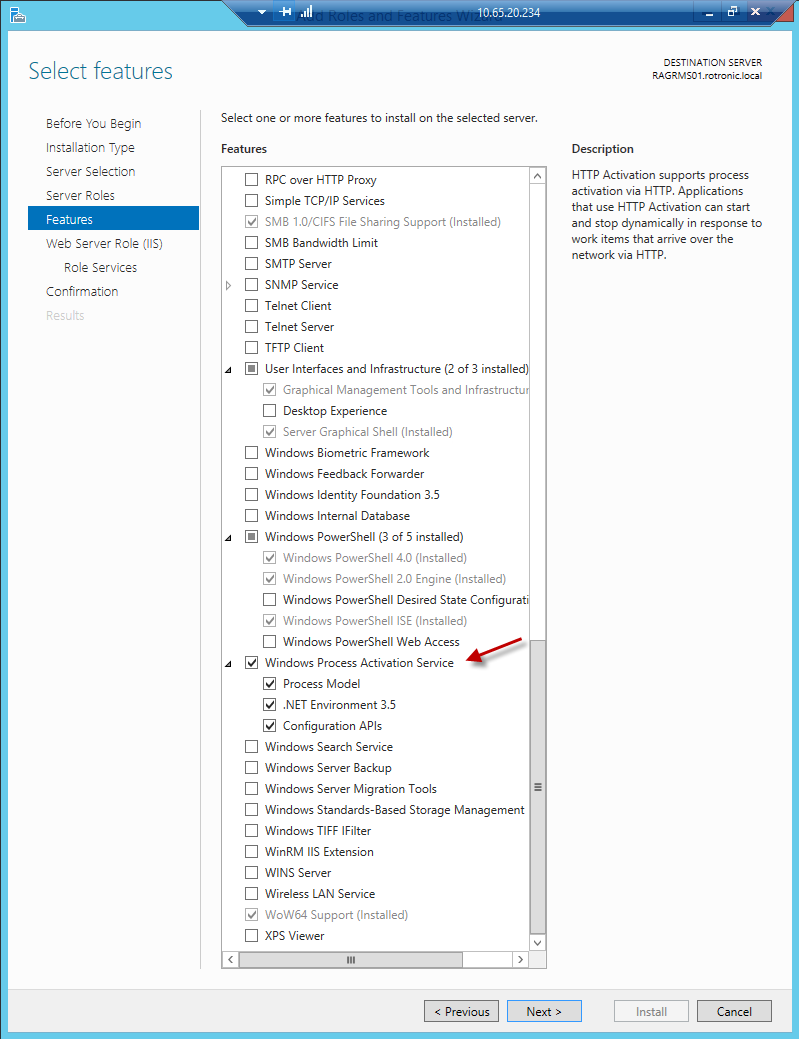 Step 4: 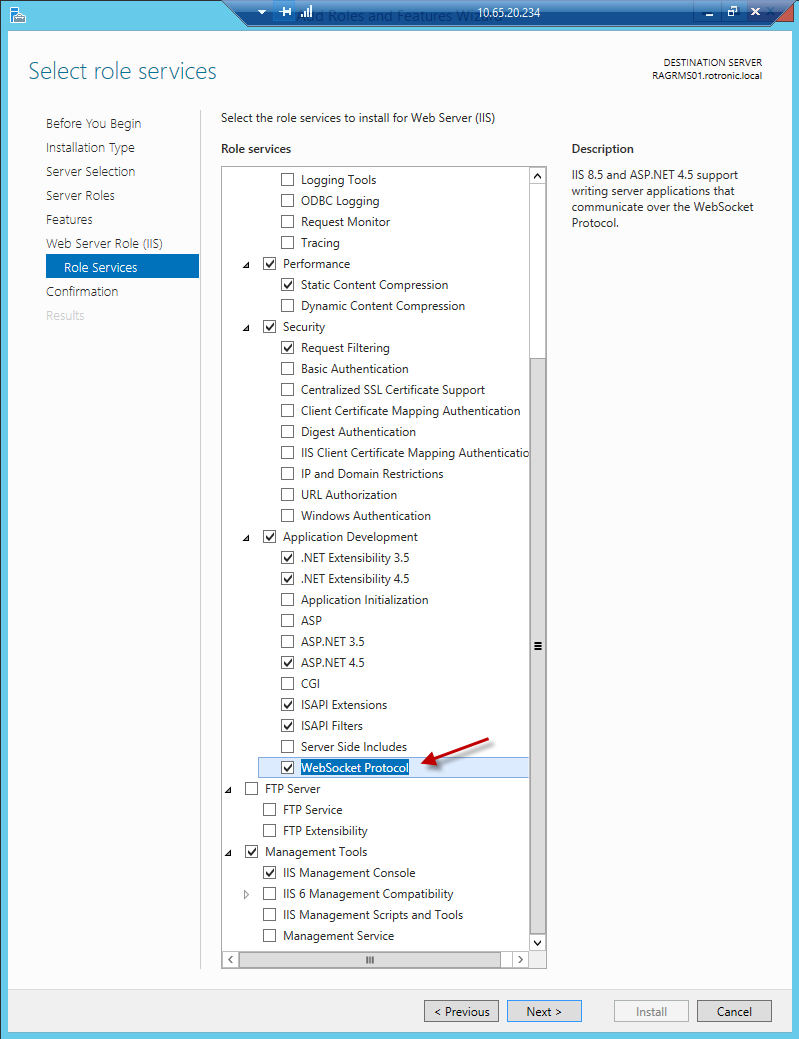 |