Add an RMS-D-L to RMS
Device Configuration
| Step 1 | Open the RMS-Config SW | ||||
|---|---|---|---|---|---|
| Step 2 | Click on "Device" > "Search" > "Network devices" 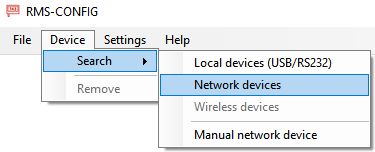 \ |
Note: Please be sure that you always use the newest RMS-Config version. The newest devices do not work with the old RMS-Config version. \ |
\ | --- \ | |
| Note: Please be sure that you always use the newest RMS-Config version. The newest devices do not work with the old RMS-Config version. |
|||||
| Step 3 | Choose the device 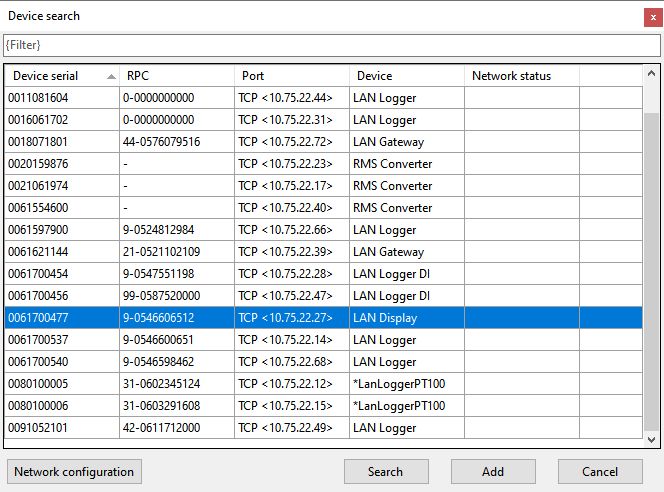 |
||||
| Step 4 | Click "Add" > "Settings" and configure the network settings. At the end, click "Write" to save the settings. 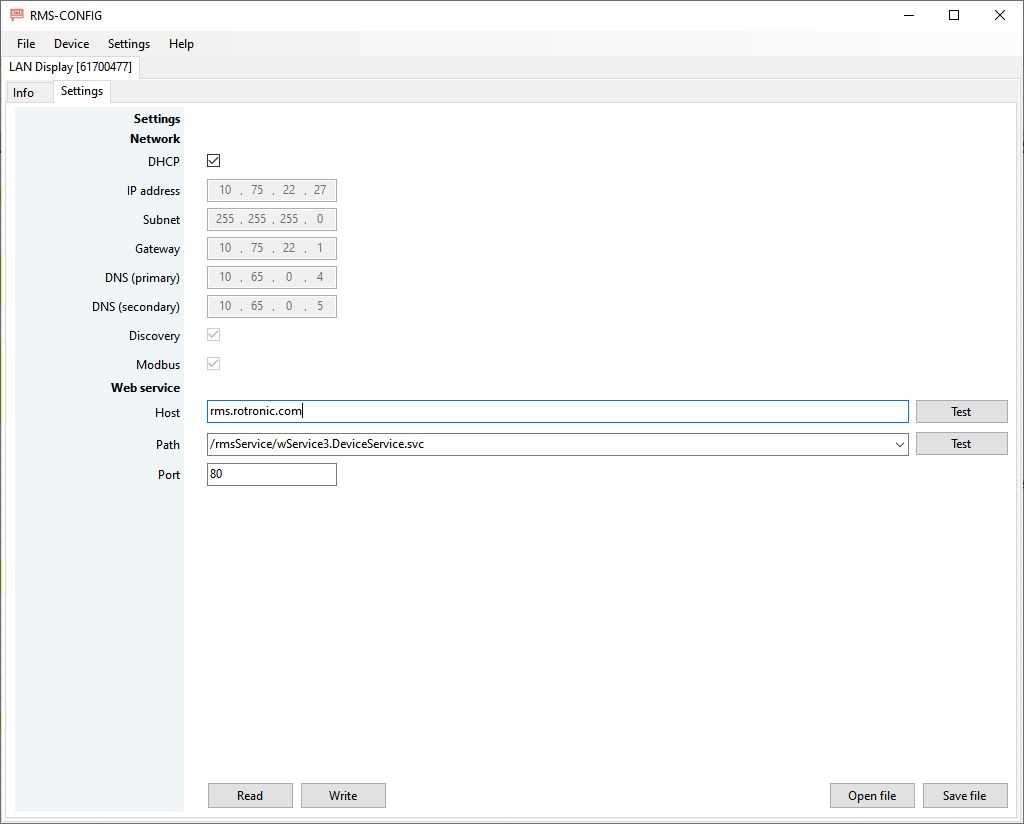 |