Customer adjustment
This section describes all manipulations necessary for operation.
Default Configuration
The device does not have a wireless configuration on leaving the factory. It is assigned automatically when pairing the device in a system.
Integration in the RMS-WEB Software
To integrate the device in an RMS-WEB system, pairing mode must be enabled via the software on a gateway within wireless range. The search for the device is started by pressing a button. If it is possible for the device to connect with the gateway, this is shown by orange flashing. Pairing is then completed as described in the SW Configuration
Function Overview
Overview of the main software functions of the device
| - Measurement | The measured data is sent to the RMS server software at the fixed interval directly after the measurement. |
|---|---|
| - Scaling | There is no adjustment possible in the RMS-MLOG-B-XXX but some other function which are mentioned below: 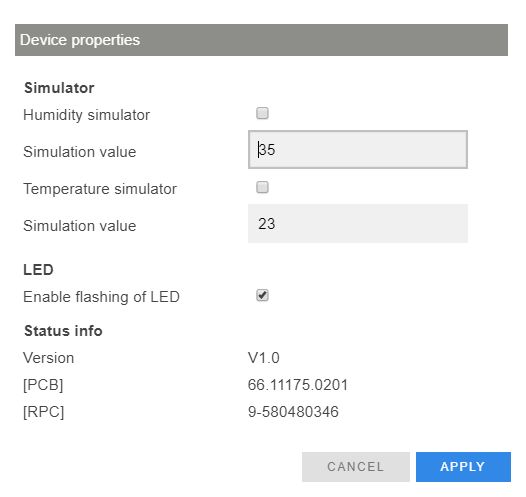 |
| - Save measured data | The measured values of every measurement are saved in the internal ring memory (13,000 pairs of measured values). If the data cannot be sent to the server software directly, they are kept in the device and then sent later as soon as the connection to the server software has been restored. |
| - Firmware update | The firmware of the device can be updated directly via the RMS server software. |