Manually Backup SQL
| Step 1 | Open Server Management Studio. |
|---|---|
| Step 2 | Log in and go to "RMS DB" > "New Query" |
| Step 3 | "BACKUP DATABASE [rms]" |
| Step 4 | TO DISK = 'C:\Program Files\Microsoft SQL Server\MSSQL14.SQLEXPRESS\MSSQL\Backup\Backup_13-11-17.bak' |
| Step 5 | "GO" |
| Step 6 | "Execute…" |
OR
| Step 1 | Open Server Management Studio. |
|---|---|
| Step 2 | Log in and right click on "RMS DB" |
| Step 3 | Select "Tasks" > "Back up": 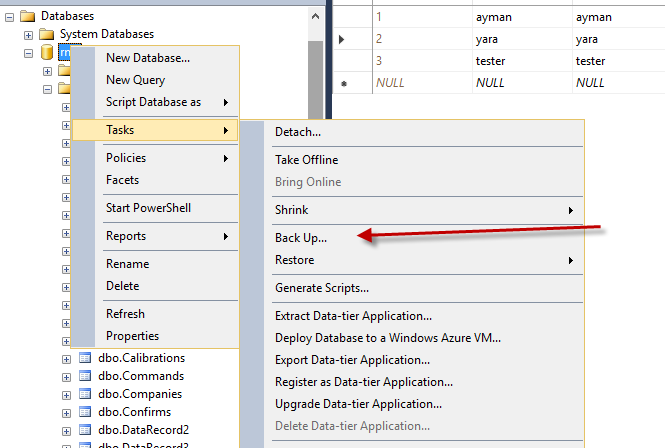 |
| Step 4 | Back up following the below 4 steps: 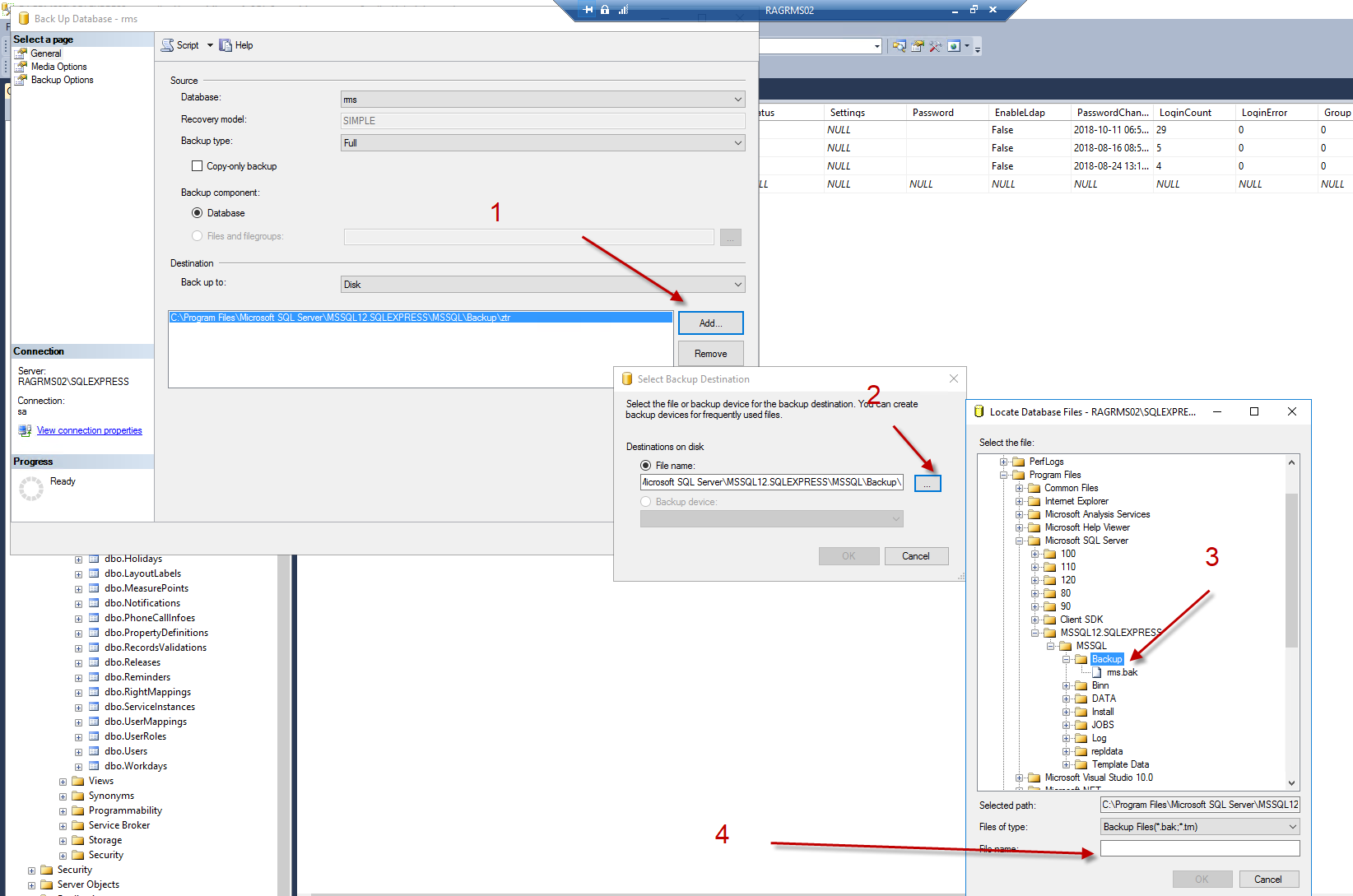 |