Test Database Connection String
Ensure that your username and password for your database are actually working.
Connection.config or Web.config
<add name="DataContext" providerName="System.Data.SqlClient"
connectionString="Data Source=.\SQLEXPRESS;
Initial Catalog=RMS;
Persist Security Info=True;
User ID=rmsUser;
Password=rmsPasswordExample" />
Use the credentials in the Config file to log in to the SQL Server Management Studio.
| Important: The password is probably not "rmsPasswordExample". Use the defined password on database installation. |
|---|
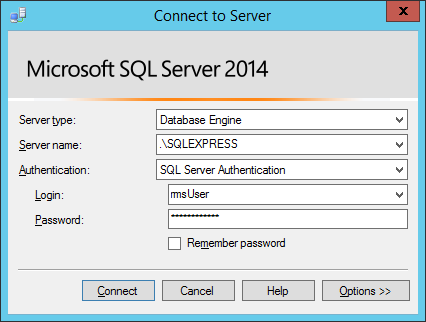
When the login is successful and the RMS database tables are accessible, the credentials in the Config file are correct.
Different Types of SQL Server:
| Local SQL Express | Data Source=.\SQLEXPRESS |
|---|---|
| Remote SQL Express | Data Source=SERVERNAME\SQLEXPRESS |
| Local SQL Server | Data Source= SERVERNAME OR .\SQL_INSTANCE_NAME |
| Remote SQL Server | Data Source= SERVERNAME OR SERVERNAME\SQL_INSTANCE_NAME |