Adjust
Measuring loggers and probes can be adjusted using the RMS-App too.
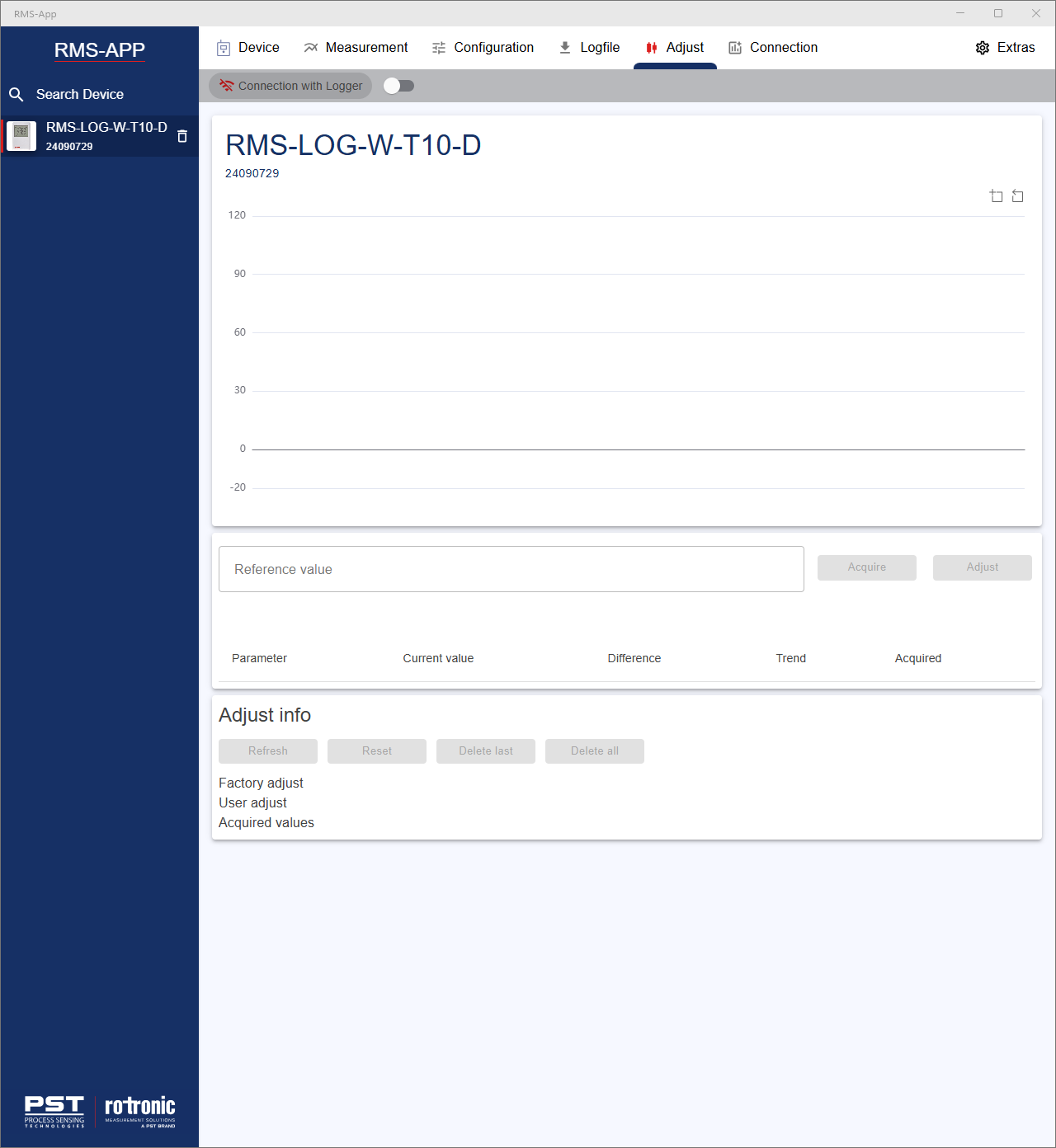
- Add the reference value.
- Click on acquire: the calibration point is stored on the device.
- Click on adjust: the device is then adjusted based upon the stored calibration point(s).
Parameter: what parameter is being measured.
Current value: what value is the device reading.
Difference: difference between the device current value and the reference value.
Trend: shows the trend evolution of the device measurement.
Acquired: shows how many acquired values have been taken out of the total amount of possible acquisitions.
The adjust info menu:
Refresh: refesh the readings in the adjust menu.
Reset: reset the device.
Delete last: delete the last acquired calibration.
Delete all: delete all acquired calibrations.
Factory adjust: shows the factory adjustment details.
User adjust: shows the user adjustment details.
Acquired values: shows the acquired values saved on the device.
Updated: 27.01.2026