Install RMS Auto Login
| Step 1 | The RMS Auto Login Software runs on Windows 10. Once the RMS Auto Login file is downloaded, extract everything from the .zip file. Double click on the Rotronic_Auto_Login_Setup file.  |
|---|---|
| Step 2 | The following window will open, click on the "More info" located near the 1: 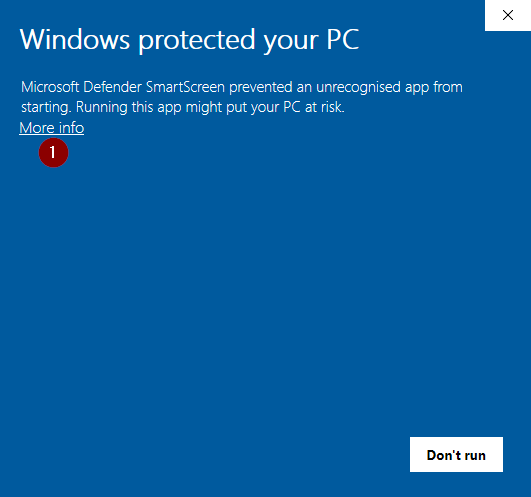 Click on "Run anyway": 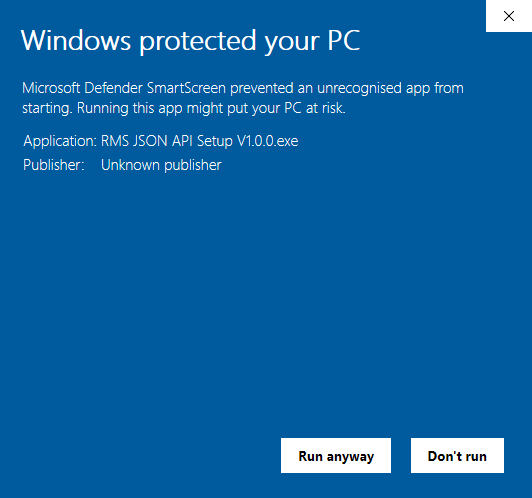 |
| Step 4 | The RMS Auto Login setup wizard will open. Click on Next: 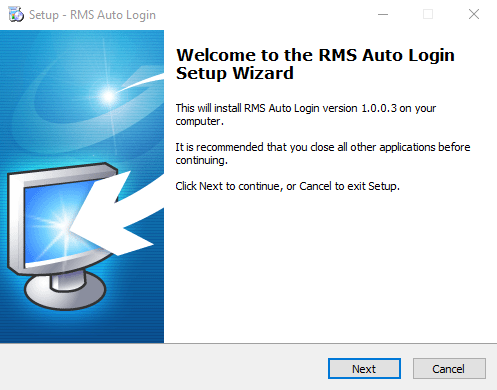 |
| Step 5 | Select the destination location and click on Next: 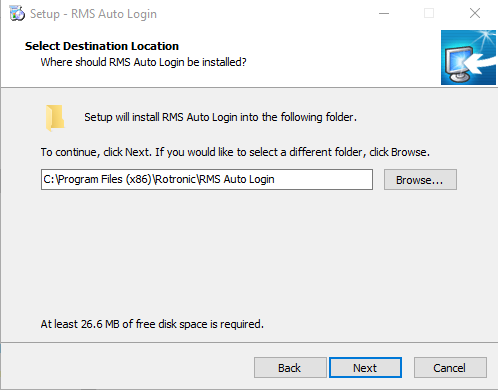 |
| Step 6 | Select the creation or not of a desktop shortcut and click on Next: 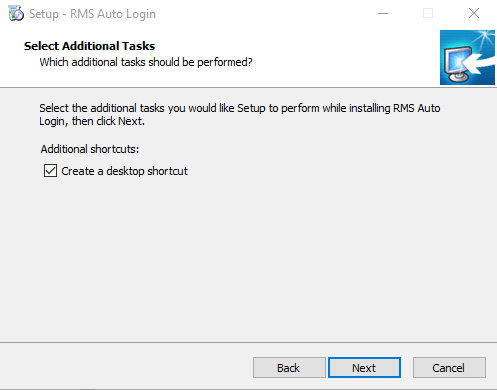 |
| Step 7 | Click on Install: 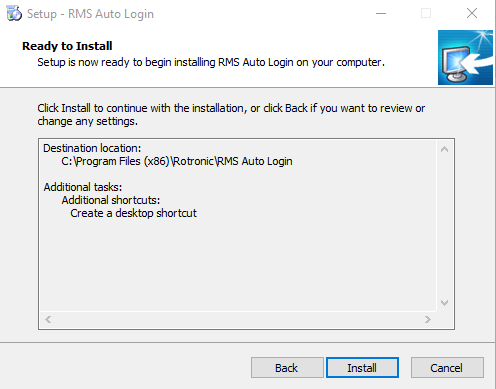 |
| Step 8 | Select the launch of not of the application and click on Finish: 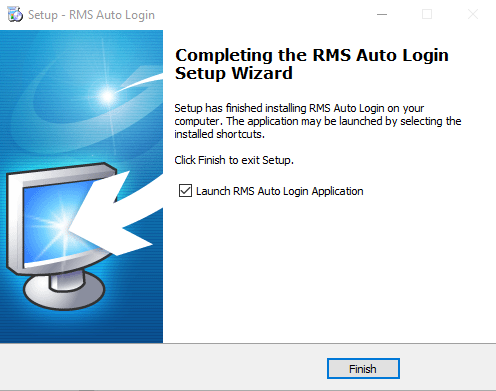 The RMS Auto Login is now installed. |