RMS-8ADC/4RTD transmitters
Device description
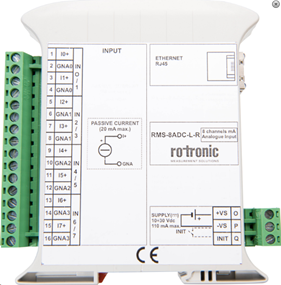
The RMS-8ADC/4RTD are DIN rail transmitters with an Ethernet port and various inputs. The RMS-8ADC-L-R-A has 8 analog inputs (mA), the RMS-8ADC-L-R-V has 8 analog inputs (V), the RMS-4RTD-L-R has 4 RTD inputs.
| Important: Please consult the RMS-8ADC/4RTD user manual a for further details. |
|---|
Network configuration of the device
The RMS-8ADC/4RTD is connected via Ethernet to the network.
To add the RMS-8ADC/4RTD into the RMS, it is necessary to discover the individual network configuration of the device such as:
| Note: RMS-8ADC/4RTD has no DHCP function and no host name. It can be addressed only by the fixed IP address. |
|---|
| Note: The Digi Device Discovery Tool does not work for the RMS-8ADC/4RTD. |
|---|
| Step 1 | To configure the RMS-8ADC/4RTD IP address: 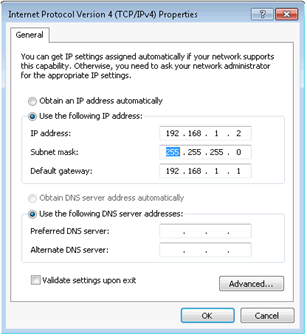 |
|---|---|
| Step 2 | Default login: 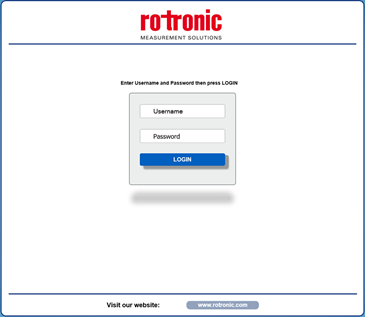 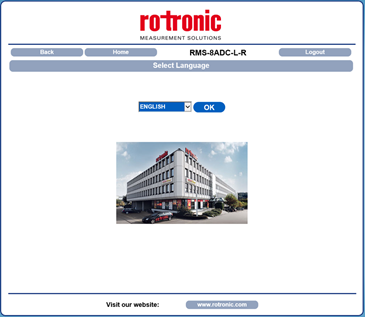 - Network settings and system configuration: 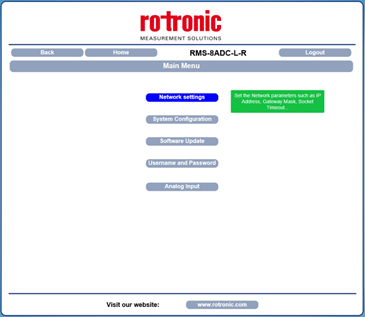 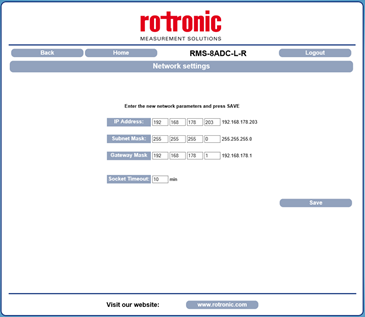 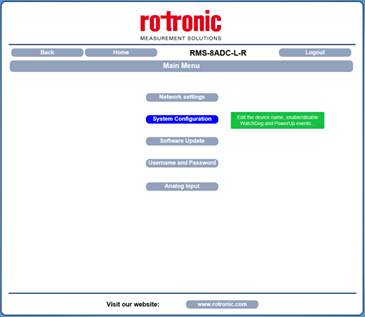 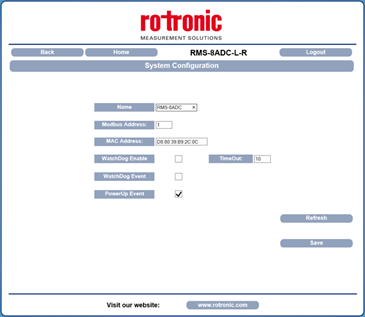 |
Integration into RMS via the RMS-CONVERTER-100
| Step 1 | Log in to the RMS software. Select "Tools" > "Setup" > "Devices". Select the RMS-CONVERTER and click on "Add/Search" devices: 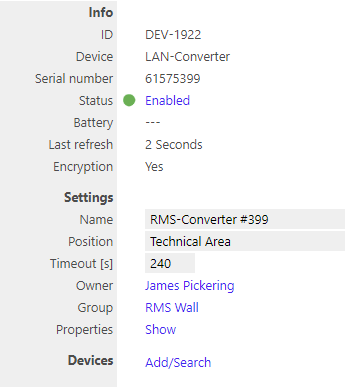 |
||||||
|---|---|---|---|---|---|---|---|
| Step 2 | Select the device type in the drop down menu. It is possible to type the IP address or host name into the "IP address" field. IMPORTANT: If the field stays empty, RMS will not search automatically. 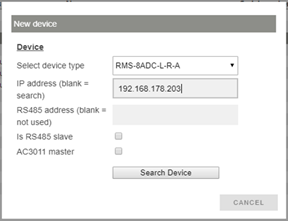 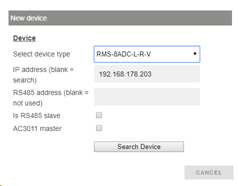 NOTE: Please take care that the correct device type is chosen. Because a current input type of the device can be added as a voltage input type (the opposite as well). |
||||||
| Step 3 | The device appears: configure accordingly. \ |
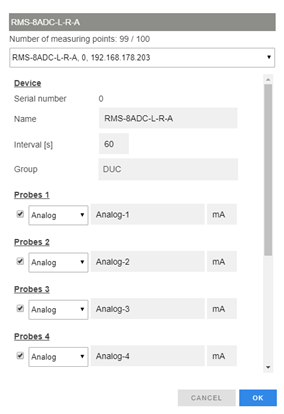 \ \ |
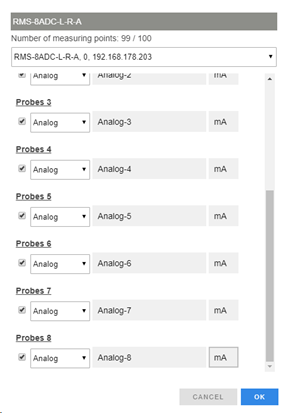 \ \ |
\ | --- \ | --- \ | NOTE: The interval cannot be shorter than the interval of the RMS-CONVERTER-100. NOTE: The serial number information of the device is not provided to RMS. IMPORTANT: If all check marks for measurement points are not set during initial installation and you wish to expand it later, then the same device needs to be added again with the same identification and IP address (there is no need to delete the device before adding it). The desired check marks can then be set. After completing this process, the added or updated measurement points will appear. NOTE: If settings are changed with another software further to the initial installation into RMS, then RMS will not note the change. However, such a change would cause RMS to not work correctly. |
|
|
||||||
| Step 4 | The device is added. 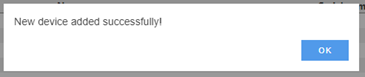 |
Functionality within RMS
| Step 1 | Device settings: log in to the RMS software. Select "Tools" > "Setup" > "Devices". Select the device. 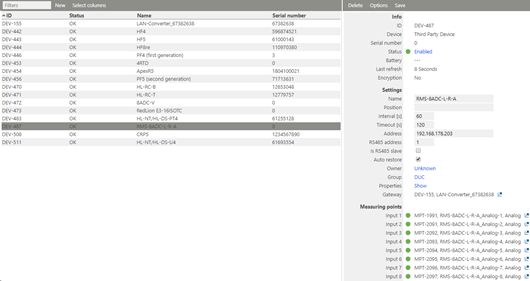 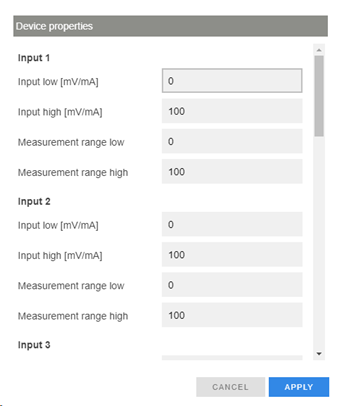 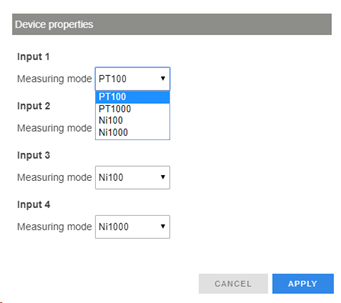 IMPORTANT: Under "Options", "the firmware update", "import firmware file", "import device definition" and "device inventory" are not supported for this device. |
|---|---|
| Step 2 | Measurement point settings: log in to the RMS software. Select "Tools" > "Setup" > "Measuring point". Select the measuring point: 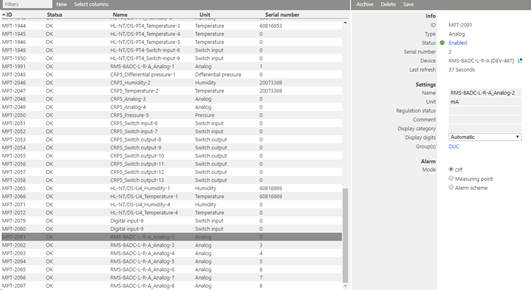 |
| Step 3 | Adjustment: an adjustment of the RMS-8ADC/4RTD is not possible. |
| Step 4 | Data logging: the RMS-8ADC/4RTD has no internal memory, the RMS-8ADC/4RTD is not battery powered. So the RMS-8ADC/4RTD cannot log during a power interruption. In case of a communication interruption to the RMS Server, the RMS-CONVERTER-100 logs the data of the RMS-8ADC/4RTD. After the interruption, RMS requests the data from the RMS-CONVERTER-100. In case of a communication interruption between the RMS-CONVERTER-100 and the RMS-8ADC/4RTD, the RMS-8ADC/4RTD would not log the data. |
| Step 5 | Sensor error cannot be detected, if nothing is connected to the ADC, the measured value is 0.00. |
Updated: 02.10.2023