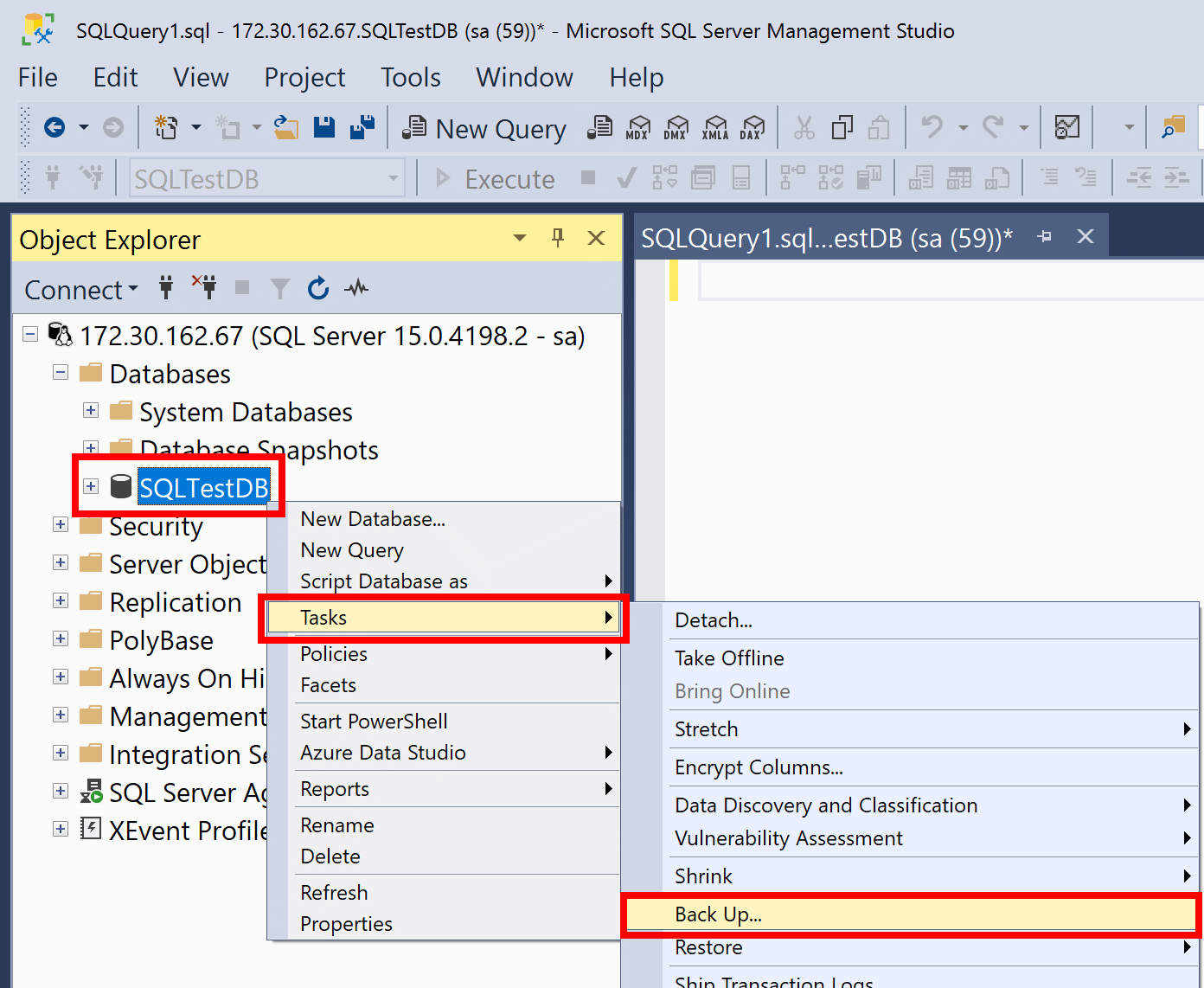
Full back up to disk to default location
In this example, the SQLTestDB database will be backed up to disk at the default backup location.
- After connecting to the appropriate instance of the Microsoft SQL Server Database Engine, in Object Explorer, expand the server tree.
- Expand Databases, right-click SQLTestDB, point to Tasks, and then select Back Up....
- Select OK.
- When the backup completes successfully, select OK to close the SQL Server Management Studio dialog box.