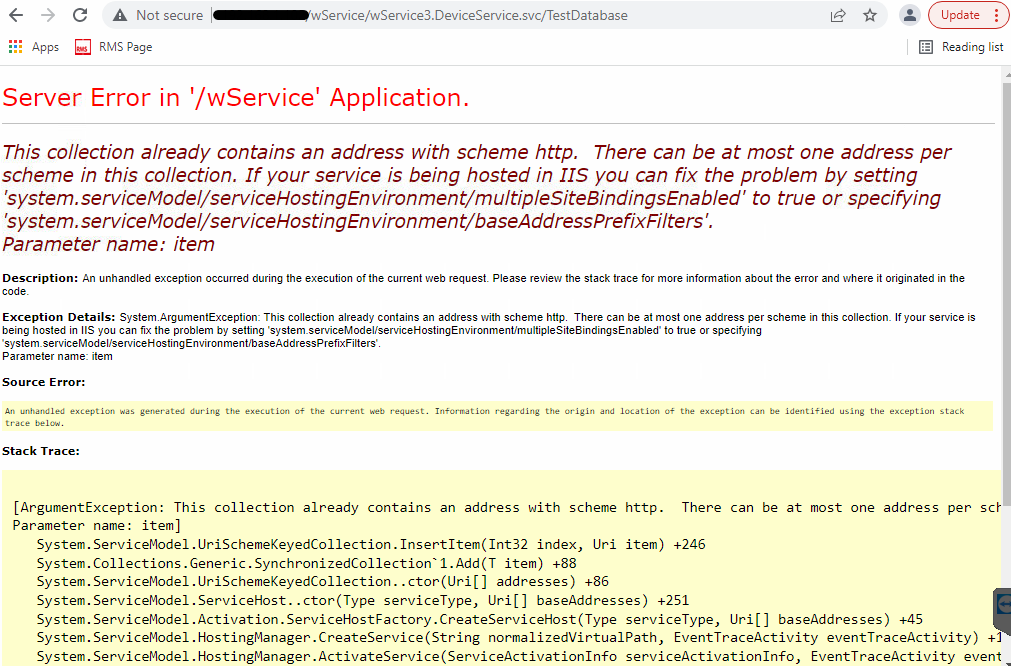
When Adding a LAN Device a Server Error in "/wService" Application Appears
The user can log into RMS successfully, but adding LAN devices doesn’t work.
Running the test Webservice database connection http://
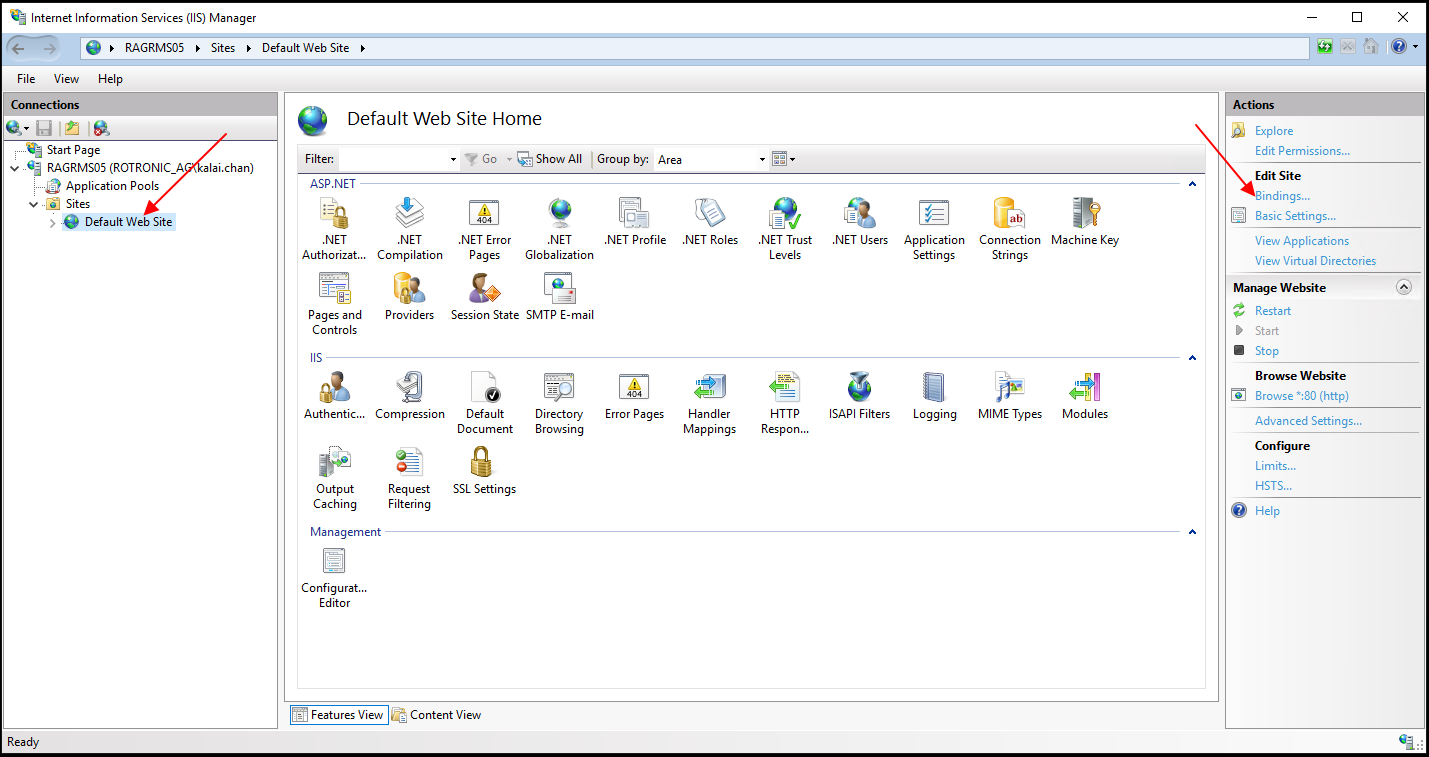
On the server, open Internet Information Services Manager and select Default Web Site and select Bindings:
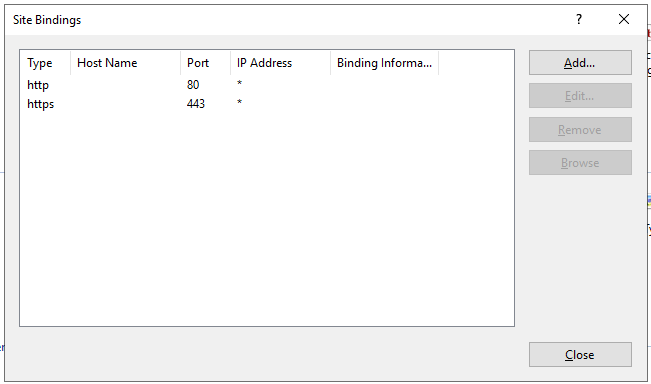
There should be only one port 80. If you have HTTPS then there is also a port 443. If you have more than this, then please remove the additional bindings: