Add a JSON device
Add a new JSON device to the RMS server
| Step 1 | "Setup" > "Devices" > "NEW" > "User Device (JSON)" 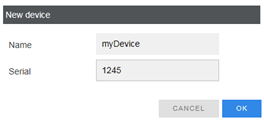 |
|---|---|
| Step 2 | Enter the name and the serial number of your device. Then transmit a new set of measure data to the server (see chapter 1.2). If received, the following dialog will display: 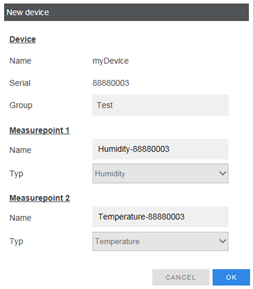 |
| Step 3 | Select a group for your device and name for your measure points. After that, an ID and a token will be displayed. Use this information in your following transmissions to the server. If ID and token are not valid, the data will not be accepted by the server. 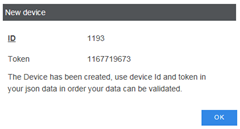 |