Activated FIPS on server is not compatible with RMS
This operation needs to be carried out on all servers (application and database) where RMS is used.
| Step 1 | On the server, open the local security policy: 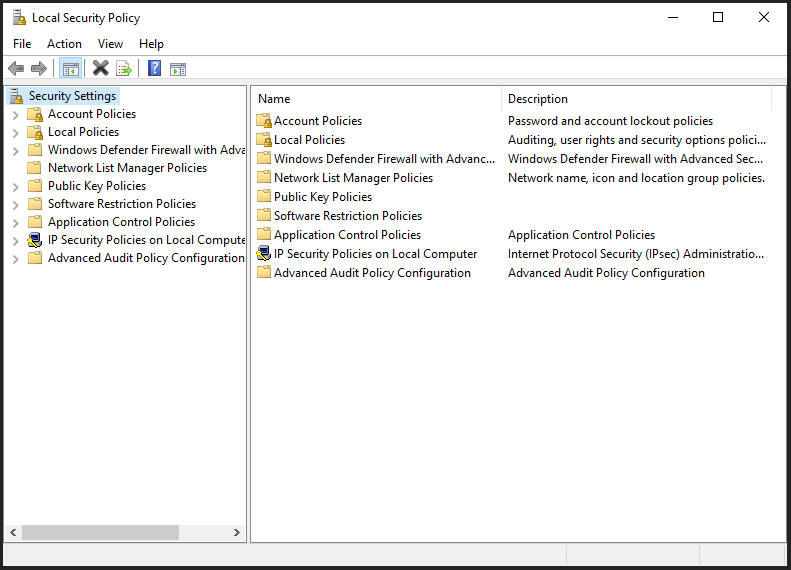 |
|---|---|
| Step 2 | Go to local policies: 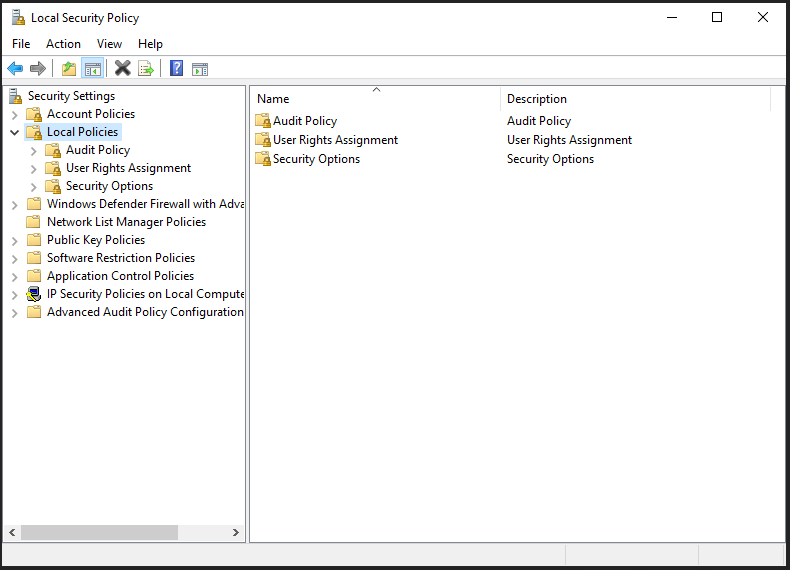 |
| Step 3 | Choose security options: 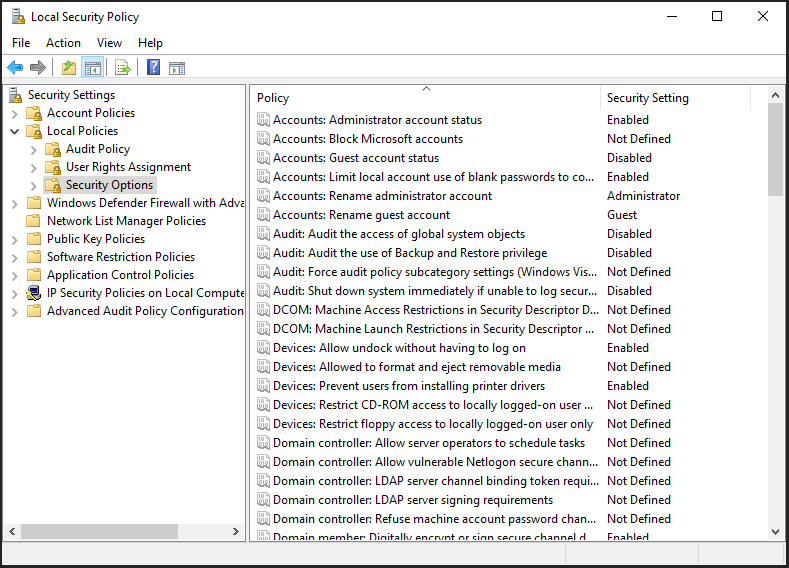 |
| Step 4 | Disable system cryptography: use FIPS compliant algorithms for encryption, hashing, and signing: 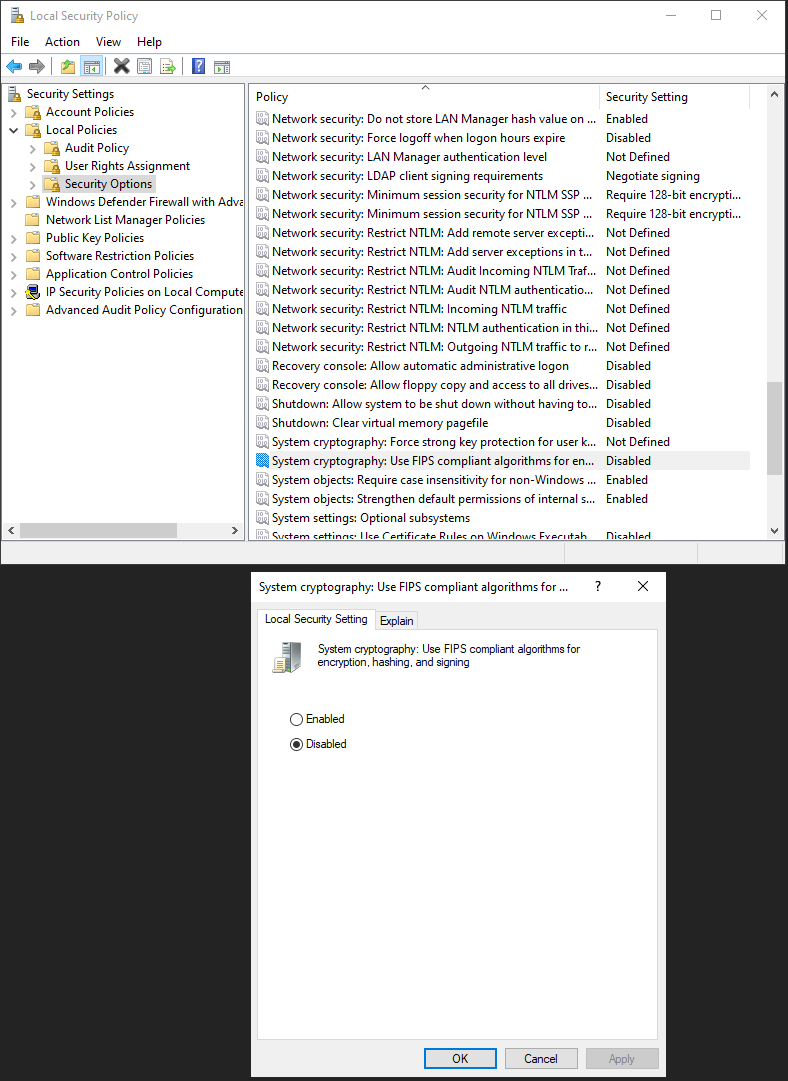 |
| Step 5 | Test by opening the browser and enter the following address: http://localhost/wService/wService3.DeviceService.svc/TestDatabase/ |
| Step 6 | The following data should be shown:  |