Roll back to a Previous Version of the RMS Software
Roll back to the original version (only when a software update was not successful).
If the update was not successful, it is possible to roll back to the original version.
| Step 1 | Switch wService and wPage application offline (same as step 4 for "Update to a Newer Version of the RMS Software") |
|---|---|
| Step 2 | Restore the database using the backup done before update 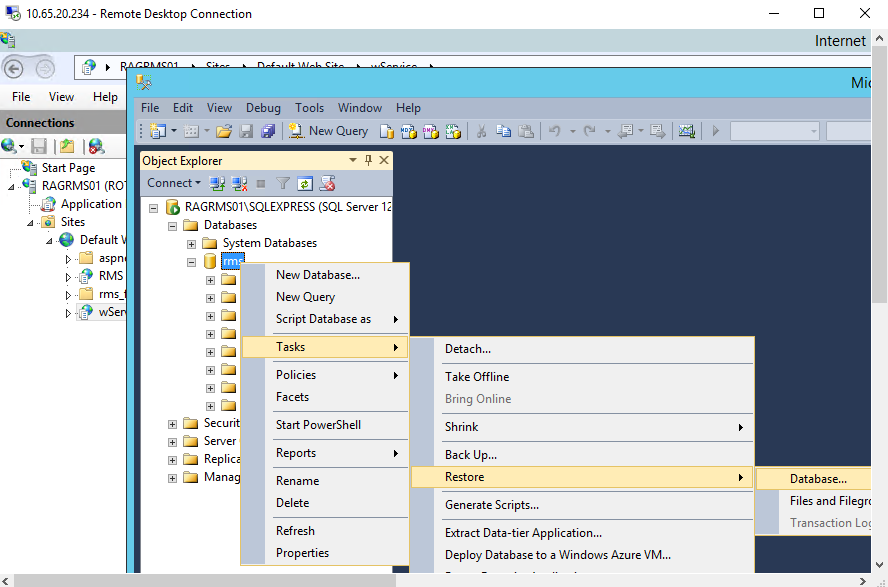 If the restore fails because of still activated connection to the database, the problem can be solved by selecting the option "close existing connection" or by recycling the application pool. |
| Step 3 | Set both applications online again with old version: |