Add a Layout
| Step 1 | From the start page, click on "Tools" > "Setup": 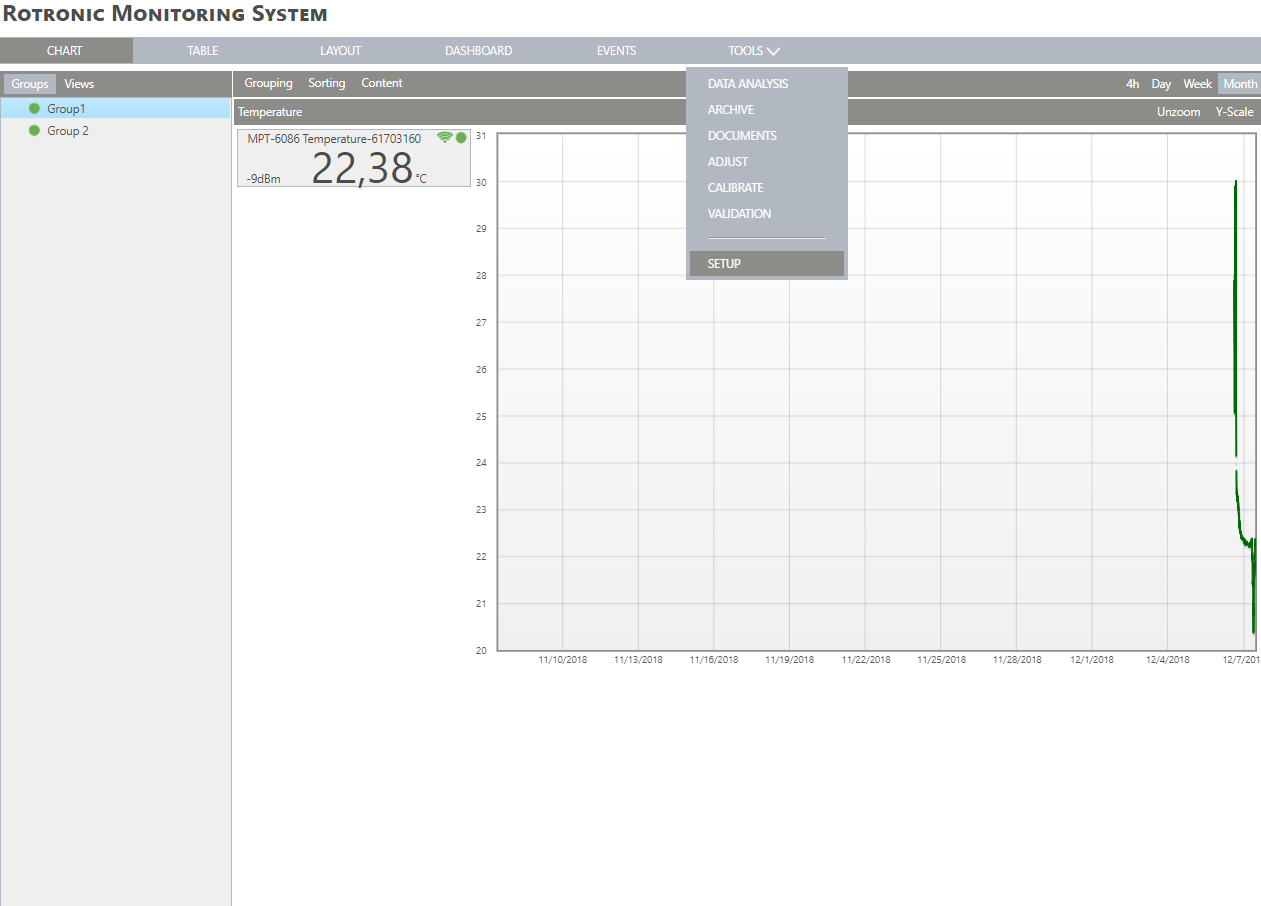 |
|---|---|
| Step 2 | On the left side, select "Layout": 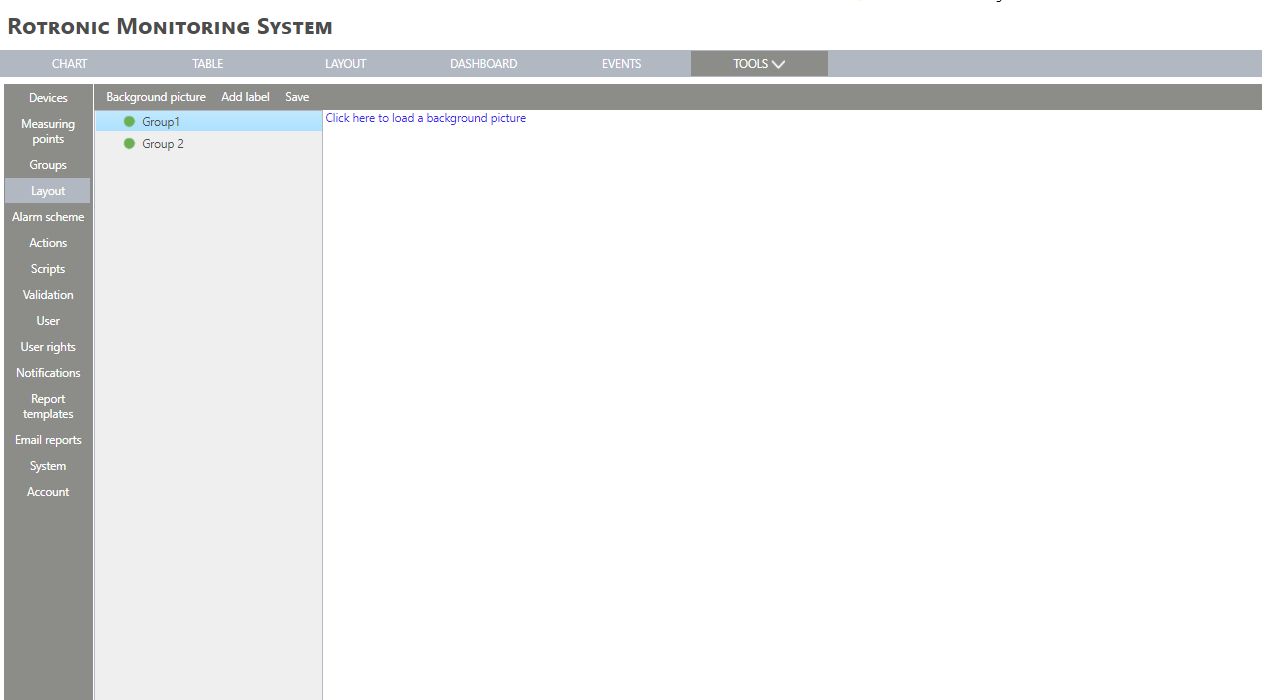 |
| Step 3 | Click on the group where the background picture is required. Select "Background picture" > "Load image" or "Click here to load a background picture" to add a new picture: 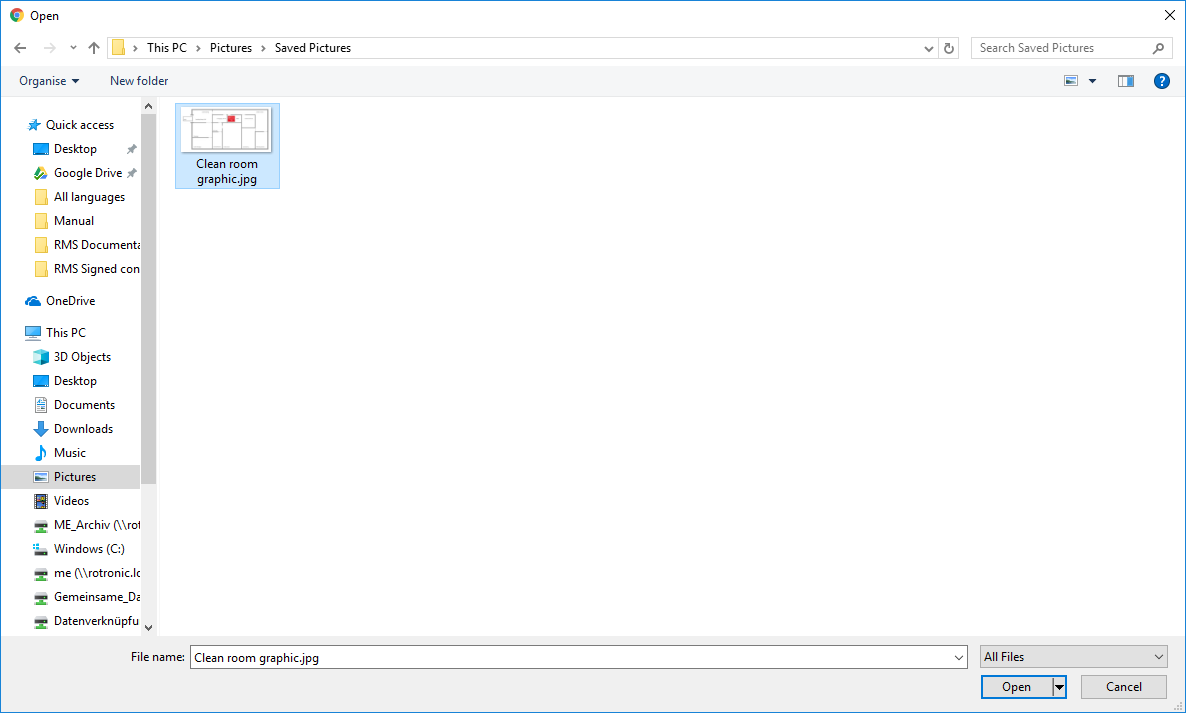 |
| Step 4 | Select a Layout from Windows Explorer (file size limited to 512 kB). Click on "Open" to add the Layout to the group: 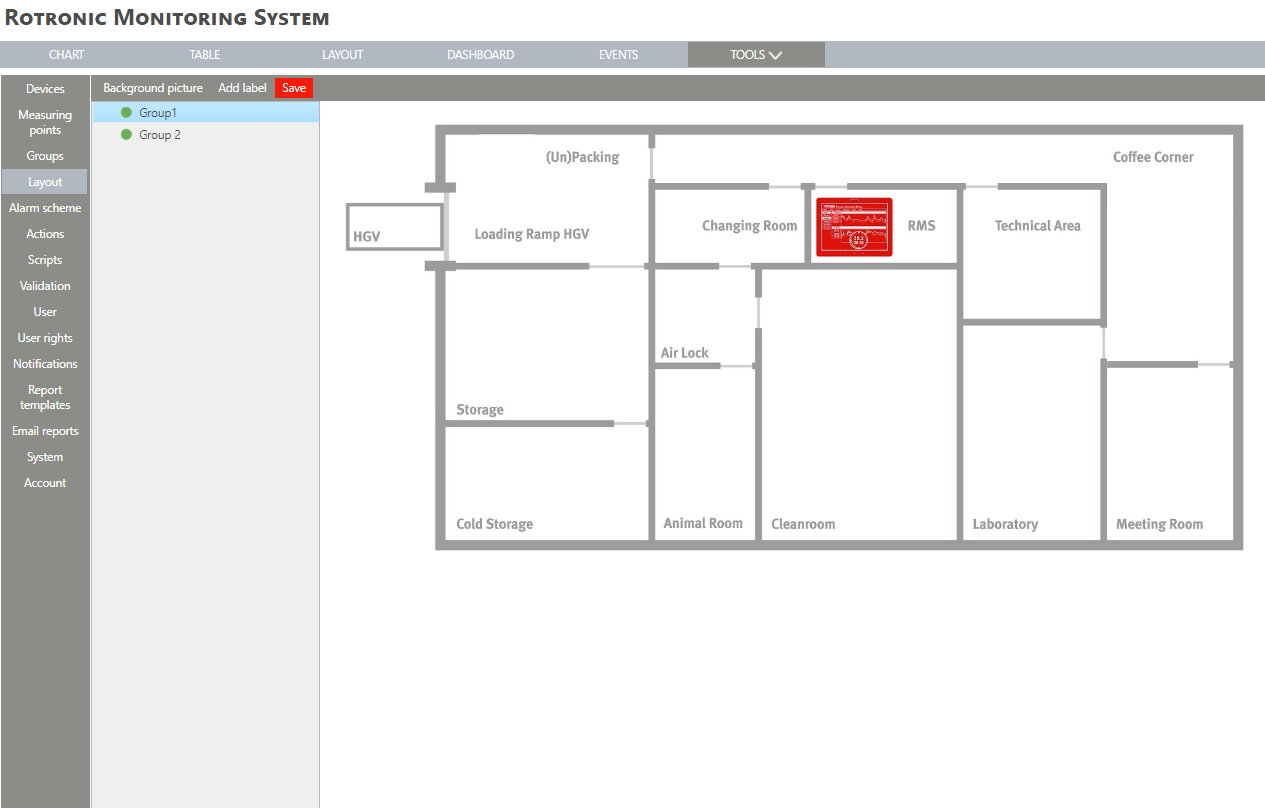 Configure your Layout File Size & Pixels |
| Step 5 | Click on "Save". The layout is added and saved. |