Calibration Option 1
This option is valid for any company wishing to calibrate an RMS digital probe.
Calibrate a digital probe with the RMS-CONFIG software:
- RMS-HCD-x
- RMS-PCD-x
- RMS-CCD-x
| Important: The digital probe send digital data to the datalogger and as of such no loop calibration is required. The digital probe will be calibrated without the datalogger in Option 1. |
|---|
Requires:
1 * digital probe.
1 * RMS-Config software.
1 * AC3001 USB cable.
| Step 1 | Connect the digital probe to the AC3001 cable. Place the digital probe in the calibration environment. Plug the AC3001 cable into a computer USB port. Open the RMS-CONFIG software. |
|---|---|
| Step 2 | Open the RMS-CONFIG software. Click on "Device" > "Search" > "Local devices (USB/RS232)": 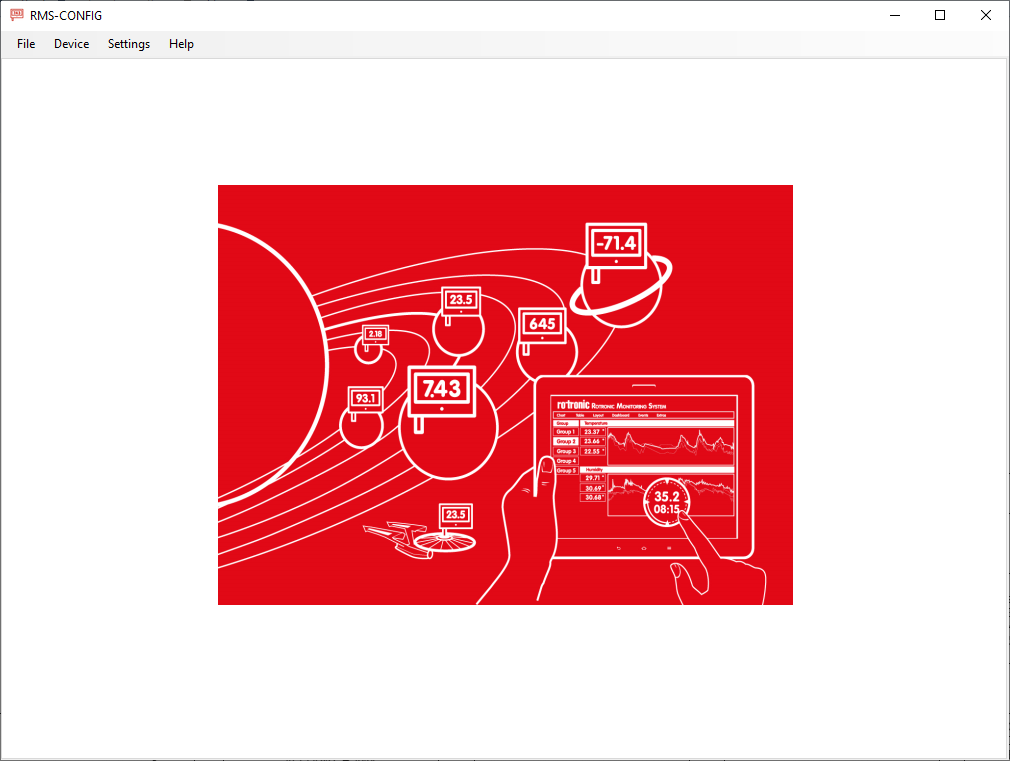 |
| Step 3 | A pop-up window will open with all USB/RS232 devices that are connected to the computer. Select the required probe and click on "Add": 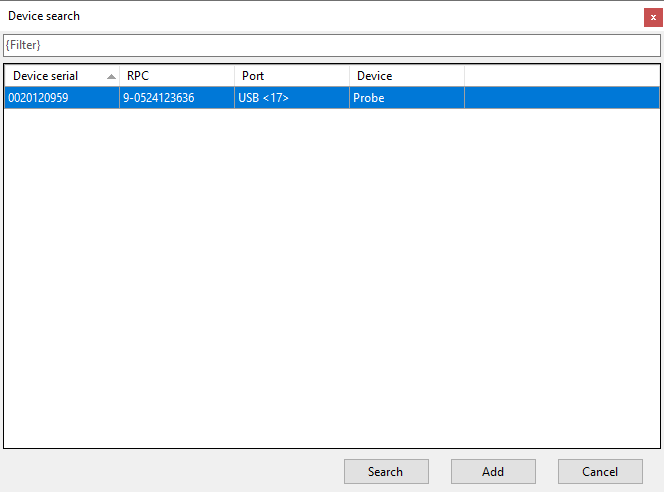 |
| Step 4 | Click on the Adjust tab: 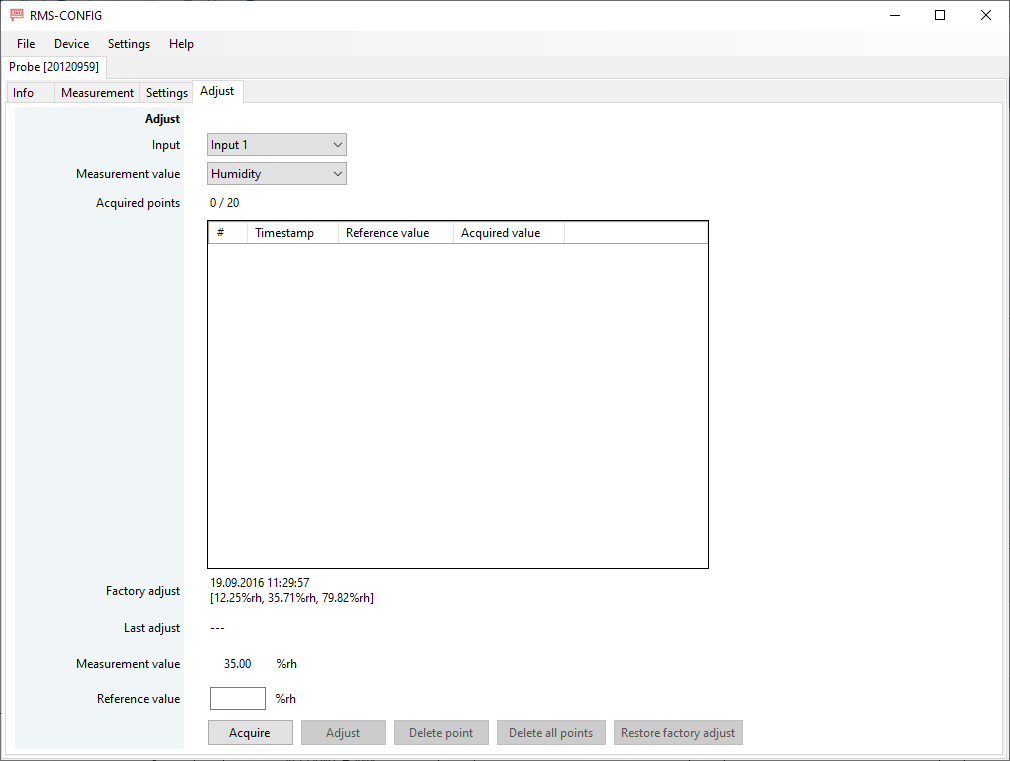 |
| Step 5 | When possible, select the measurement value to be calibrated: 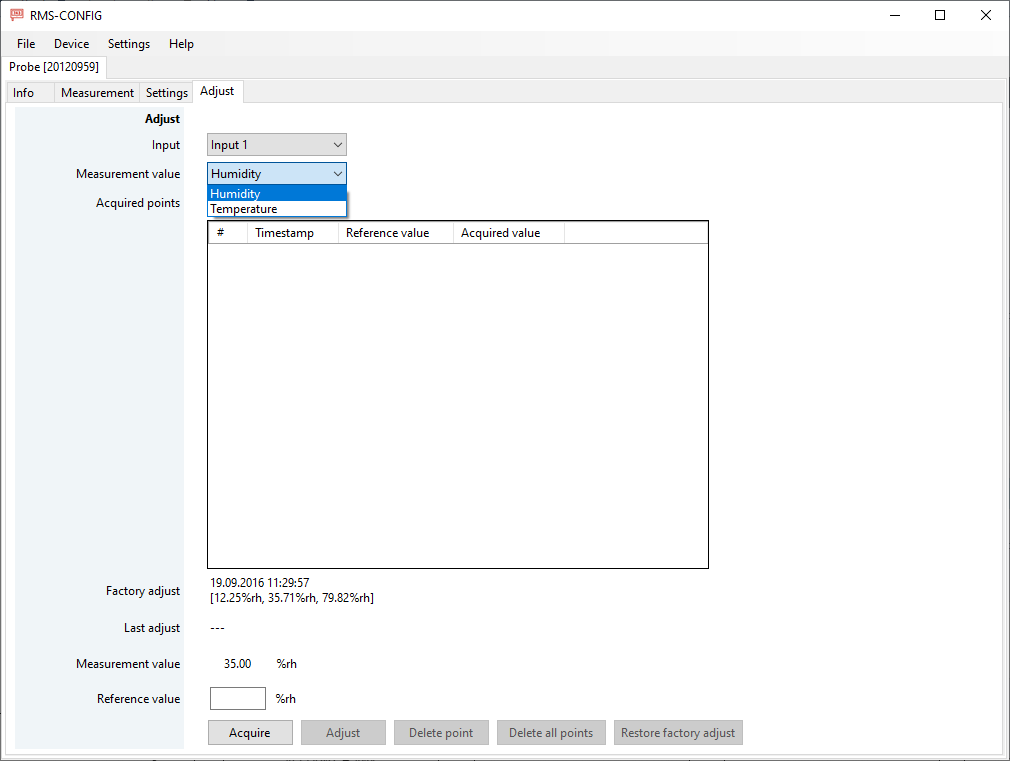 |
| Step 6 | Follow the internal calibration procedures. Enter the reference value shown on the reference and click on acquire: 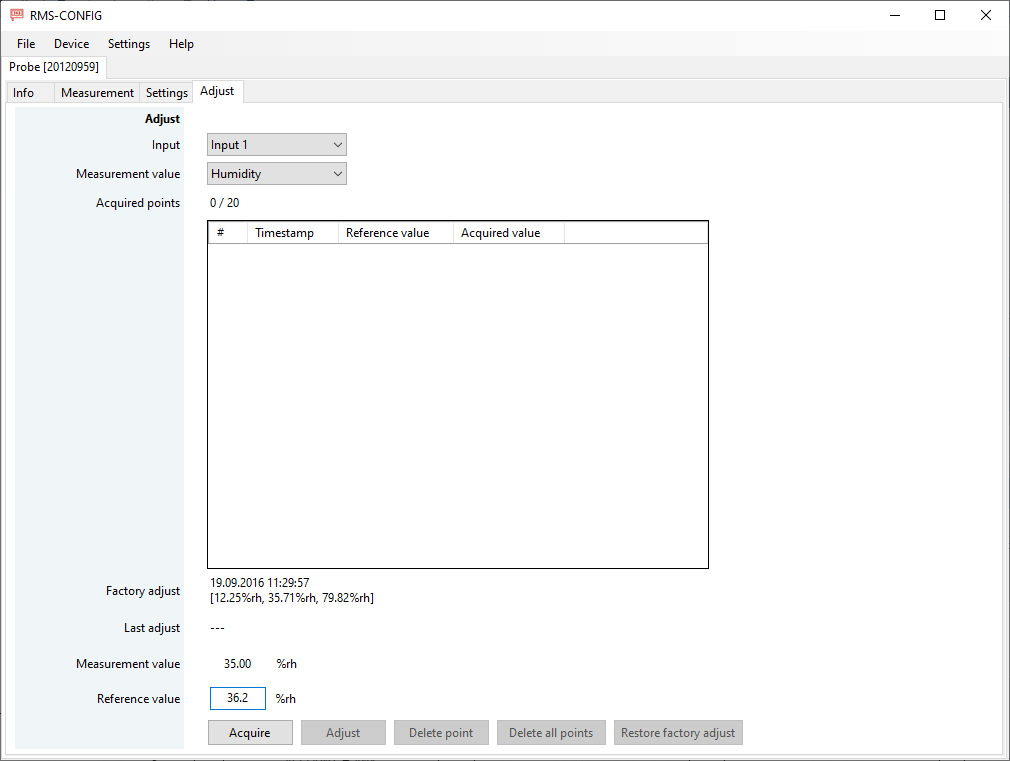 |
| Step 7 | The acquired points will be added to acquired points: 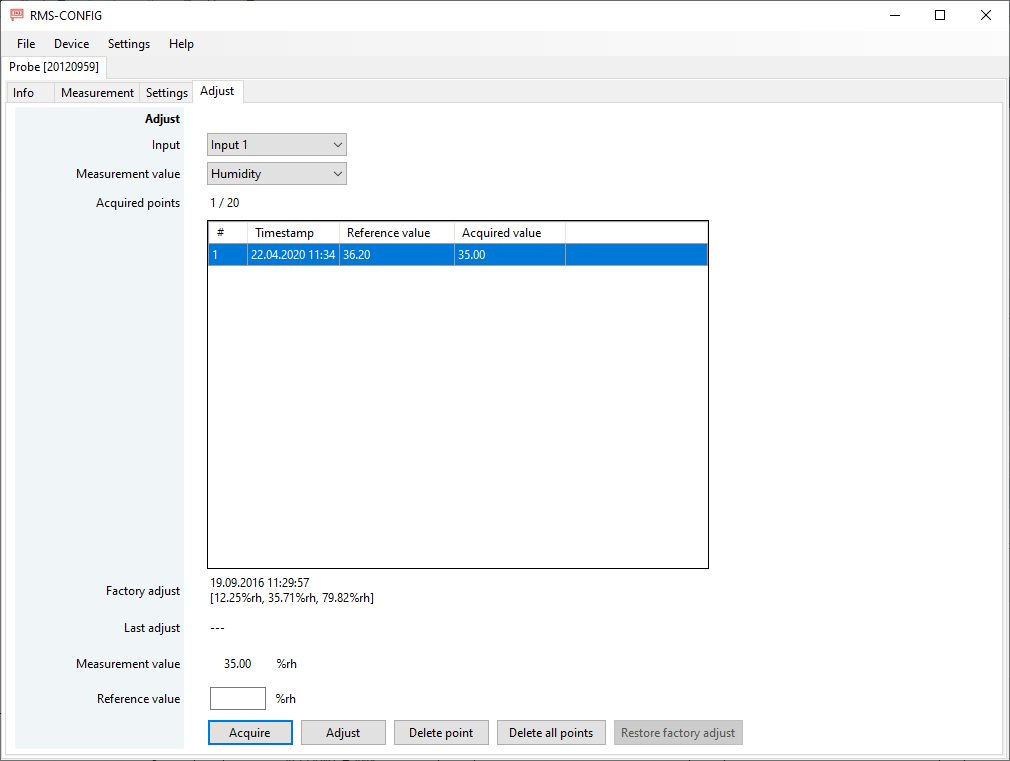 |
| Step 8 | Carry out all of the necessary calibration points. The data found within the acquired points is the calibration data with the as found values. |
| Important: This is only a calibration and not an adjustment. |
|---|
Adjust: Click on adjust to adjust the probe. Why Adjust?
Delete point: Delete an acquired point if required.
Delete all points: Delete all points if required.
Restore factory adjust: Restore the factory adjustment if required.