Creation of Database Tables
The creation of the RMS database tables are imported.
| Step 2 | Open the extracted RMS software file. Open the file 0000-Rotronic-Rms-Tables.sql. 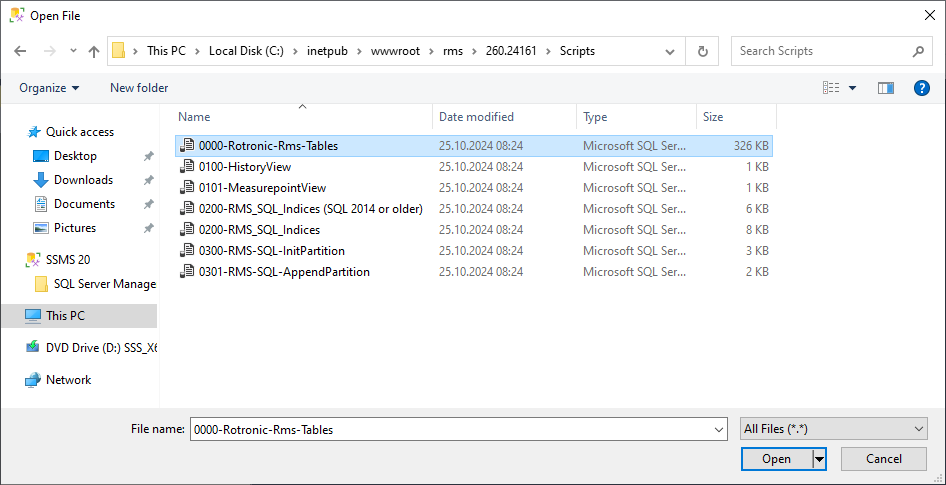 |
|---|---|
| Step 3 | The following window will open. 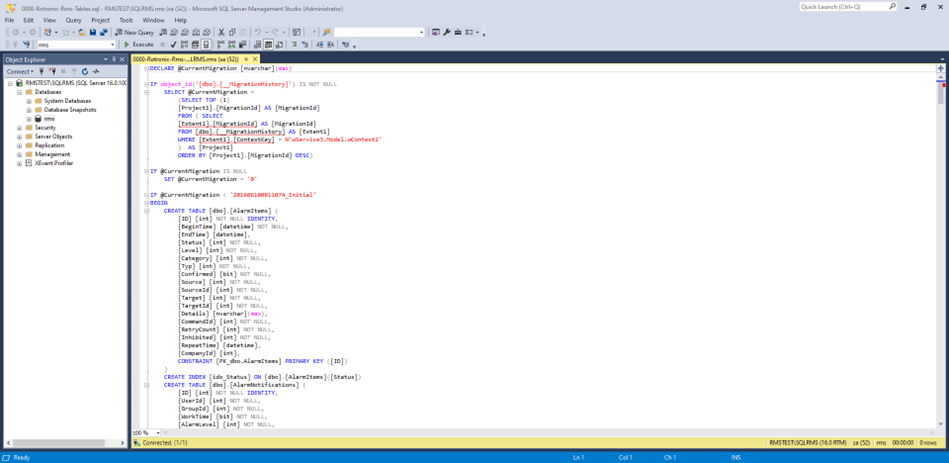 |
| Step 4 | Click on "Execute" to generate the tables. The RMS database tables are now created. Close the window. 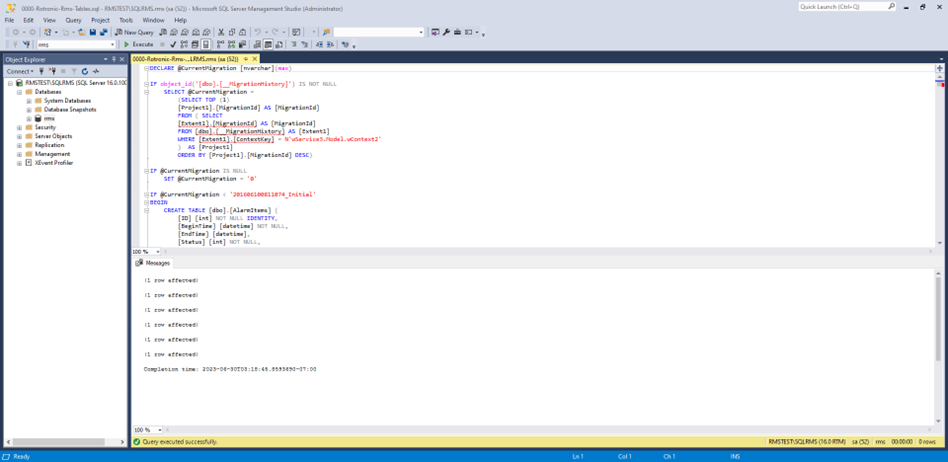 |
| Step 5 | Option 1: Installation of the RMS Software V2.6.0 Using Mixed Authentication Mode. Option 2: Installation of the RMS Software V2.6.0 Using Windows Authentication Mode. Option 3: Installation of the RMS Software V2.6.0 not on C: with Mixed Authentication Mode. Option 4: Installation of the RMS Software V2.6.0 not on C: with Windows Authentication Mode. |
Updated: 18.11.2024