RMS V2.9.0 Redundant Setup
| Step 1 | Open the service Manager folder and edit the file "RmsServiceManager.exe": 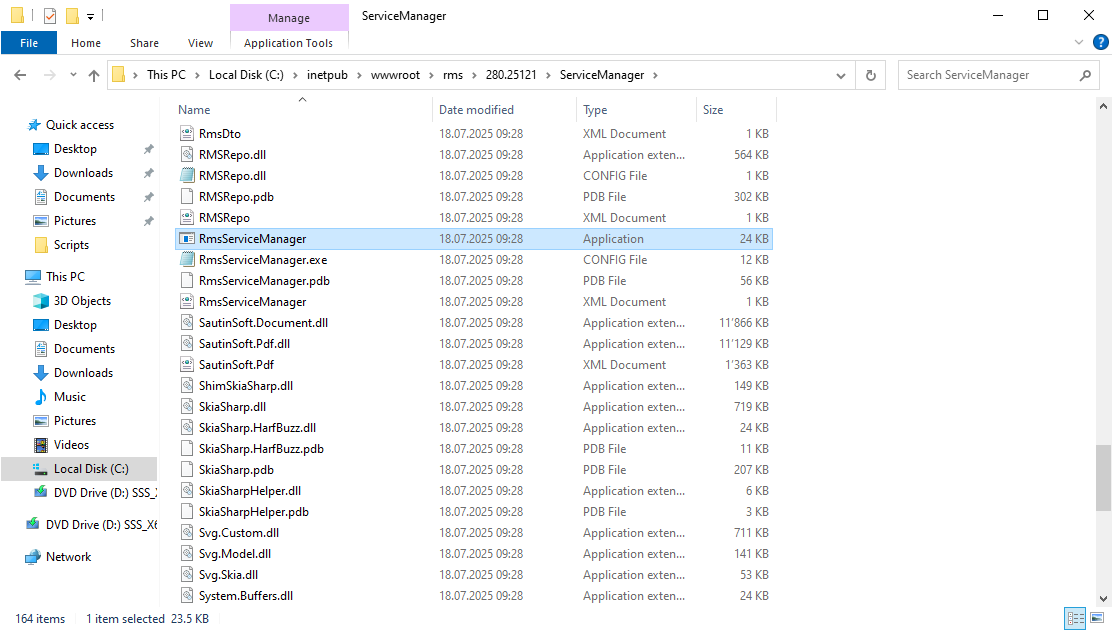 |
|---|---|
| Step 2 | Search for "RmsServiceManager.my.mySetting" and change follow string from false to true and save the file: setting name="RedundancyMode" serializeAs="String"> 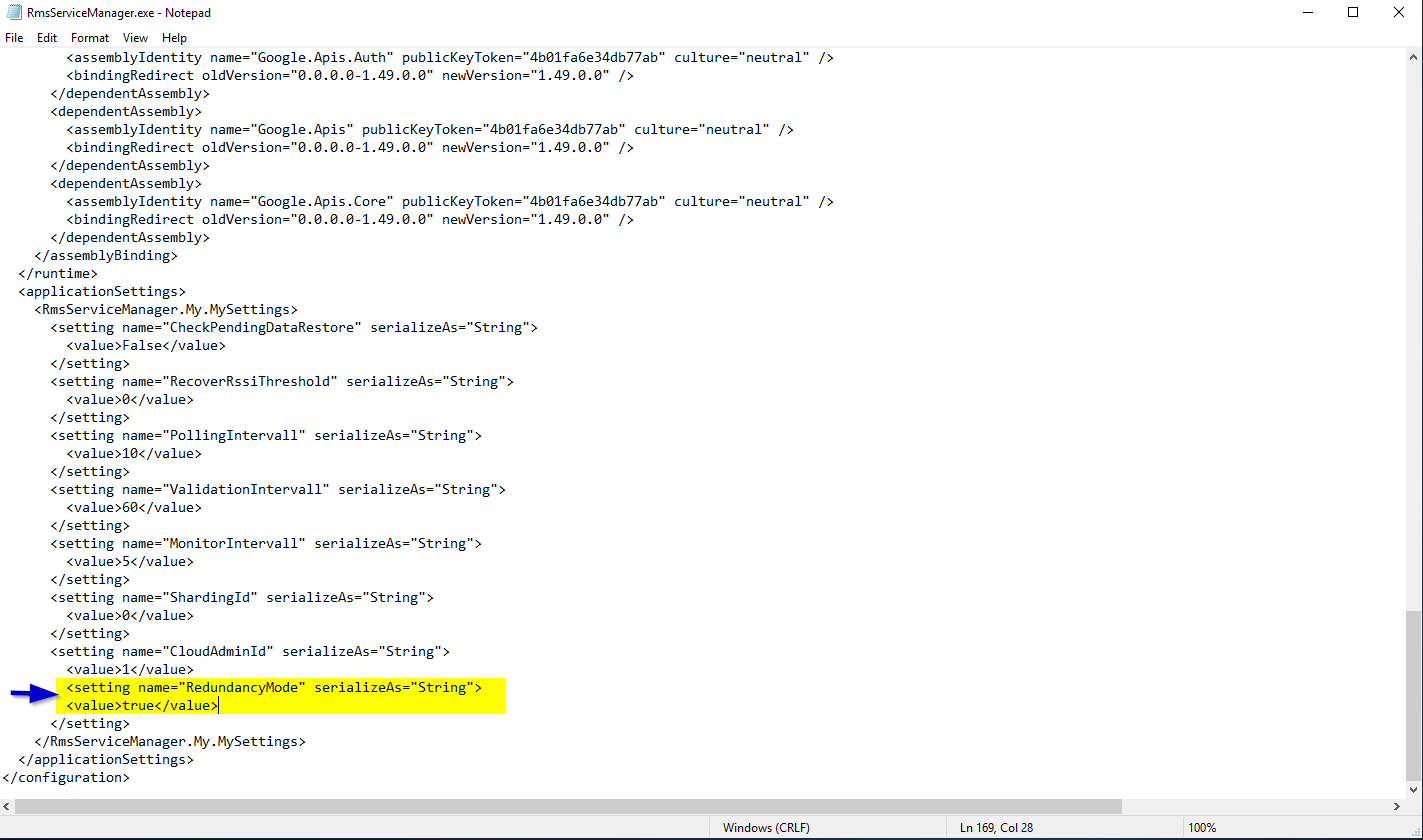 |
| Step 3 | Change the Server to Active / Passive mode! |
Created 23.11.2025