Add a System Notification
| Step 1 | From the start page, click on "Tools" > "Setup": 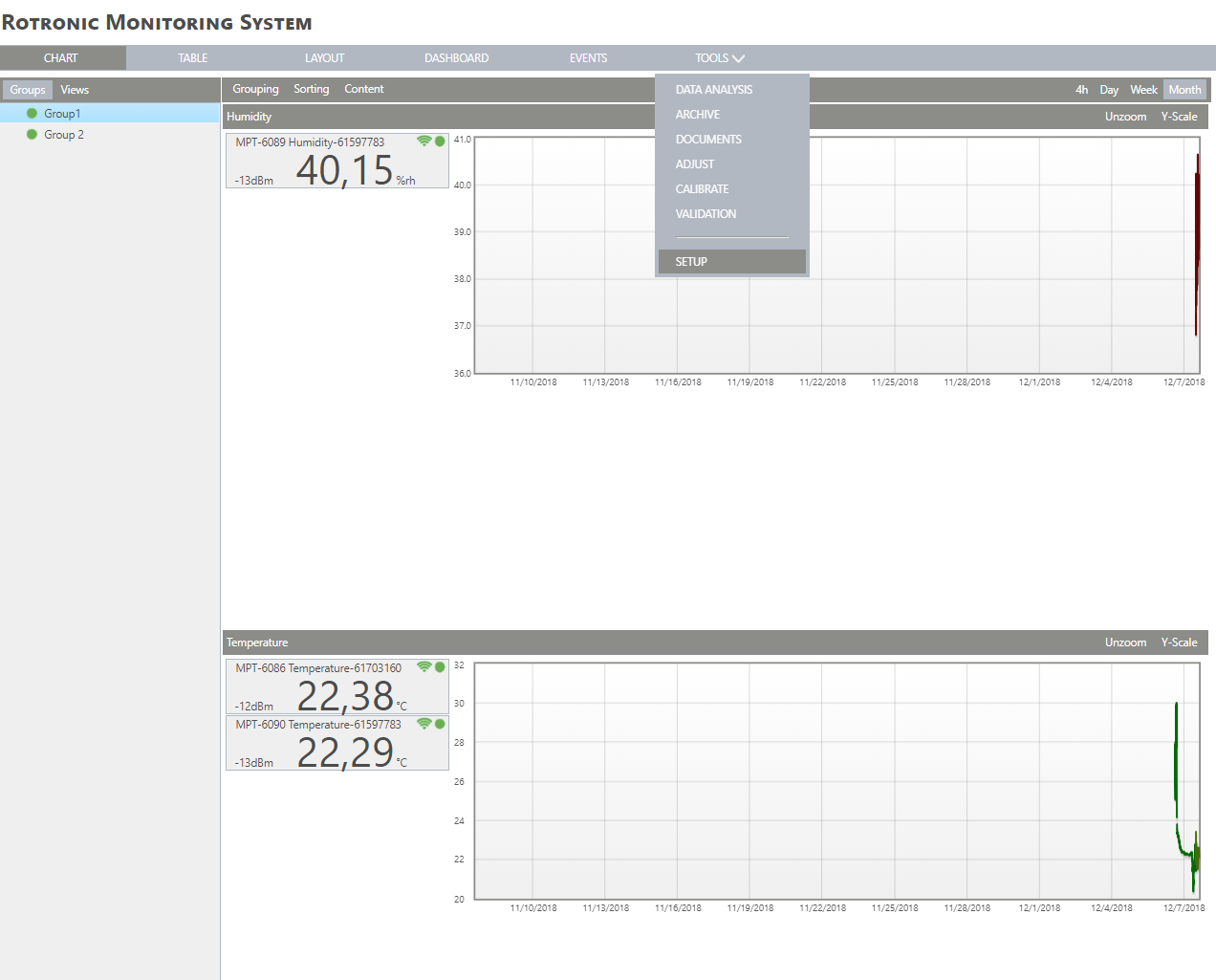 |
|---|---|
| Step 2 | On the left side, select "Notifications": 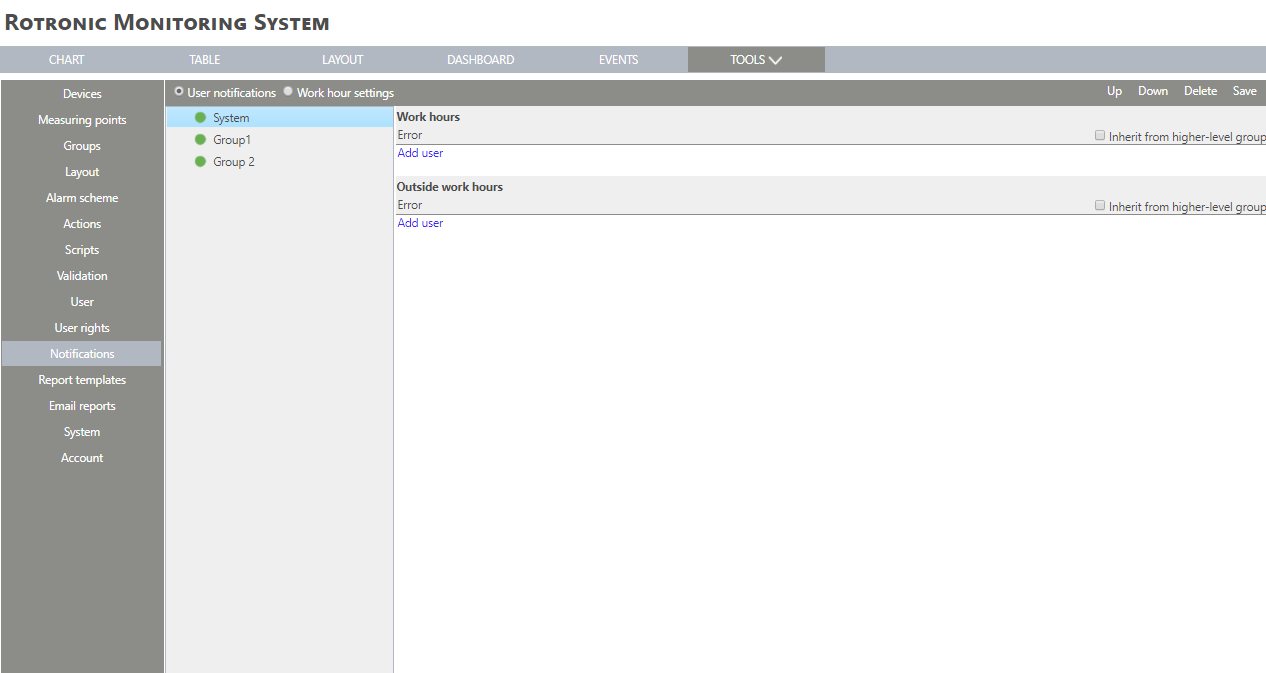 |
| Step 3 | Click on "System" > "Add user" under "Work hours" or "Outside work hours": 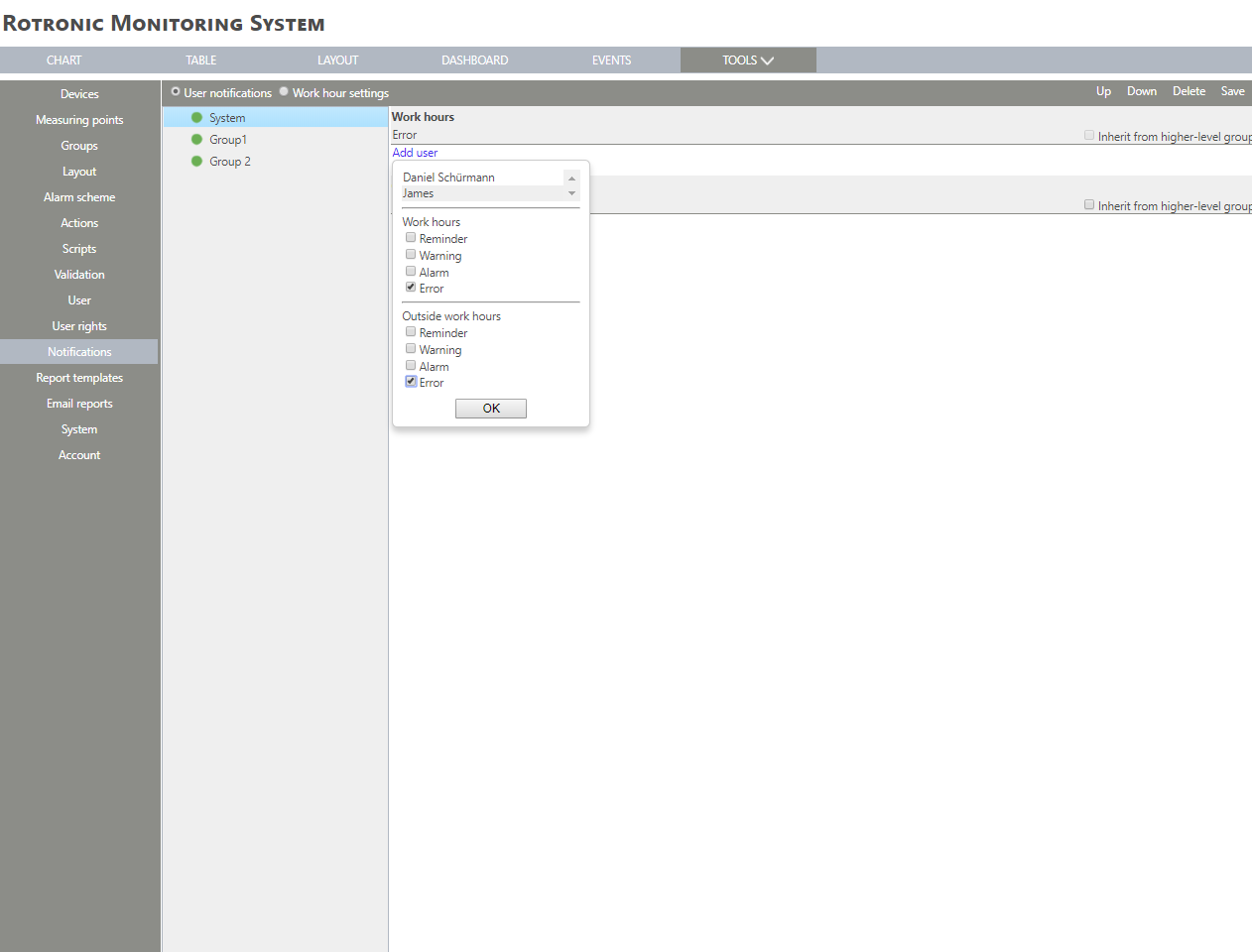 |
| Step 4 | Select a user From the users within the system. Work hours Select "Reminder" or nothing. Outside work hours Select "Reminder" or nothing. Click on "OK" to generate the notifications. |
| Step 5 | Select the means of notification: "E-mail", "SMS", "Call" or "Browser notification" by clicking on the box. 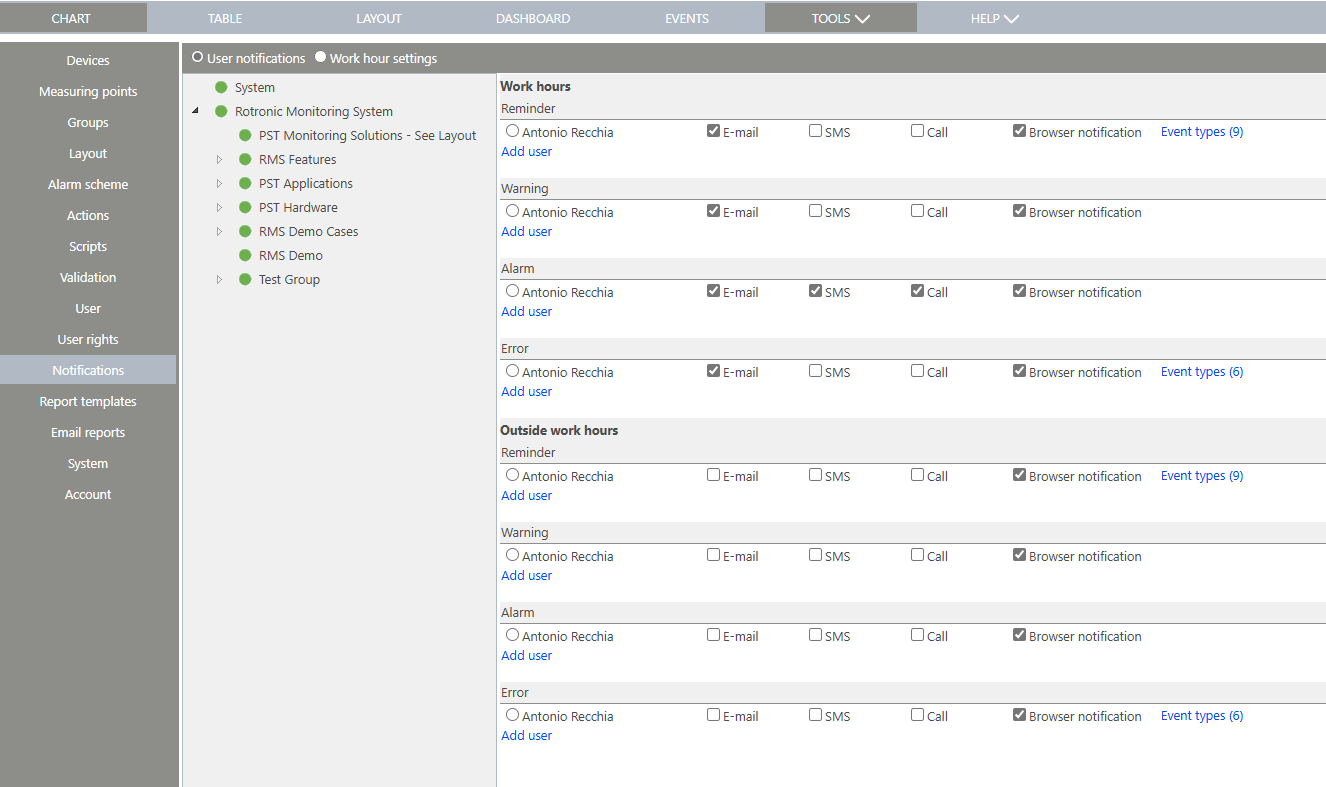 |
| Step 6 | Click "Save" to validate the changes. |
| Step 7 | The notification is saved. |
Updated 21.03.2025