Update RMS-JSON-API
| Step 1 | To update to a new version or to uninstall the existing RMS-JSON-API application use the Windows "Add or remove programs" feature using the Windows search function. 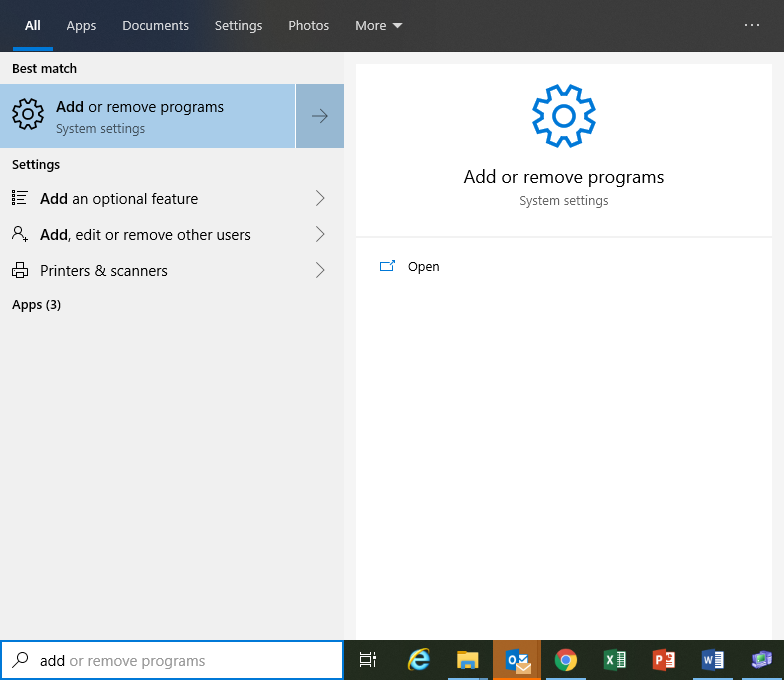 |
|---|---|
| Step 2 | Search for the RMS JSON API software, by using the search function and then clicking on the software and then on Uninstall: 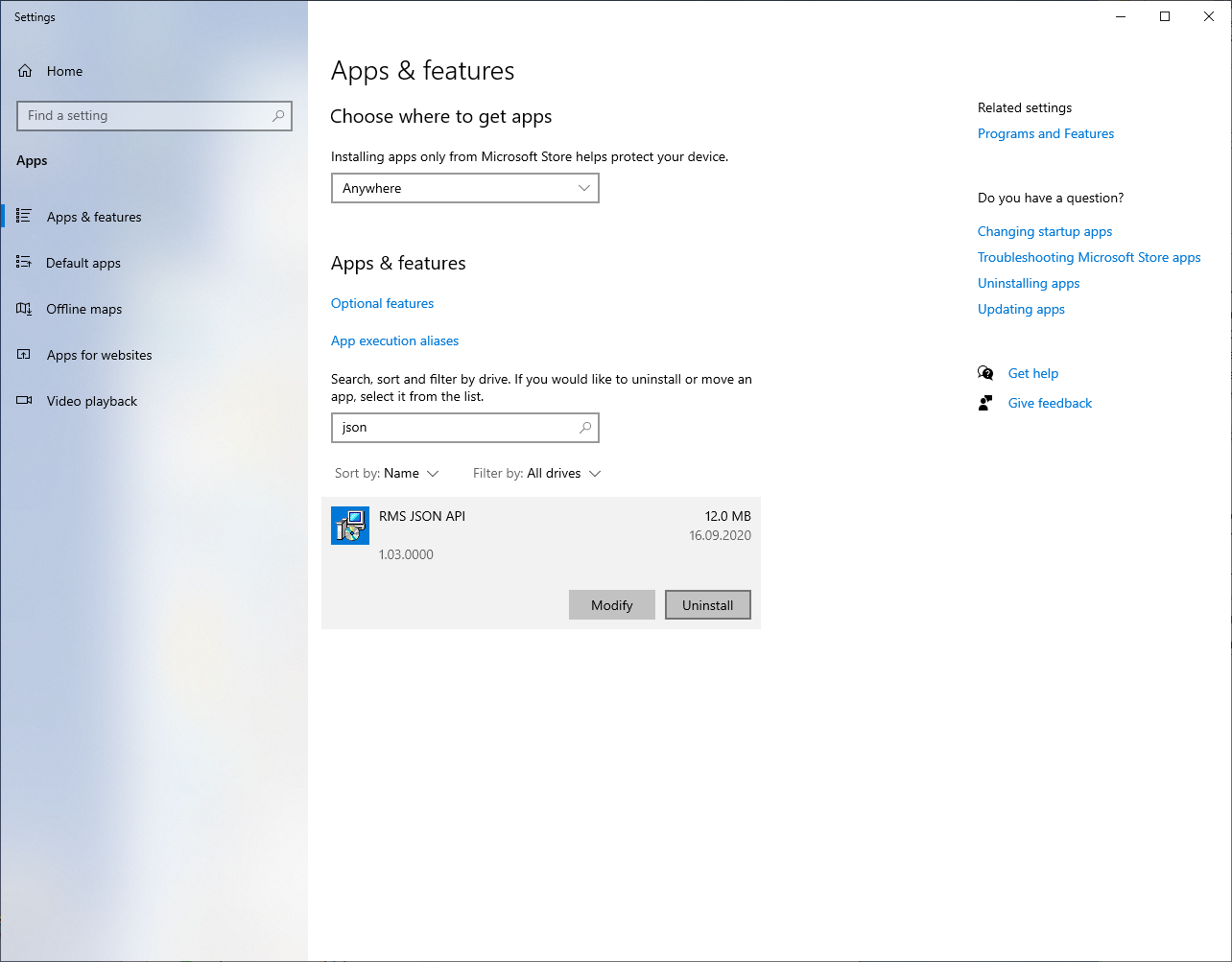 |
| Step 3 | The following window will appear. Click on uninstall: 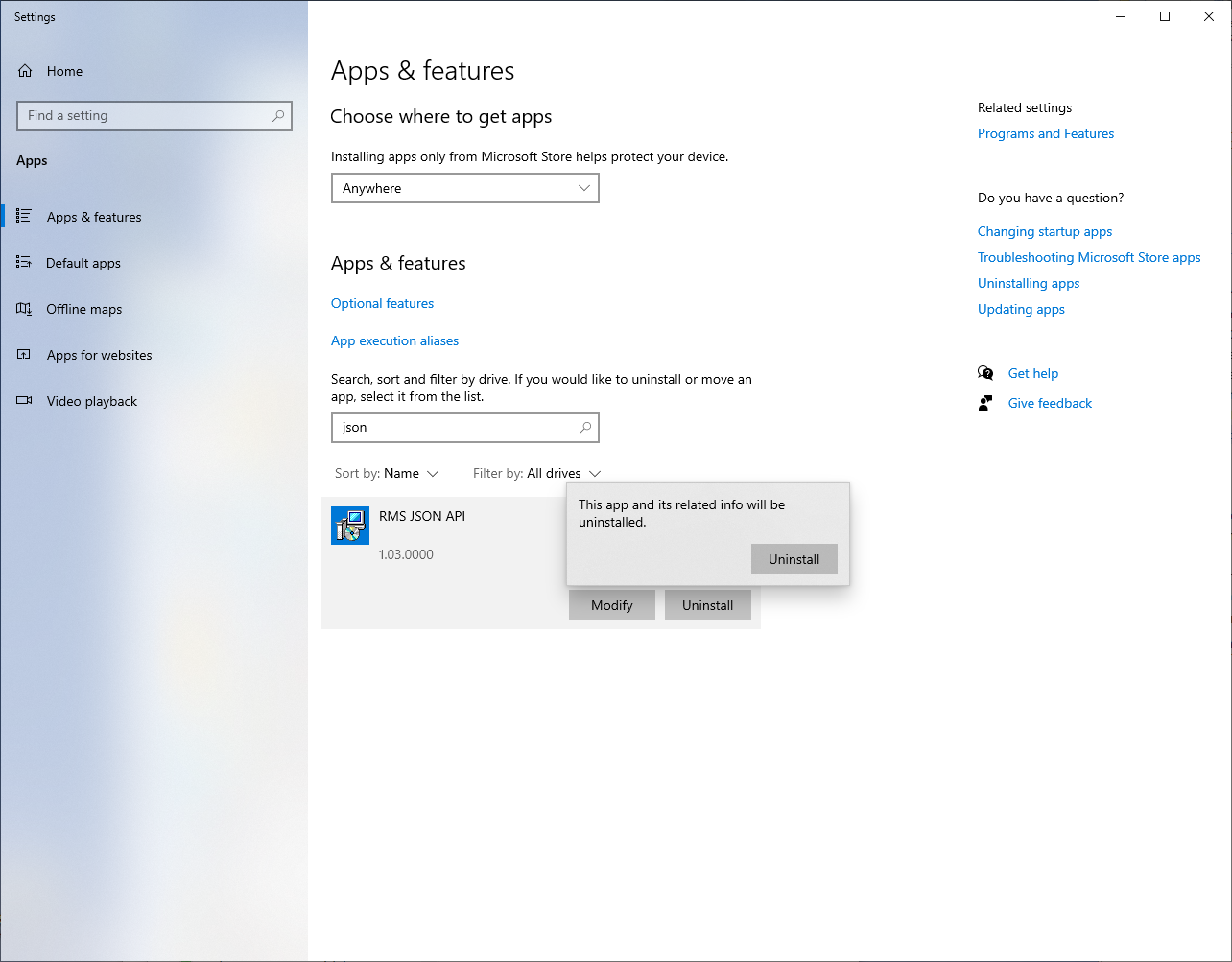 Windows Installer will remove the program. |
| Step 4 | The User Account Control will ask if you want to allow this app from an unknown publisher to make changes to your device? Click on Yes. 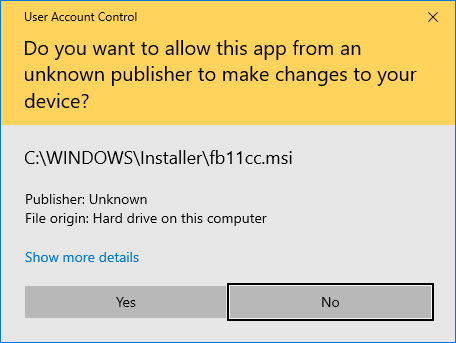 The software is then uninstalled. Only the application will be uninstalled, the existing device settings will remain in the database. |