How to recive sms notification as a User
Here is how you can opt into receiving sms notification as a User.
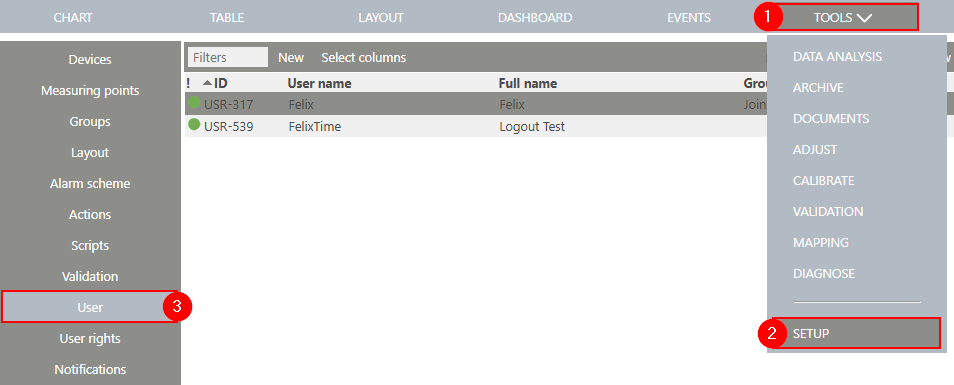
Firs you need to add your phone number to your User. You will have to navigate to user, This is done by clicking on Tools(1) then Setup(2) then User(3).
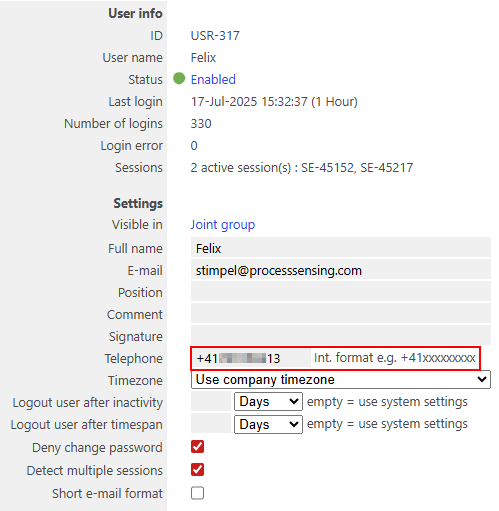
Now you can select your user and add your phone number.
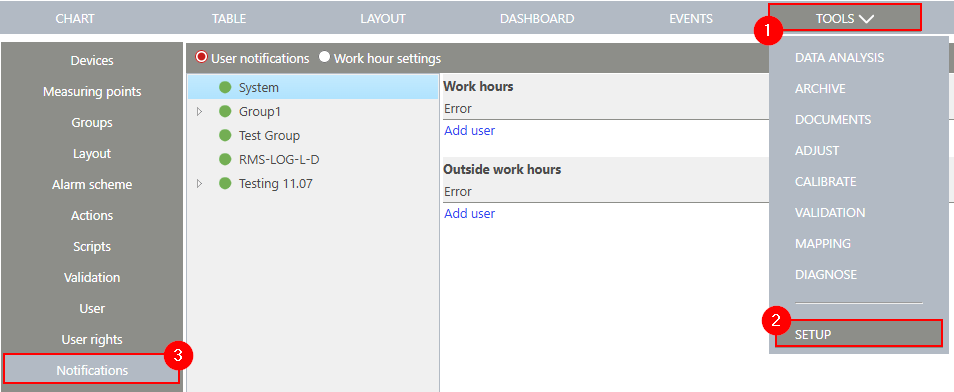
After adding your phone number to your User, you will have to navigate to Notification, This is done by clicking on Tools(1) then Setup(2) then Notification(3).
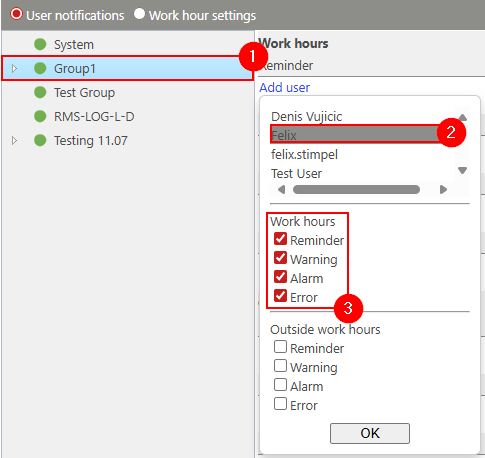
Now you can select the group you would like to receive notifications for (1), then select your User(2) and what events you would like to be notified about (3).
You can now tick the SMS box(1), for Reminder and Error events you can choose to disable certain events.
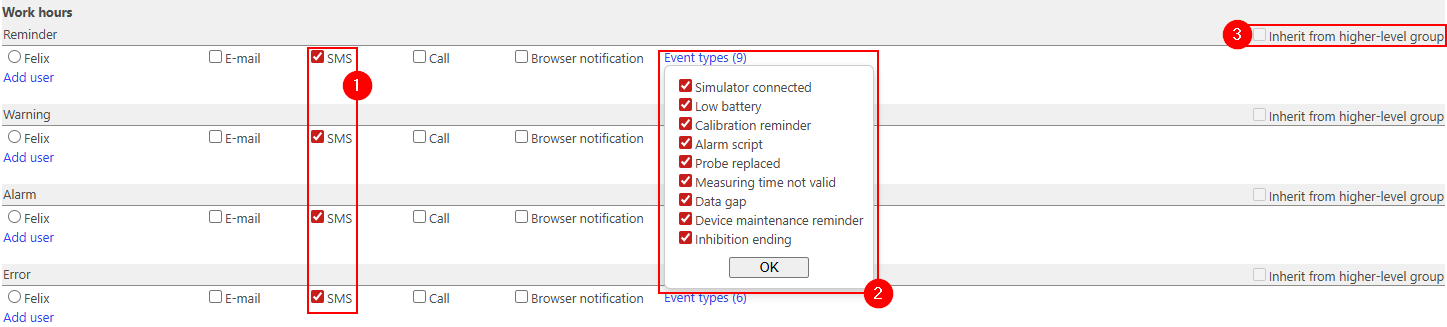
If you are in a Subgroup, you can inherit the notification settings from the higher-level group (3)