Enable the IIS Webserver
When using multiple servers, ensure that this chapter is carried out on the server where the RMS application/software is installed.
| Step 2 | Before you begin: Read the text and click on "Next". 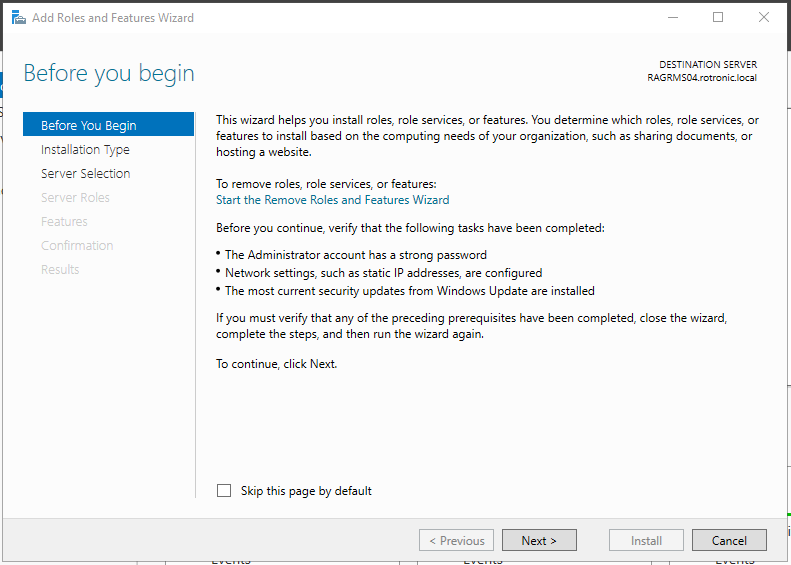 |
|---|---|
| Step 3 | Installation Type: Select "Role-based or feature-based installation". Then click on "Next". 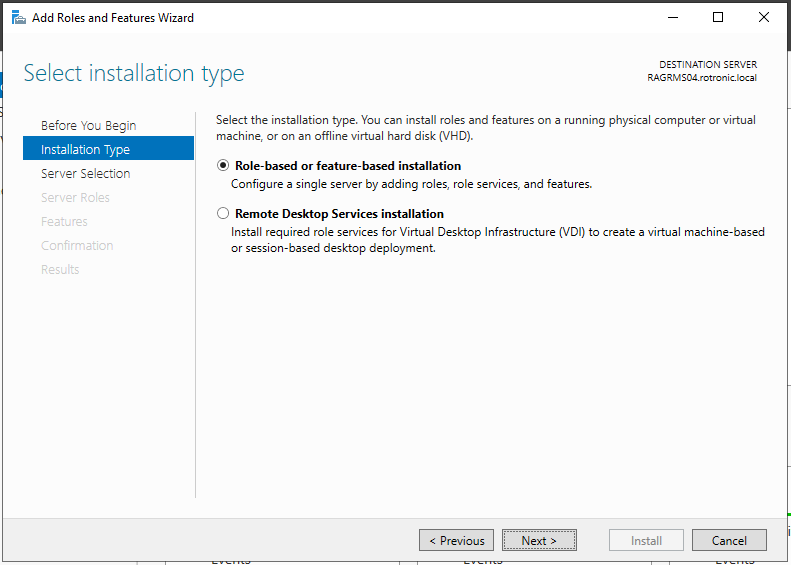 |
| Step 4 | Server Selection: Select "Select a server from the server pool". Then click on "Next". 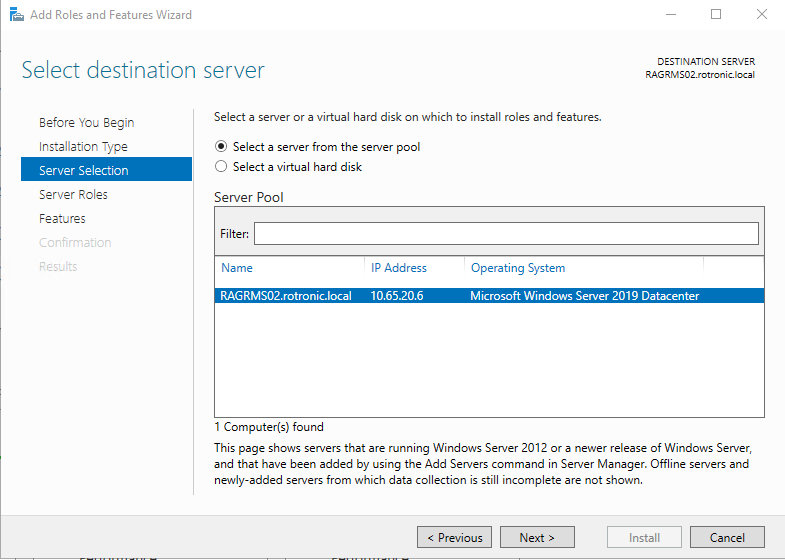 |
| Step 5 | Server Roles: Select the follow settings. Then click on "Next". 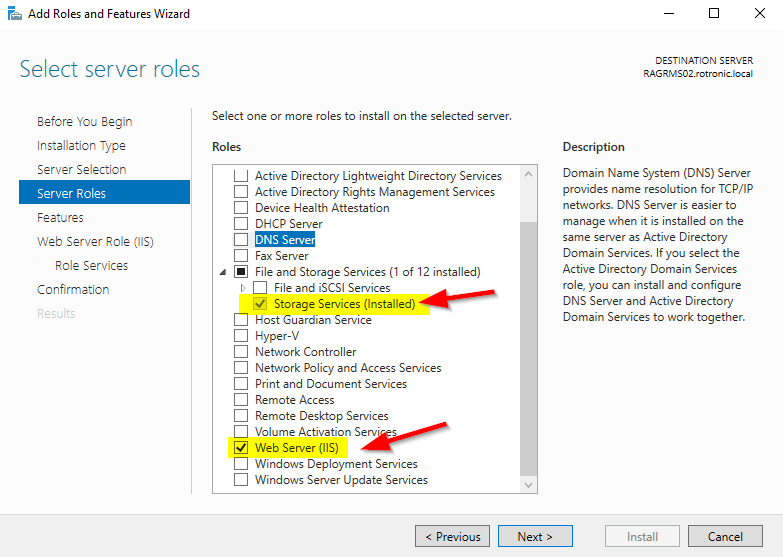 |
| Step 6 | Features: Select the follow Features. 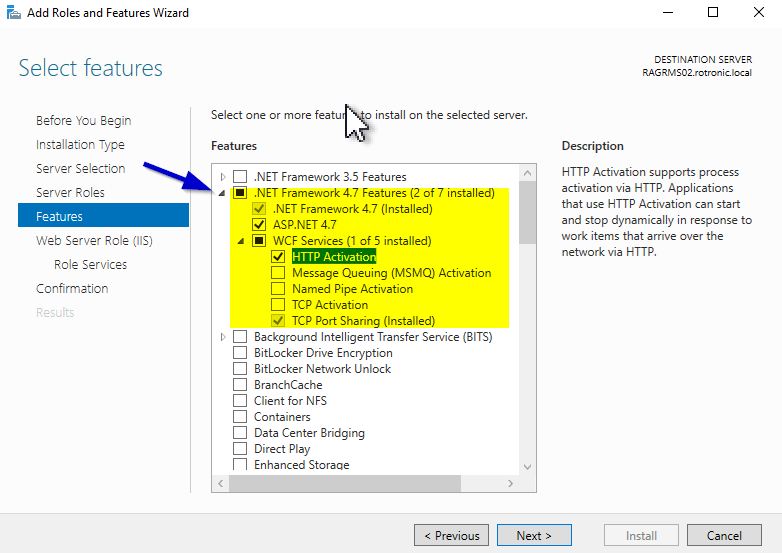 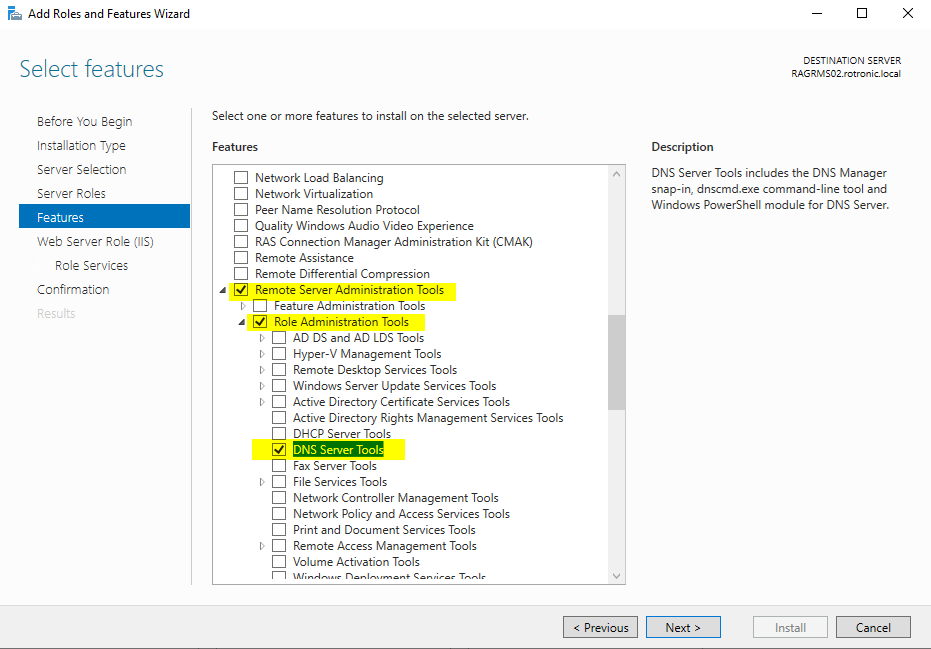 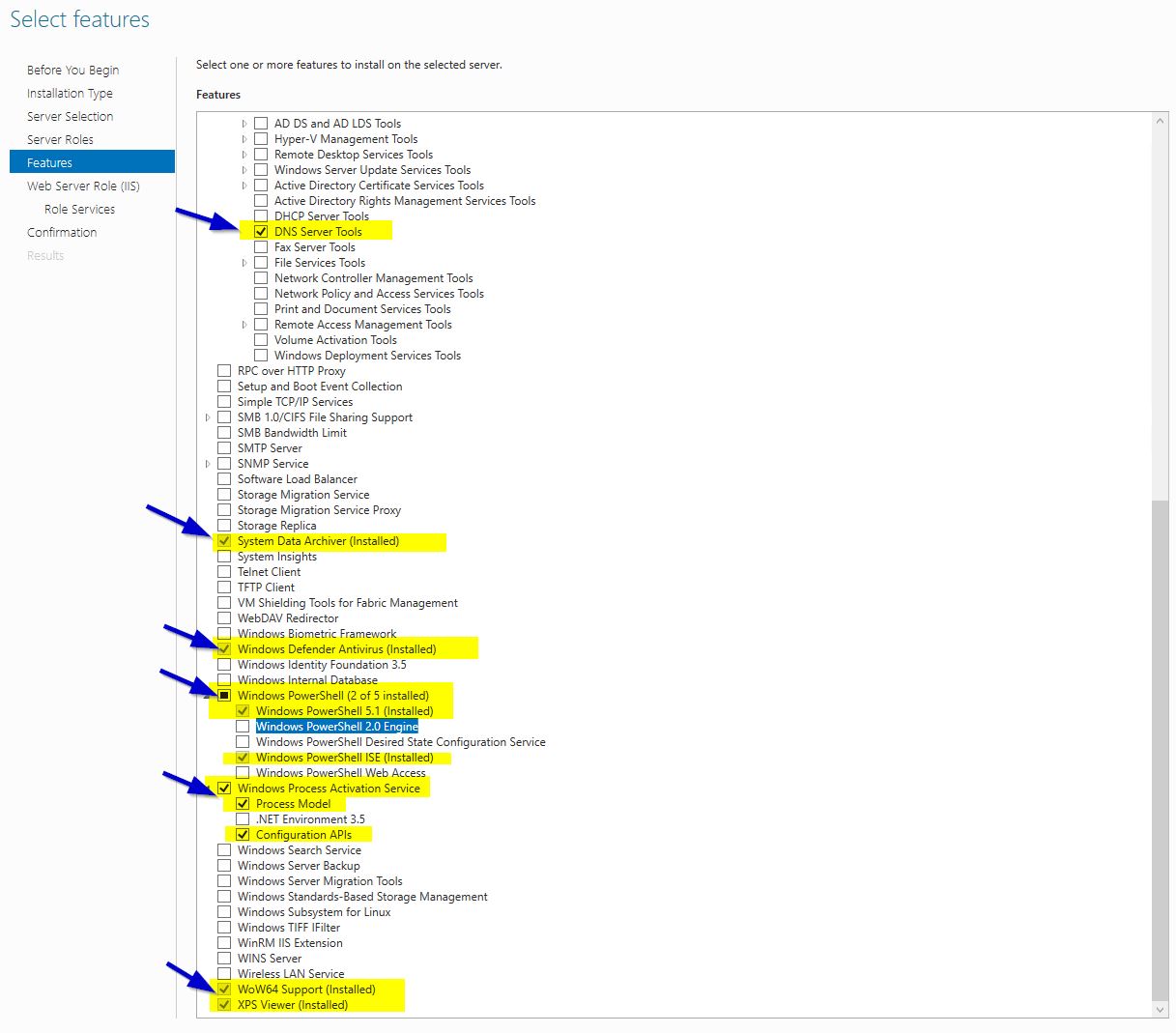 |
| Step 7 | Features: Select the follow Features. Then click on "Next". 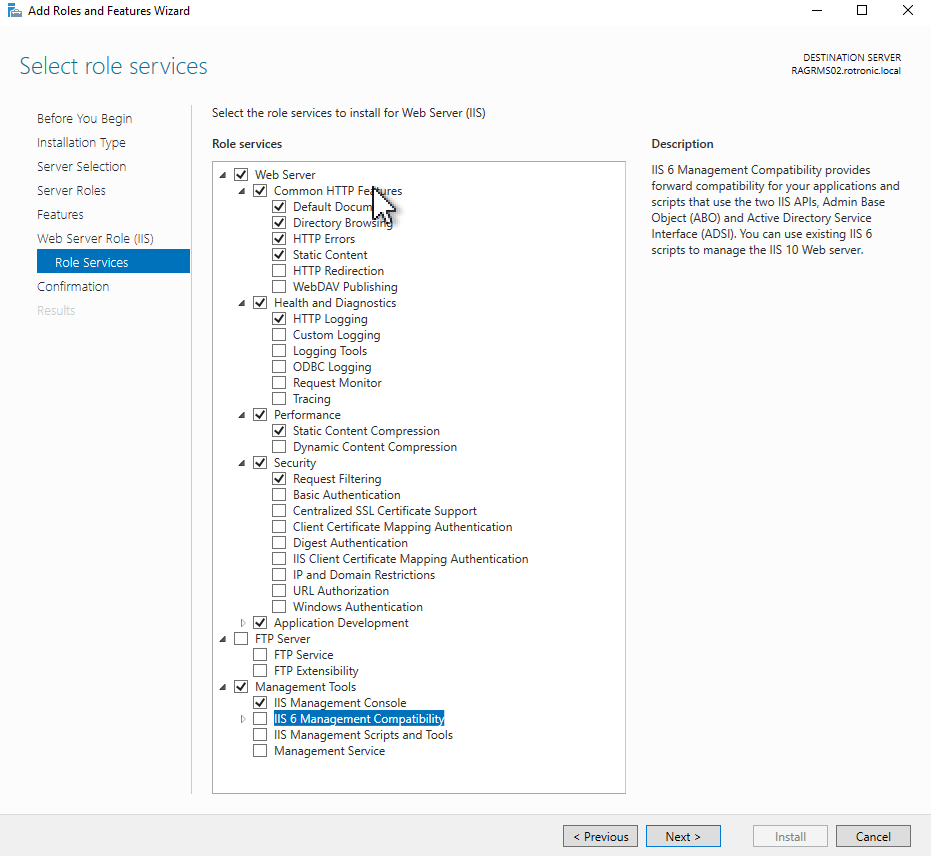 |
| Step 8 | Then click on "Install". The installation progress is shown. 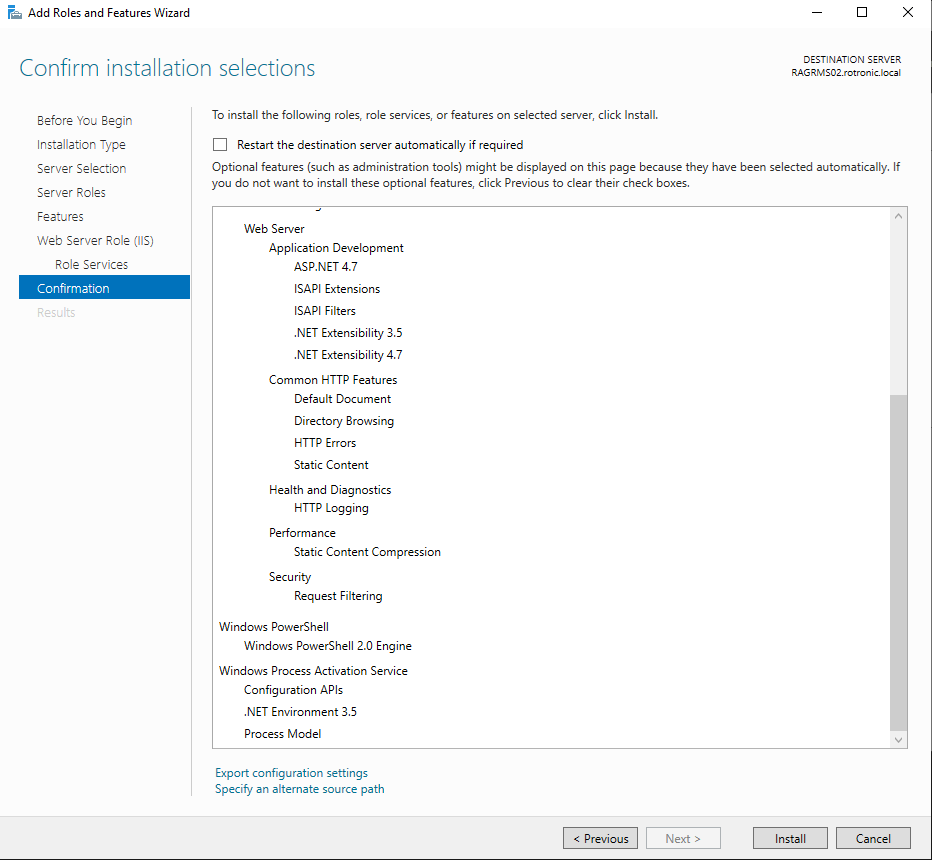 |
| Step 9 | Continue with the installation step 6: Installation and Configuration of the SQL Server Express. |