RMS V2.5.2 Redundant Setup
Multiple service managers can be installed for redundant operation. However, only one service manager may be supplied with data at a time.
• The load balancer has to deliver the data either to one or to the other server.
• Distributing the data to multiple servers is not supported.
Behavior:
- The inactive service manager automatically switches to passive mode as soon as the other service manager has activated.
- The synchronization is handled via the "ServiceInstances" table in the database.
- The feature does not have to be activated via an entry in the config file.
- The activation or deactivation of the service manager is logged in the audit trail and an email is sent to the system recipient.
- If the service manager has switched to passive status, the GUI can no longer be operated, it is redirected to an error page.
- The passive service manager automatically switches back to active when it receives data from the web service but it remains passive for at least 5 minutes.
- Switching offline means: All actuators except the system and web service actuators are terminated.
Behavior when both instances are served with data (e.g. because the load balancer constantly changes target):
- The active instance changes every 5 minutes.
- Data that are sent to the passive instance are lost.
To activate the redundant Setup, the following actions need to be completed on both servers:
| Step 1 | Open the service Manager folder and edit the file "RmsServiceManager.exe": 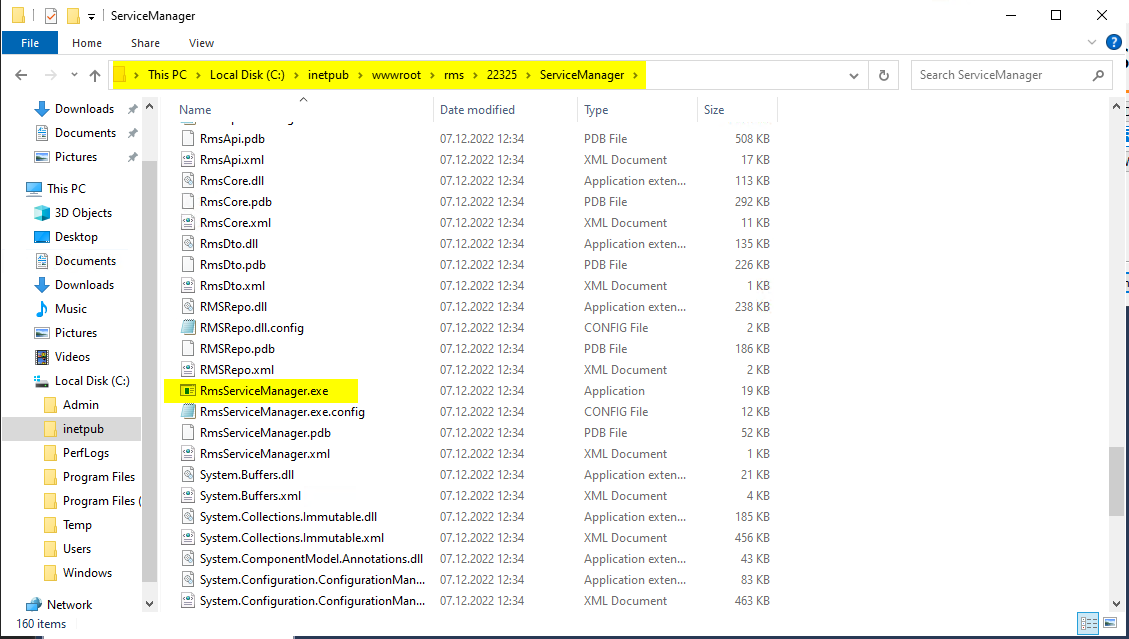 |
|---|---|
| Step 2 | Search for "RmsServiceManager.my.mySetting" and change follow string from false to true and save the file: setting name="RedundancyMode" serializeAs="String"> 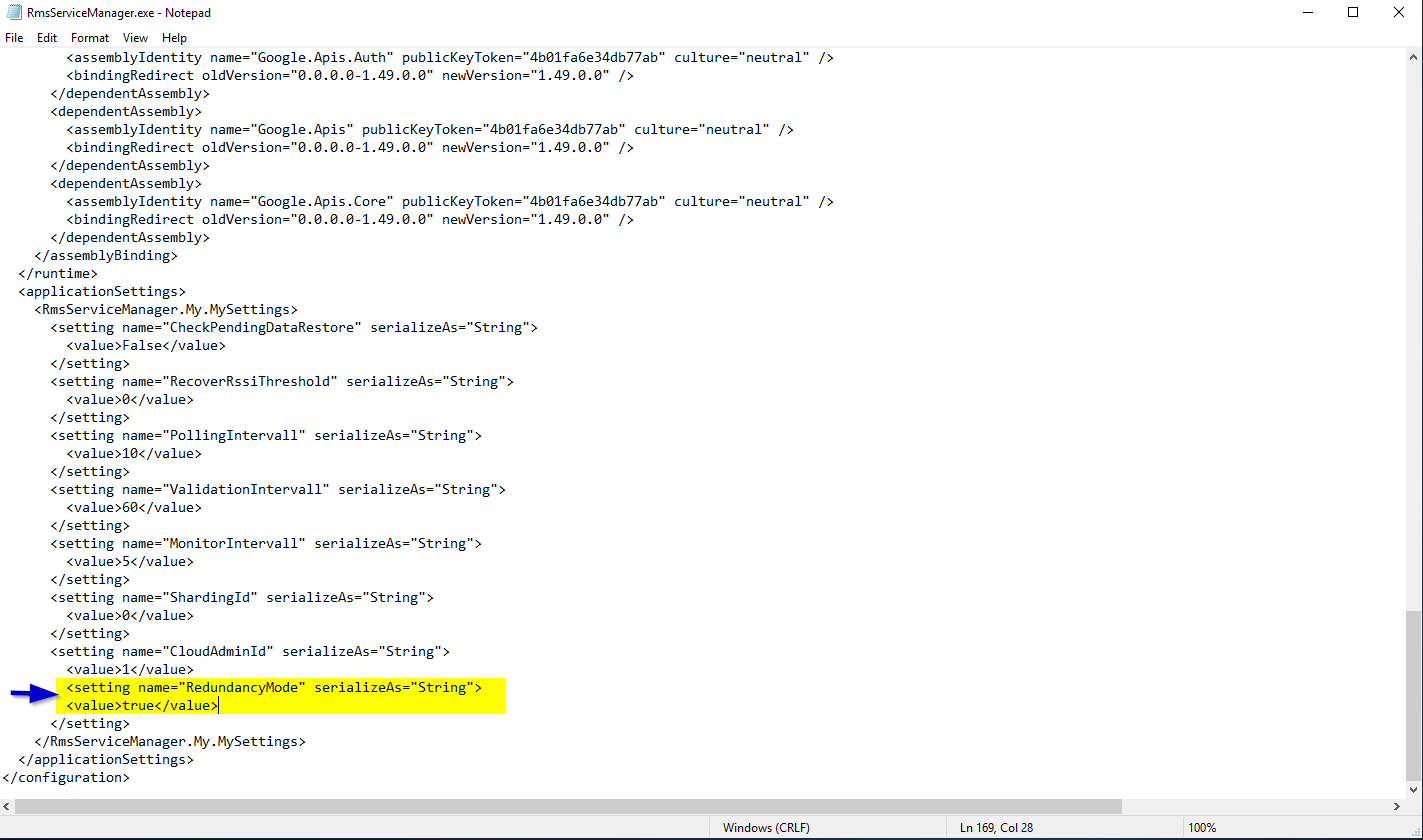 |
| Step 3 | Change the Server to Active / Passive mode! |
Created: 09.07.2024