Reproduce Validation Print Screens
With the following guides, the print screens for the CS-10201/CS-10202 and CS-10413 can be reproduced.
| Print screen 1 | From the ServiceManager folder, run the UninstallServiceManager script as an administrator: 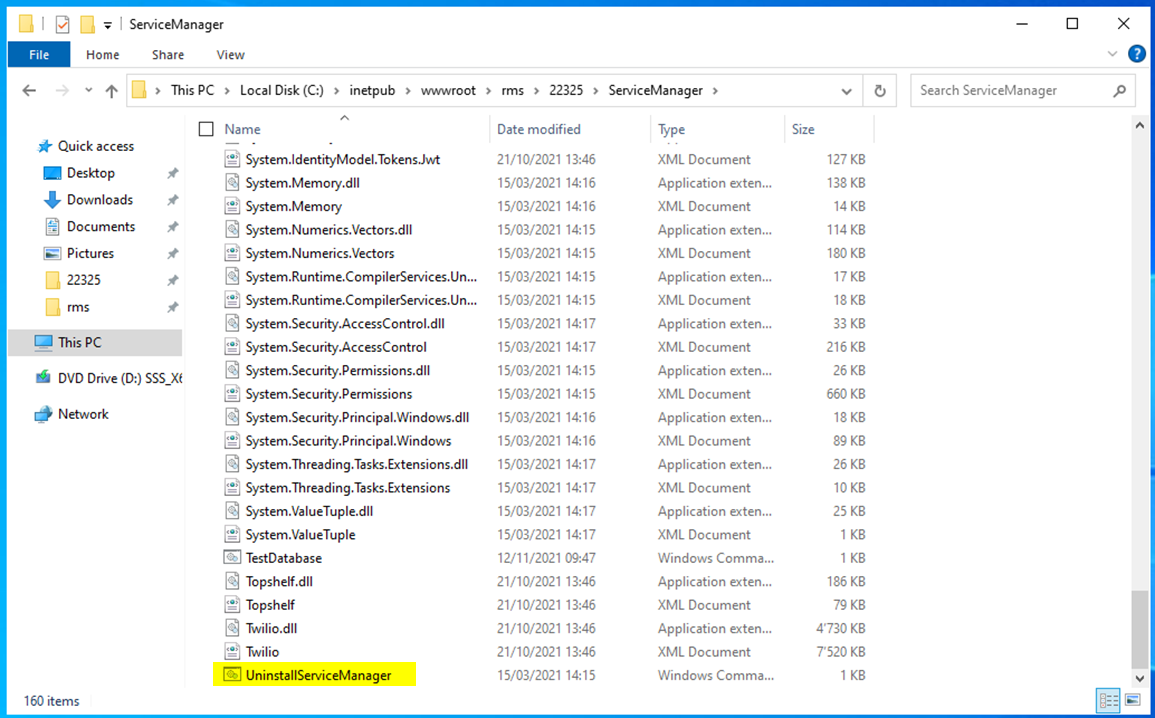 |
|---|---|
| Print screen 2 | Remove the RMS and wService applications in IIS: 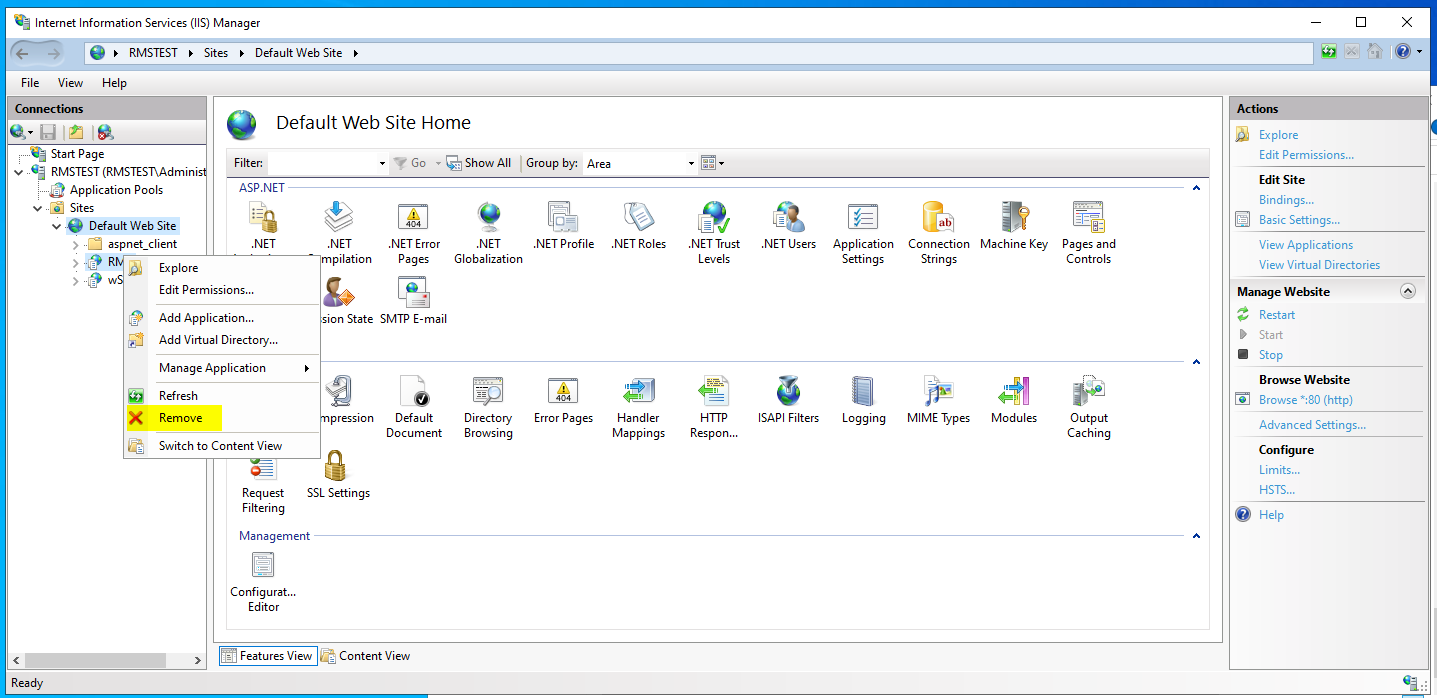 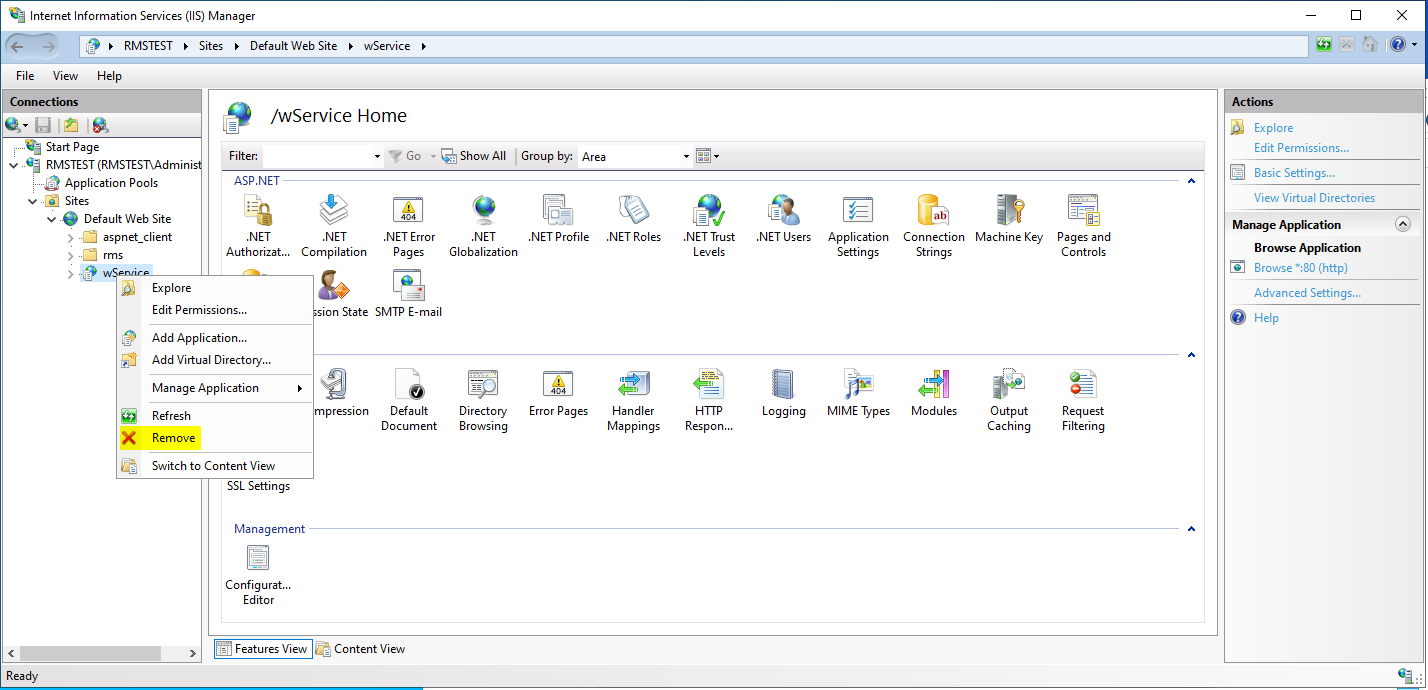 |
| Print screen 3 | Remove the application pool "RmsAppPool" and then restart the IIS: 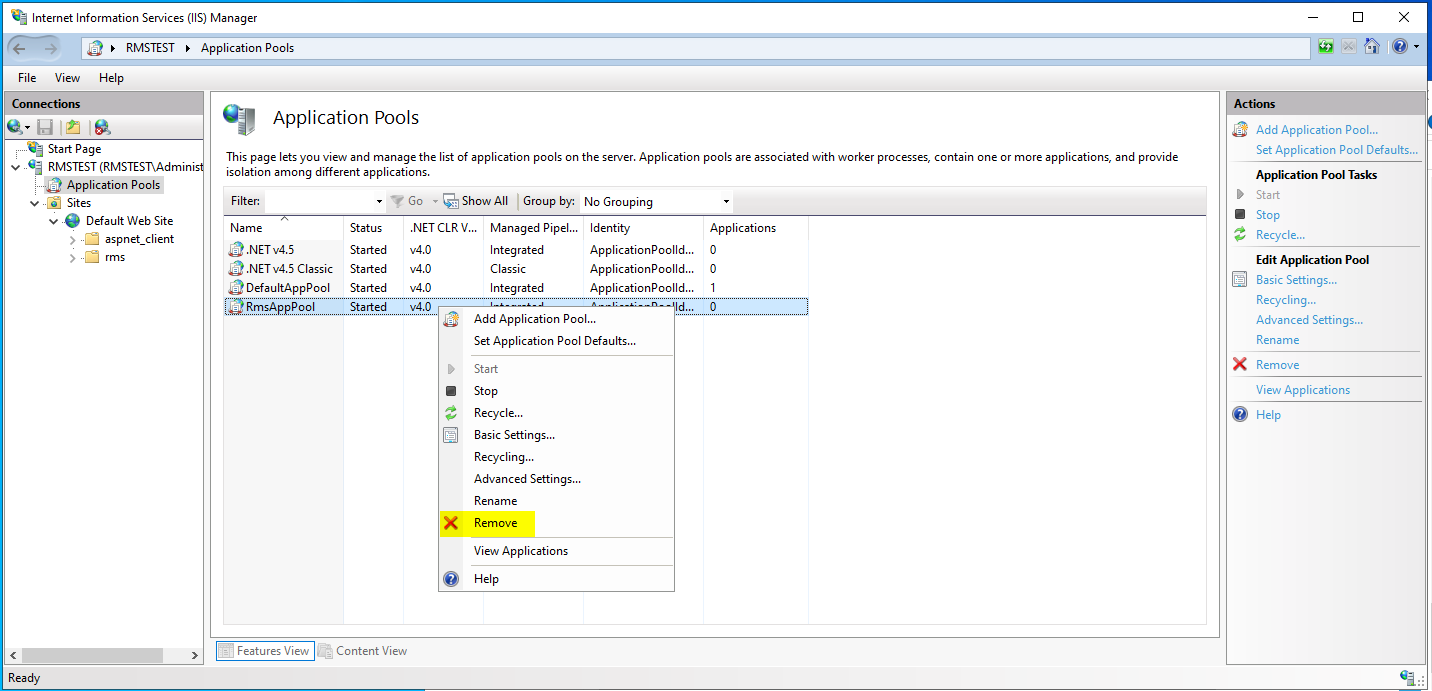 |
| Print screen 4 | Make a copy of the "22325" folder to downloads: 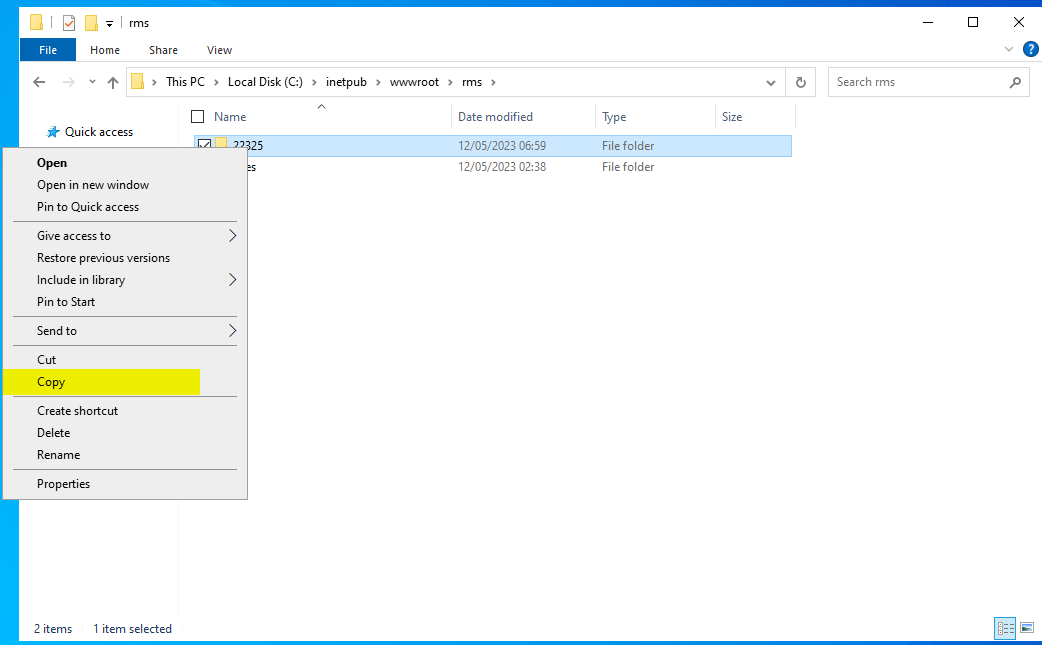 |
| Print screen 5 | Delete the "22325" folder under inetpub\wwwroot: 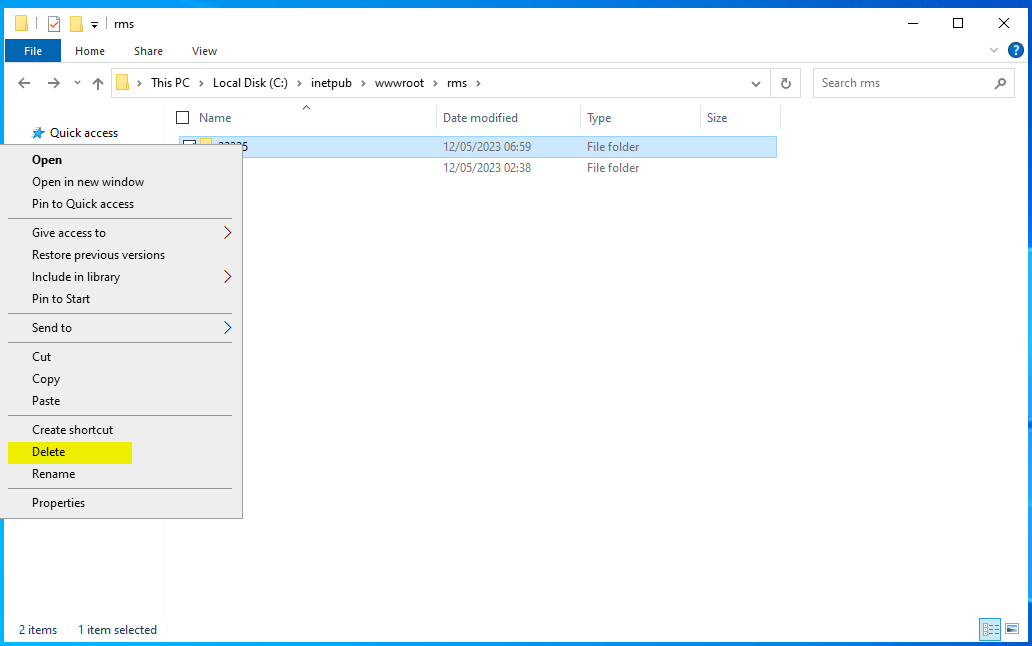 |
| P | Delete the "rmsUser" in SSMS: 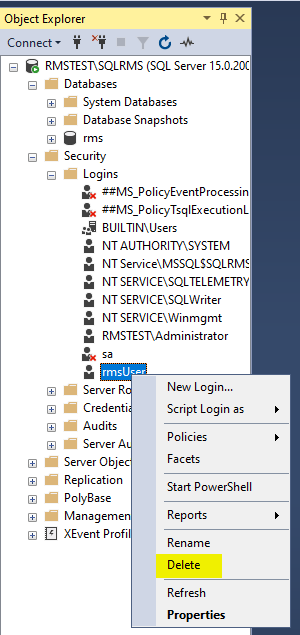 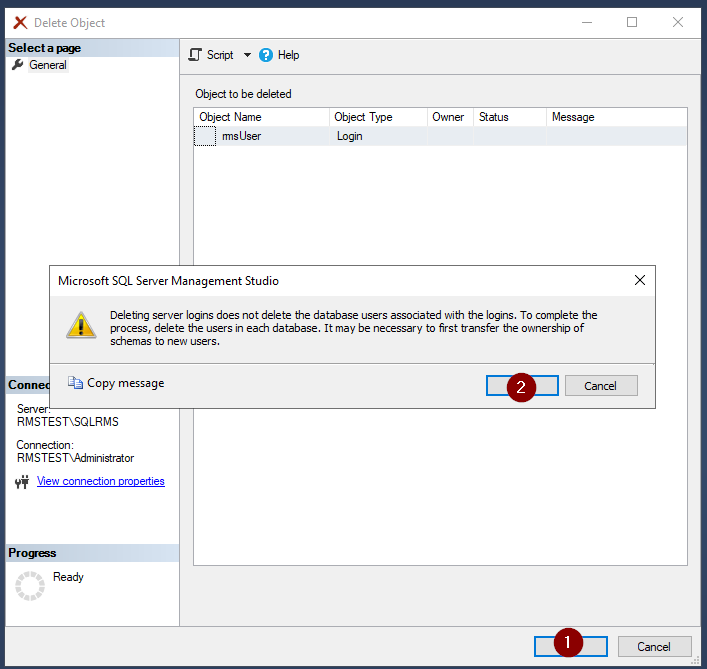 |
Delete the "rms" database and restart all SQL services: 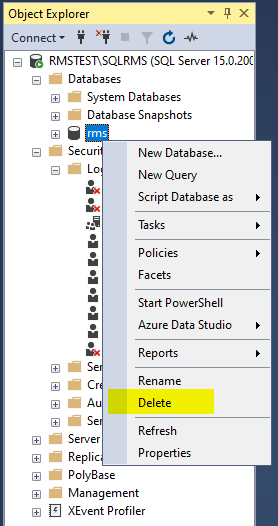 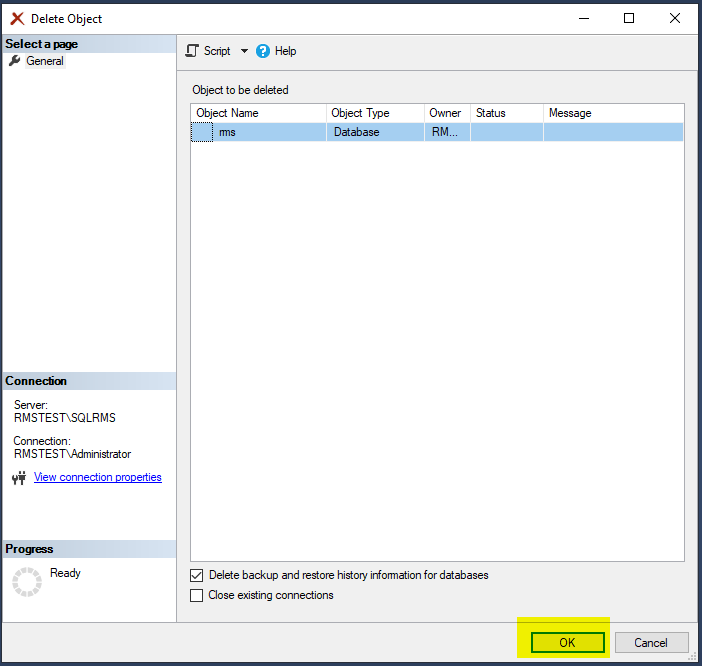 |
|
Copy the copy back to path C:\inetpub\wwwroot\rms. And from now on you can follow the steps from the instructions again. 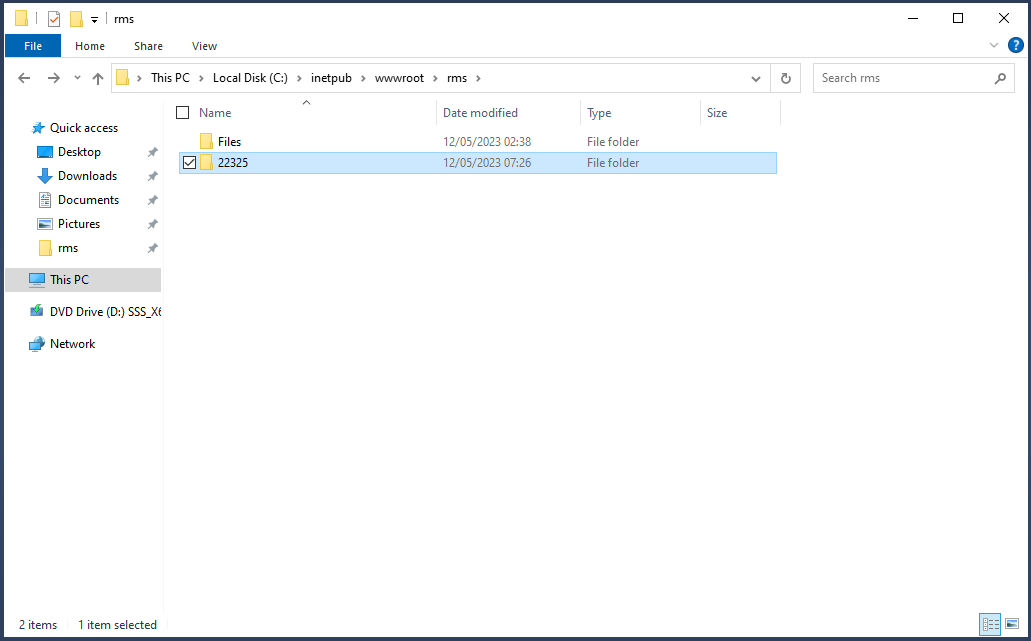 |
|
| Carry out the following steps: Creation of a New Database and take the required print screens. |