New Dashboard
| Step 1 | Within the "Dashboard" view, click on "New...": 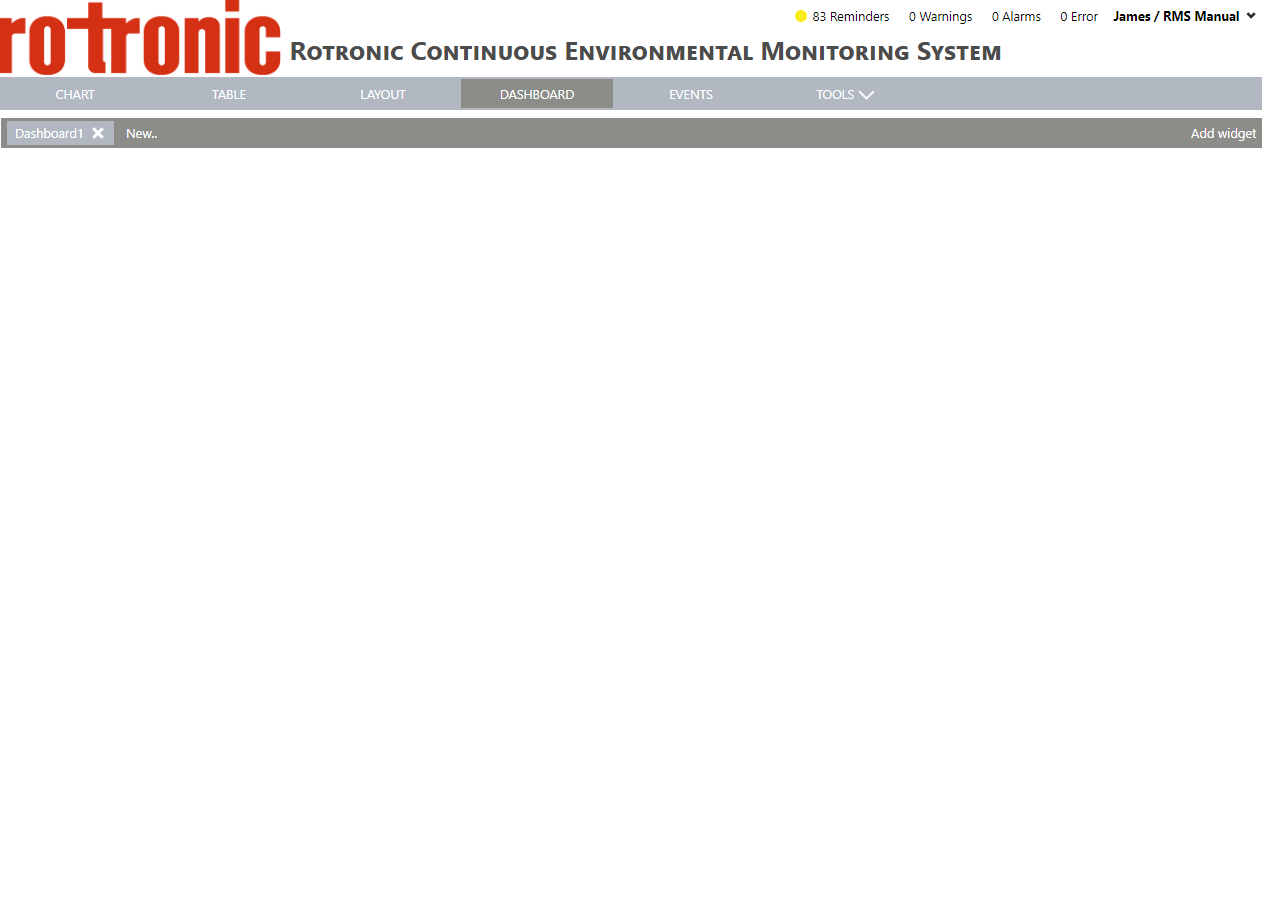 |
|---|---|
| Step 2 | Enter the Dashboard name and click on "OK": 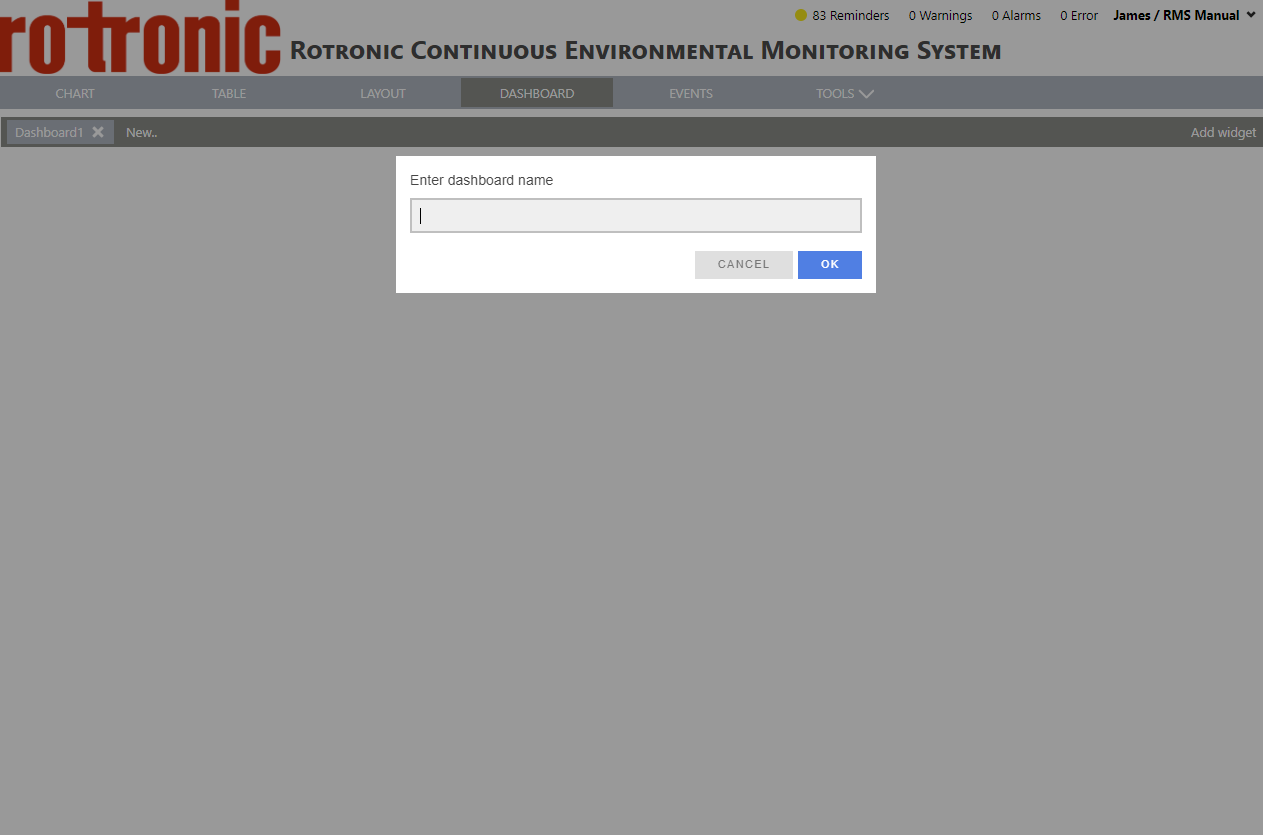 |
| Step 3 | The new Dashboard appears on the top left: 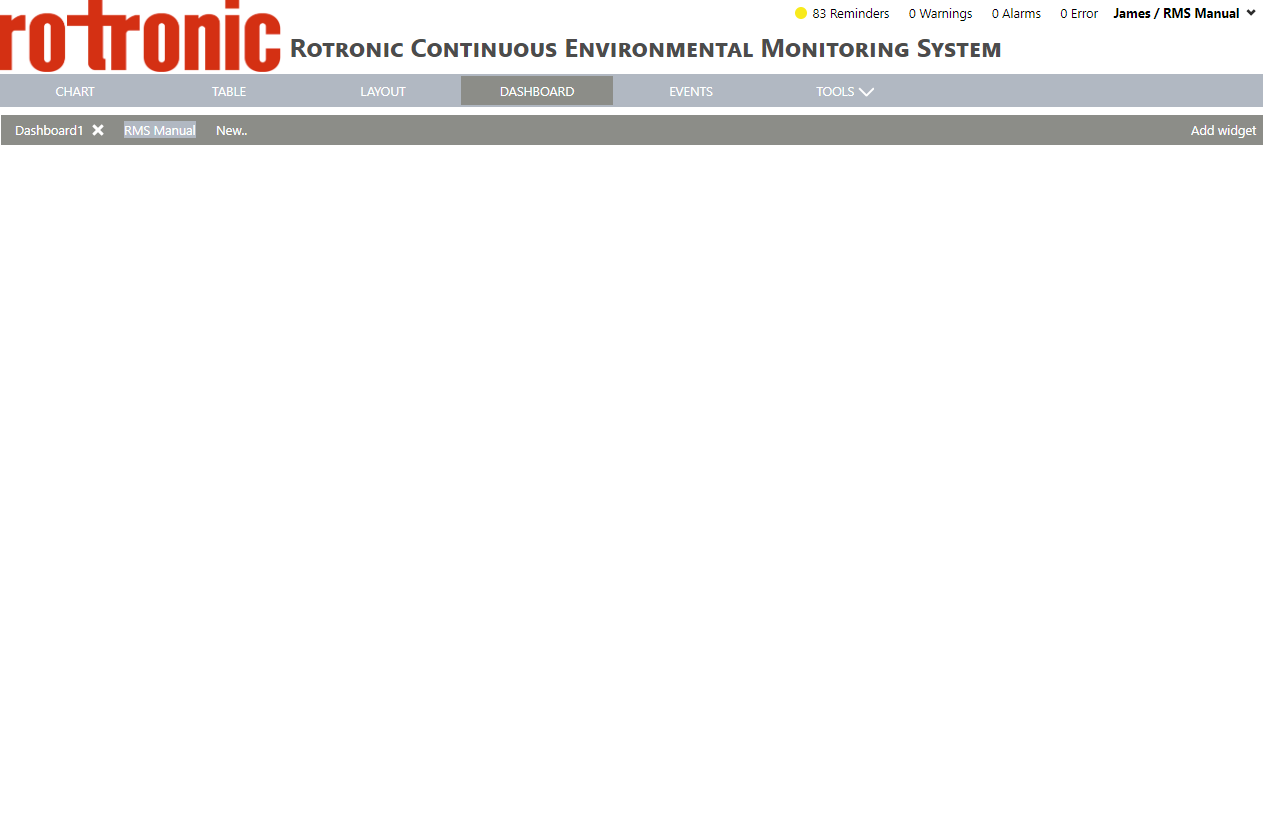 |
| Step 1 | Within the "Dashboard" view, click on "New...": |
|---|---|
| Step 2 | Enter the Dashboard name and click on "OK": |
| Step 3 | The new Dashboard appears on the top left: |