Create a Characterization Report
| Step 1 | Click on Tools>Mapping: 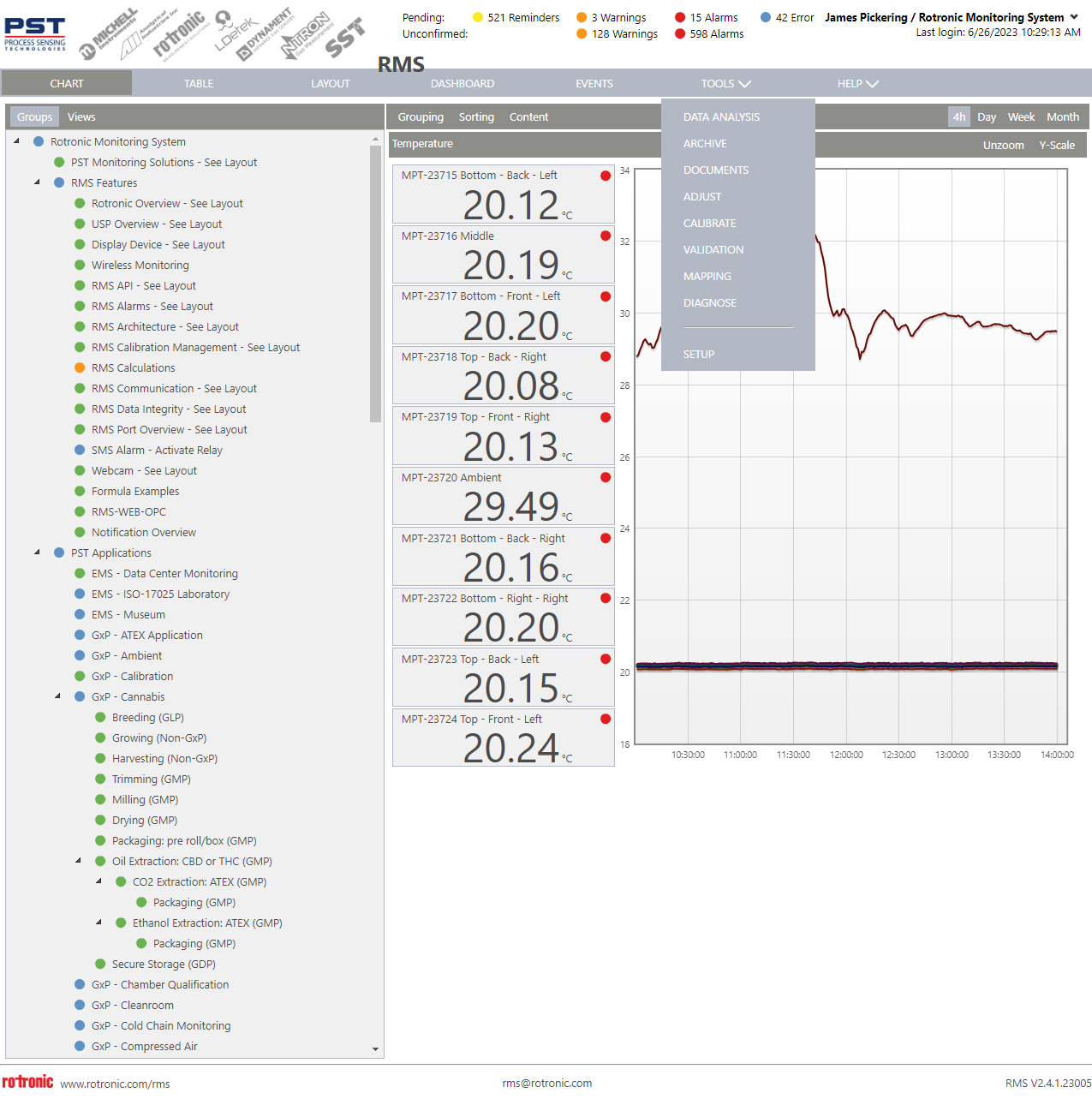 |
|---|---|
| Step 2 | Select the group where the devices/measuring points for the mapping are used. |
| Step 3 | Select either area characterization or device characterization: 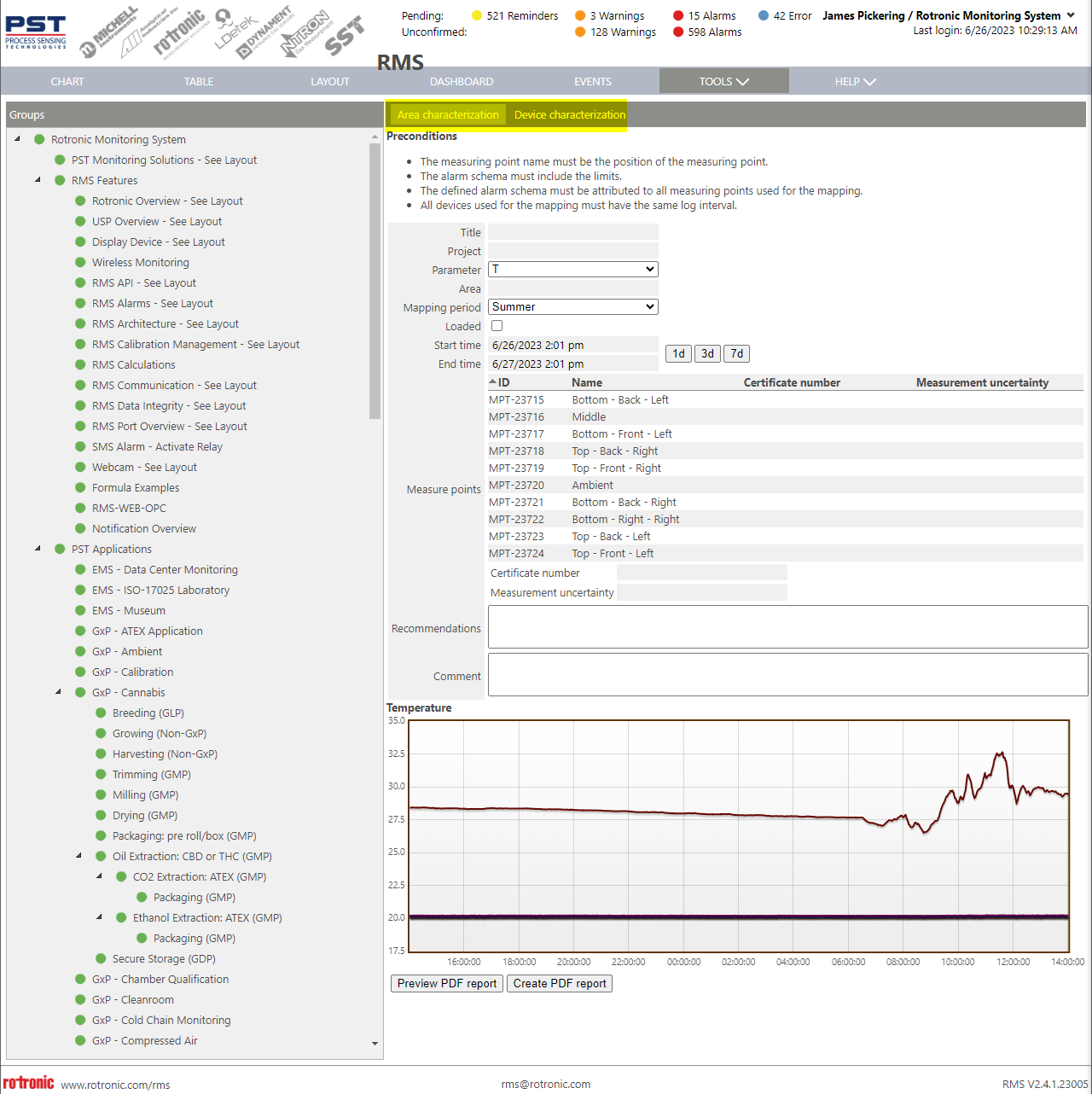 |
| Step 4 | Fill out all of the necessary details. When arriving at the measuring points, select a measuring point and input a certificate number and measurement uncertainty, the table will automatically populate: 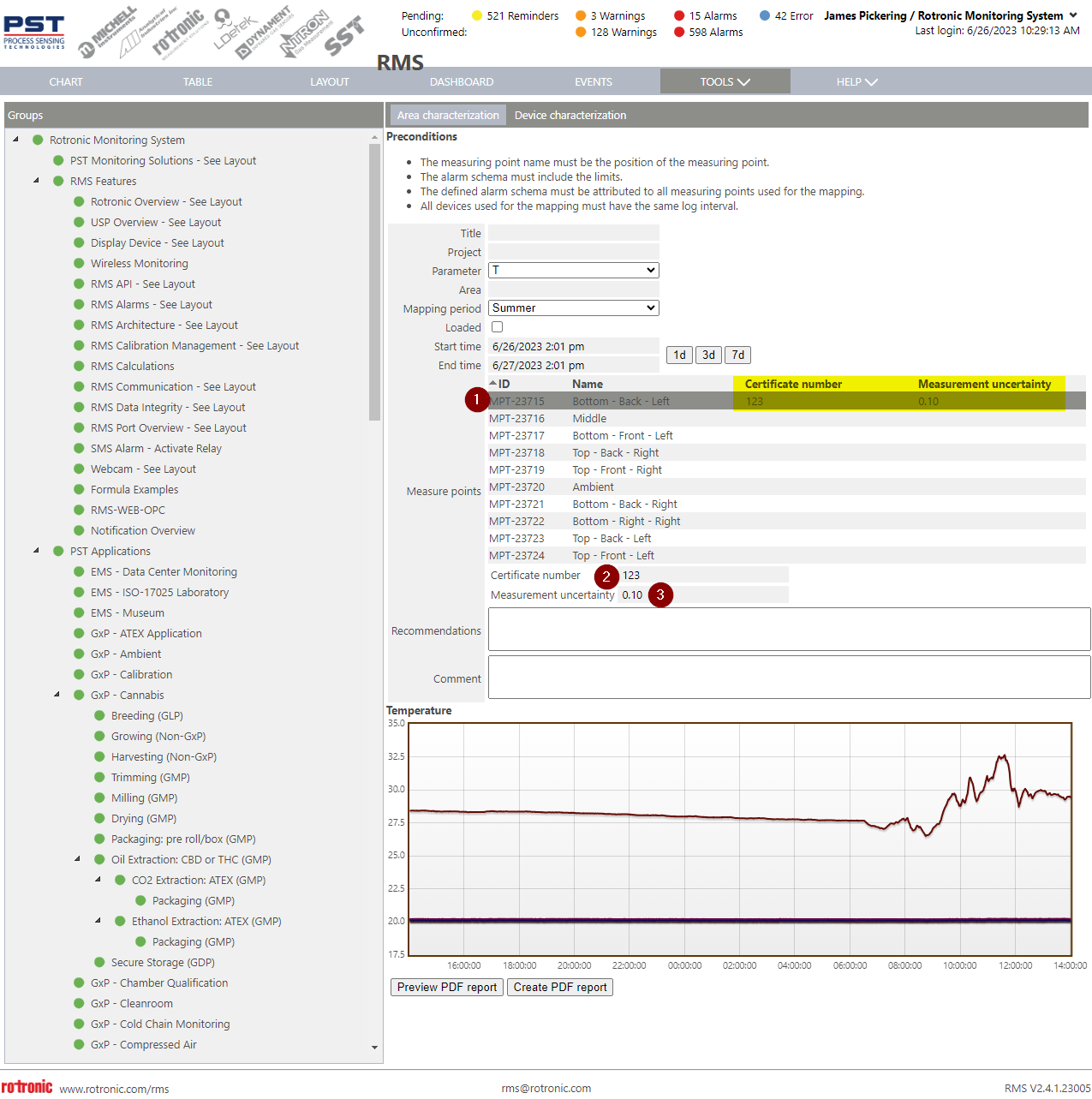 Repeat this procedure for all measuring points. WARNING: if this window is left, all calibration certificates and measurement uncertainties will be removed. |
| Step 5 | Click on Preview PDF Report. |
| Step 6 | Review the PDF Report and add recommendations/comments if required. |
| Step 7 | Click on Create PDF Report. |