Create a Service Report
| Step 1 | Click on Tools>Setup>Devices: 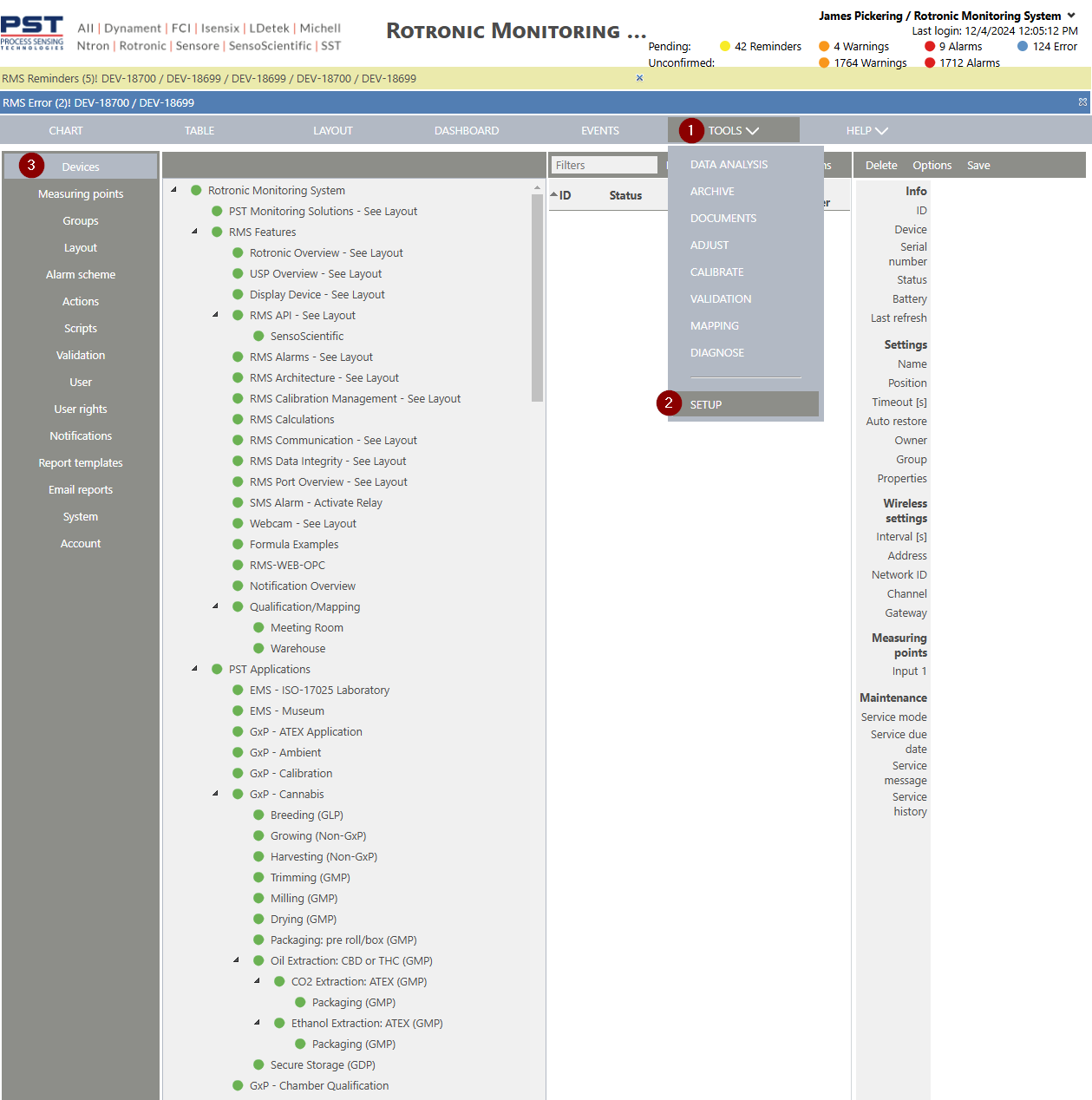 |
|---|---|
| Step 2 | Select the group where the devices/measuring points that are required to be in the service report, click on Options>Service report: 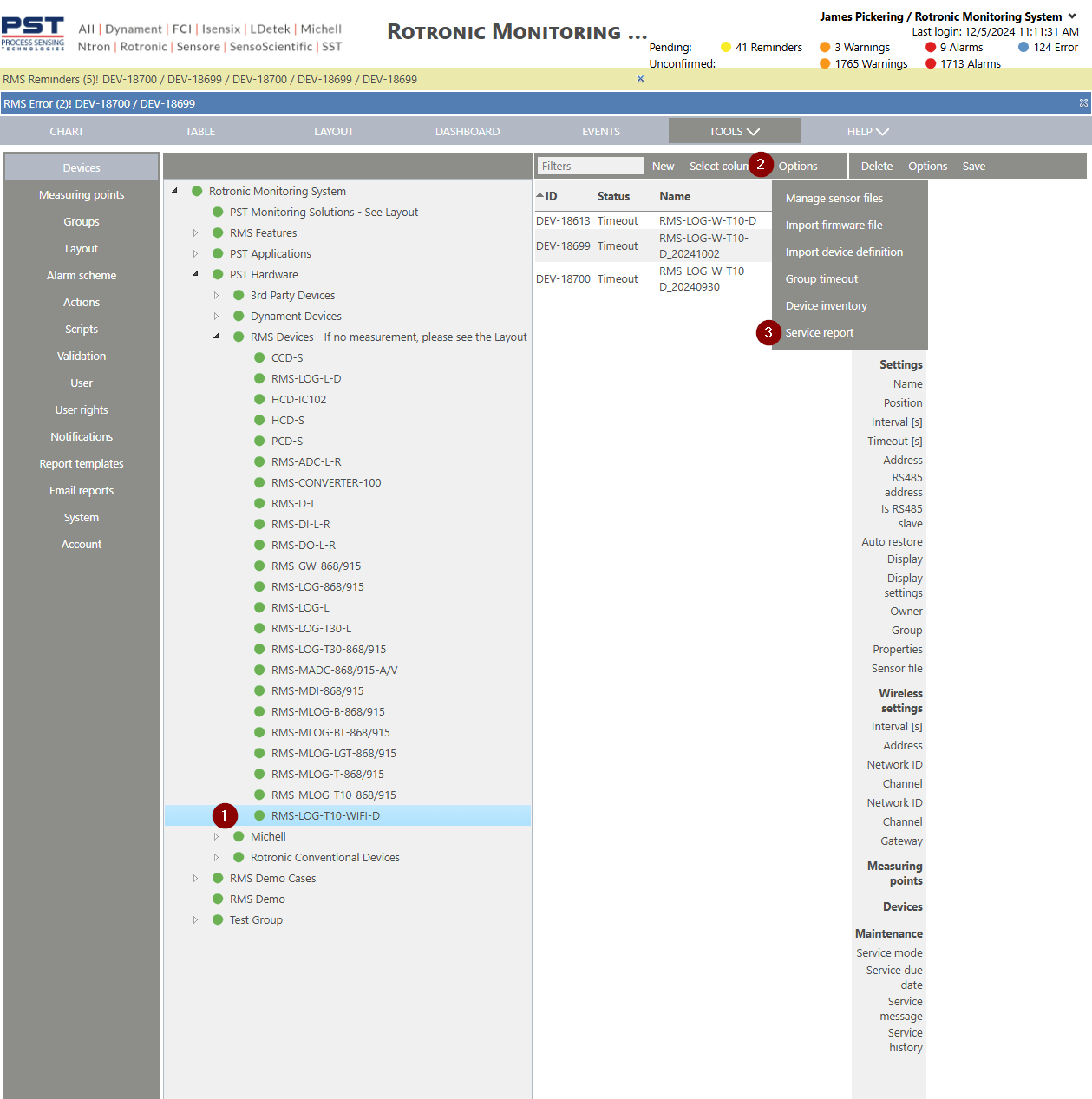 |
| Step 3 | Click on Selected device or All devices and set the report durations, click on OK to create the report. 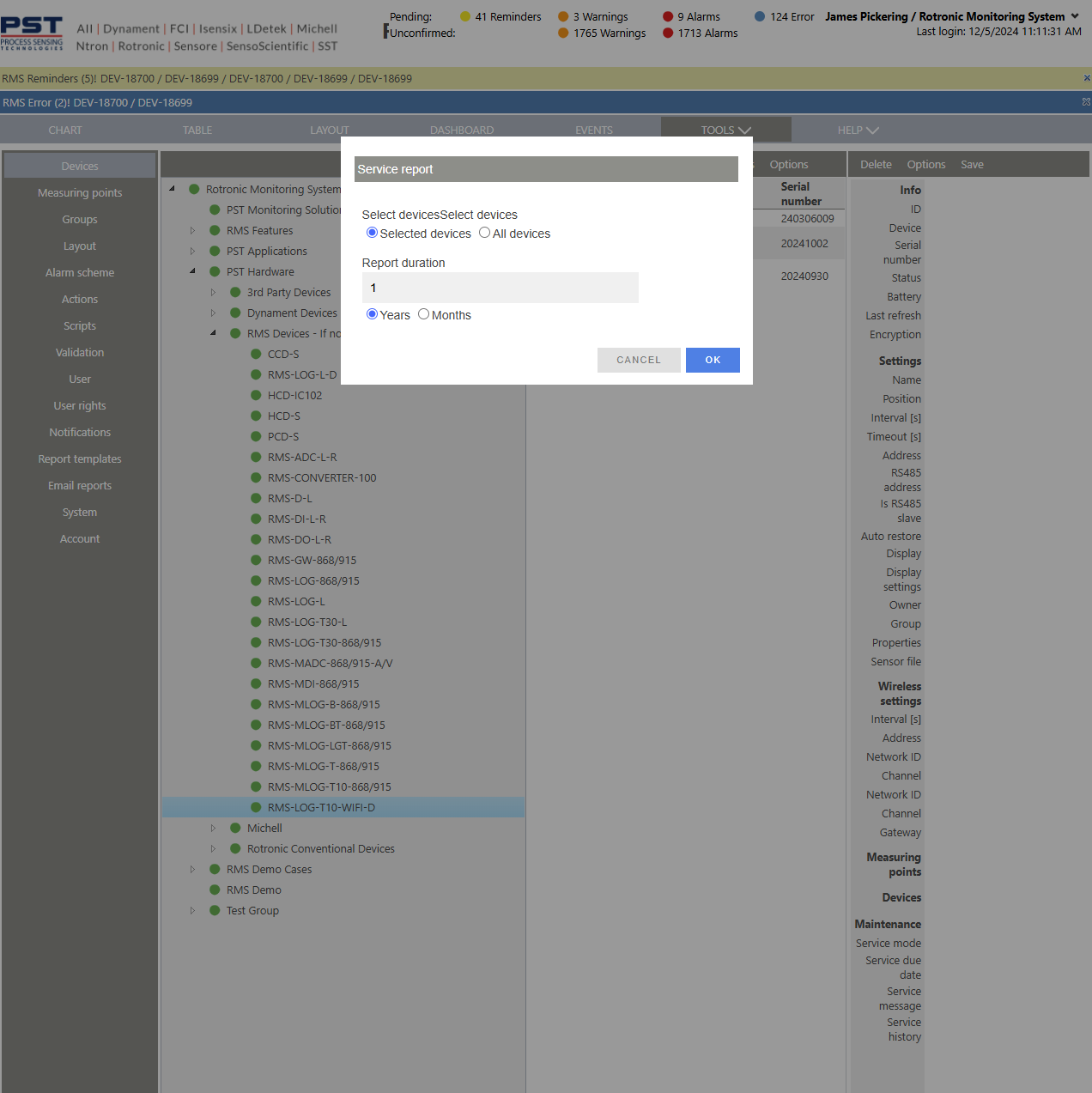 |
Created: 05/12/2024