Read out the Device Inventory
| Step 1 | From the start page, click on "Tools" > "Setup": 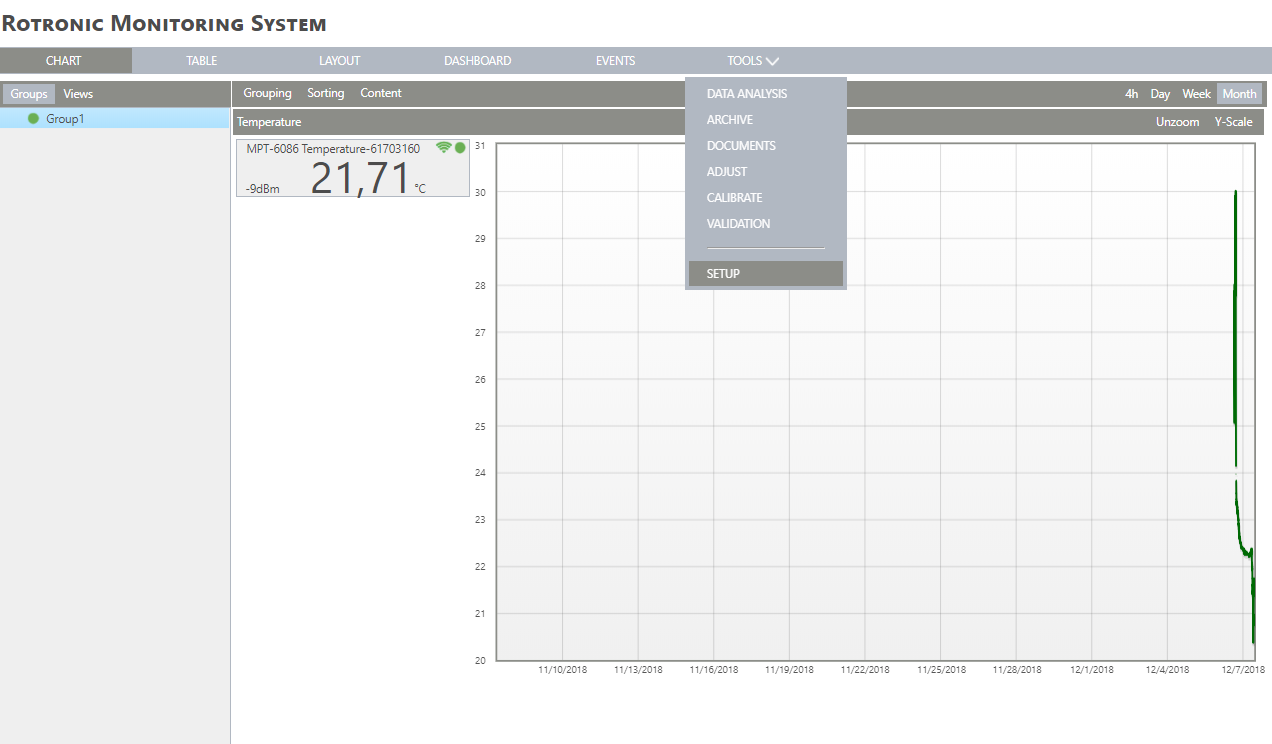 |
|---|---|
| Step 2 | On the left side, select "Devices" and then the Group where you need the device inventory from: 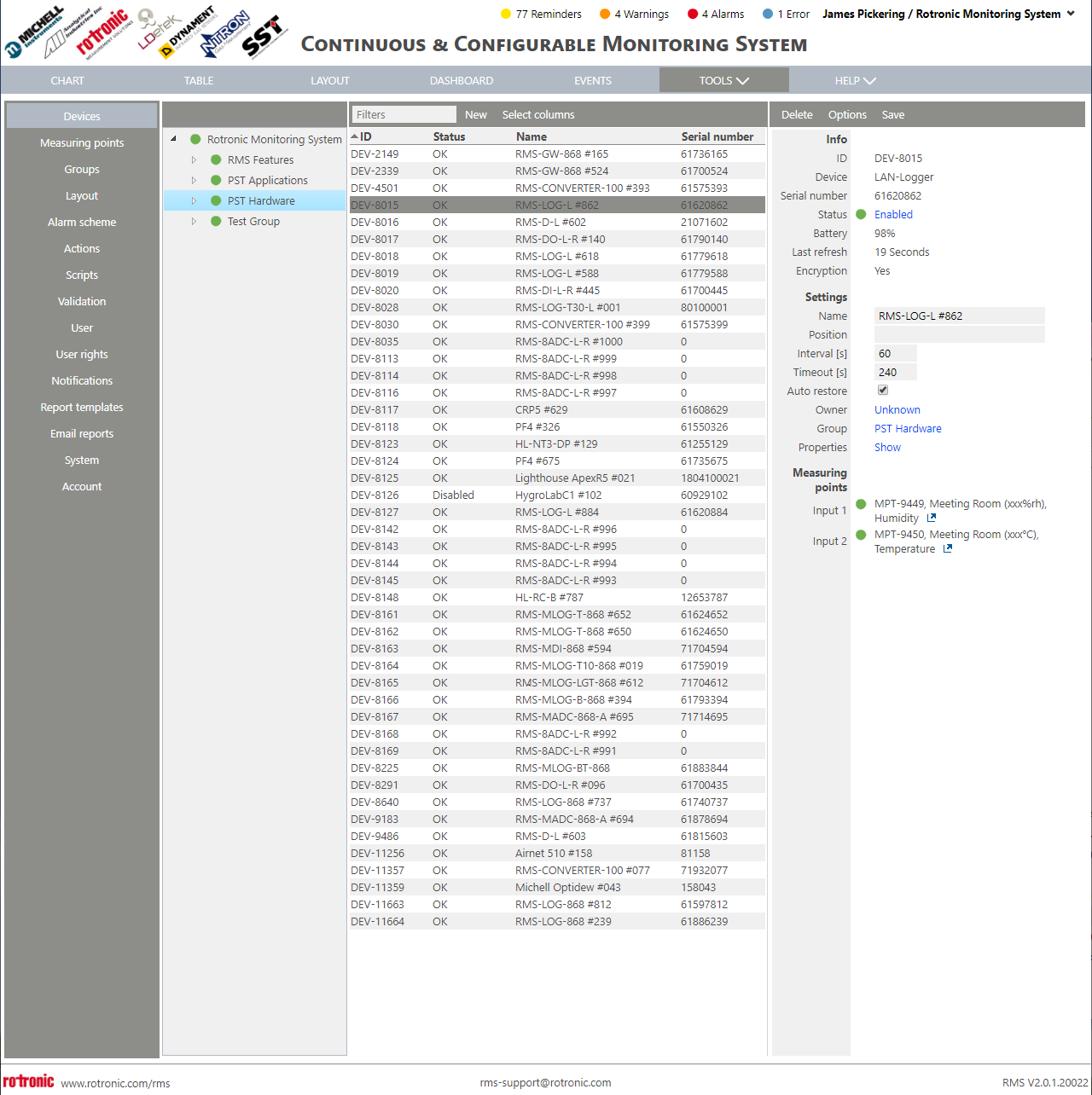 |
| Step 3 | On the right side, select "Options" > "Device Inventory": 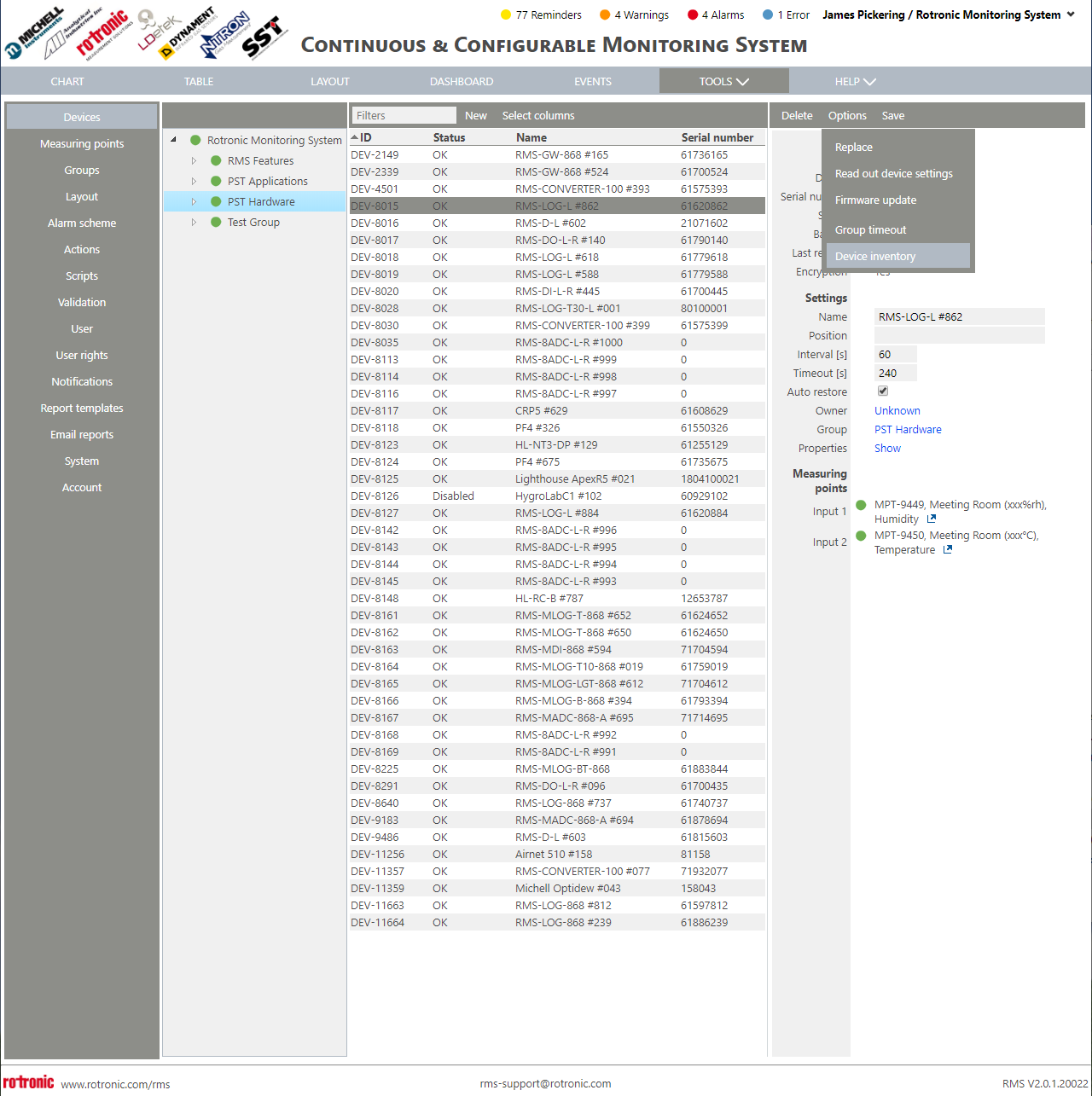 |
| Step 4 | A DeviceInventory.csv file will be created and downloaded: 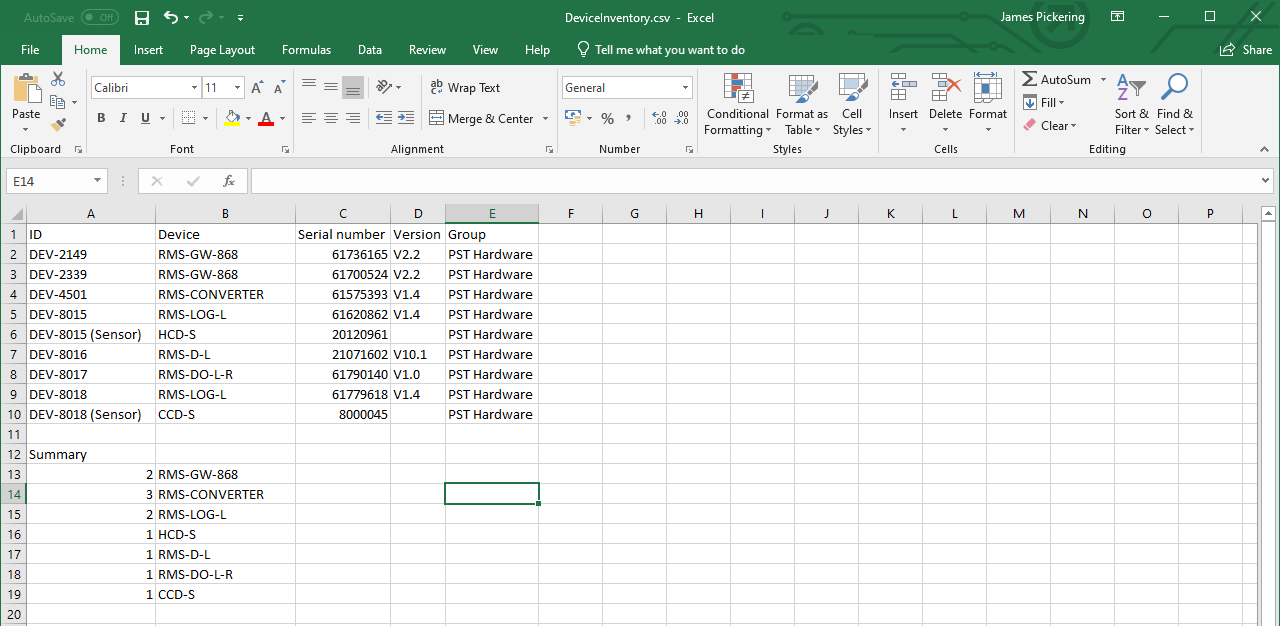 |
The device inventory offers the following details:
ID: the unique device ID.
Device: the device order code.
Serial Number: the device serial number.
Version: the firmware version currently installed on the device.
Group: the group where the device is located.
The the device inventory offers a summary of the amount of devices installed in the group that was initially selected.