Viewing data within the layout view
The layout view offers the possibility to show a floor plan for each group.
| Step 1 | Hover over a label to see more details about the measurement point: 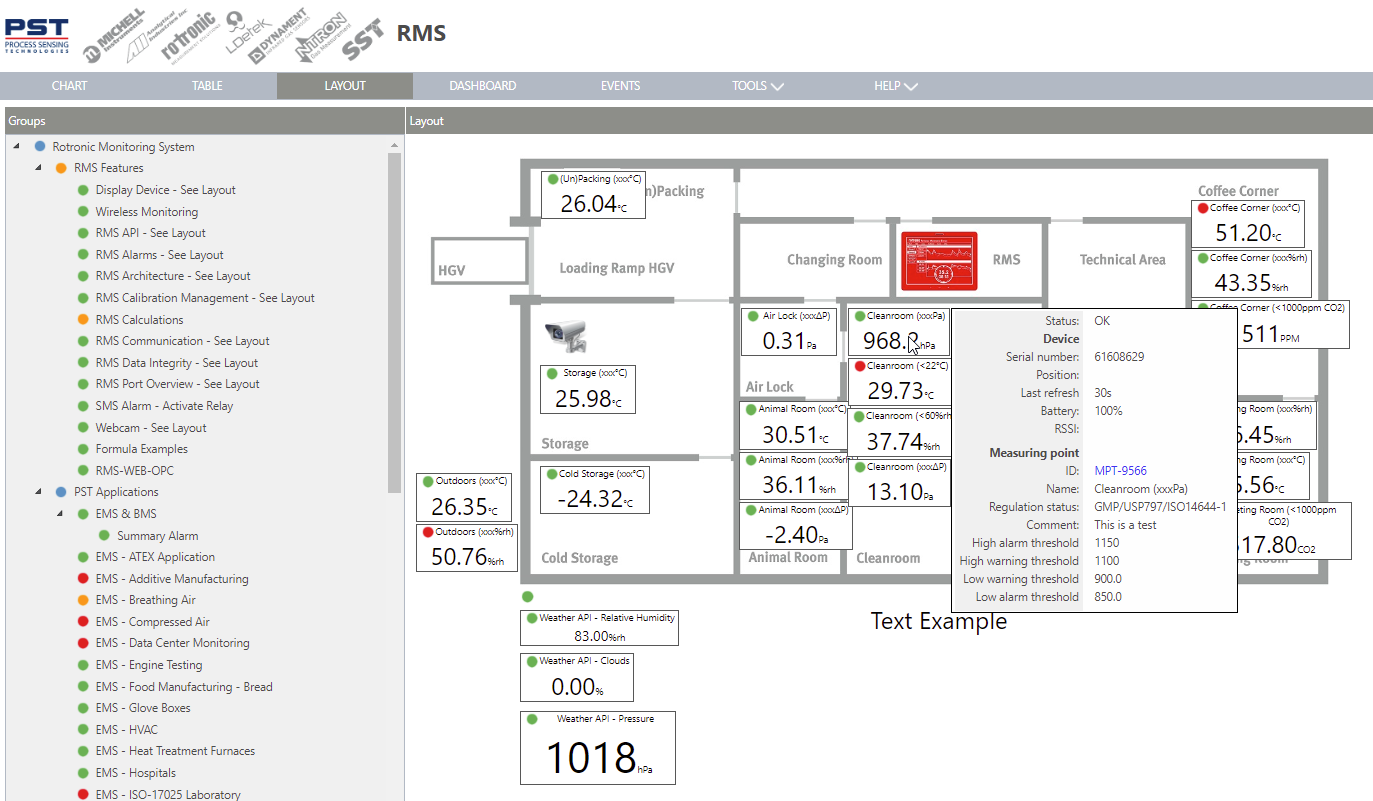 |
|---|---|
| Step 2 | Under the floor plan, labels can be added: 1. Measured value label. 2. Text label. 3. Web camera. 4. RMS gateway. 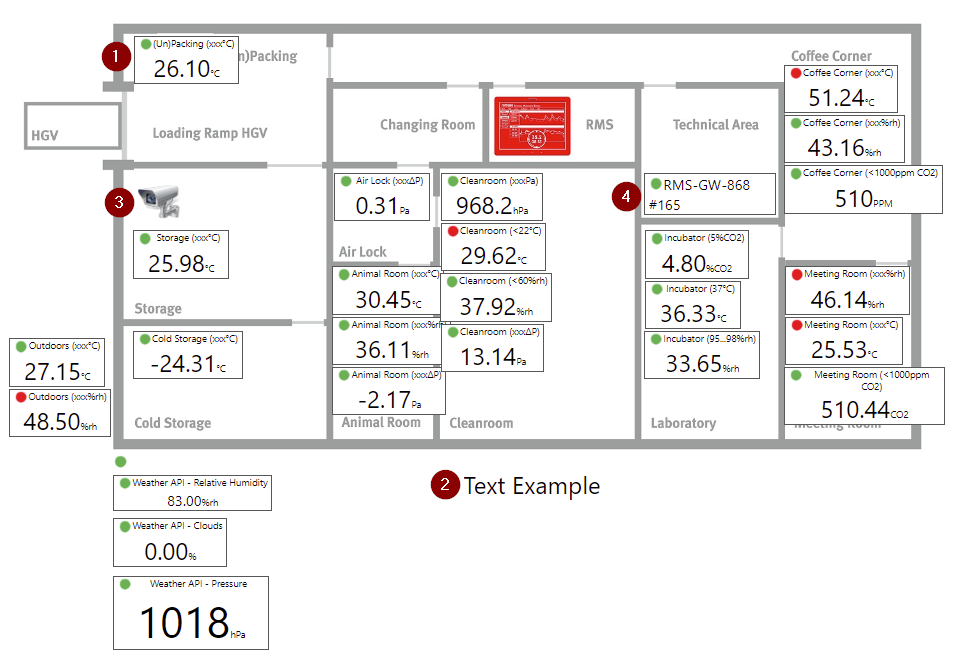 |
| Step 3 | The labels can then be shown in various sizes. 1. Alarm icon. 2. Normal. 3. Large. 4. Extra large. 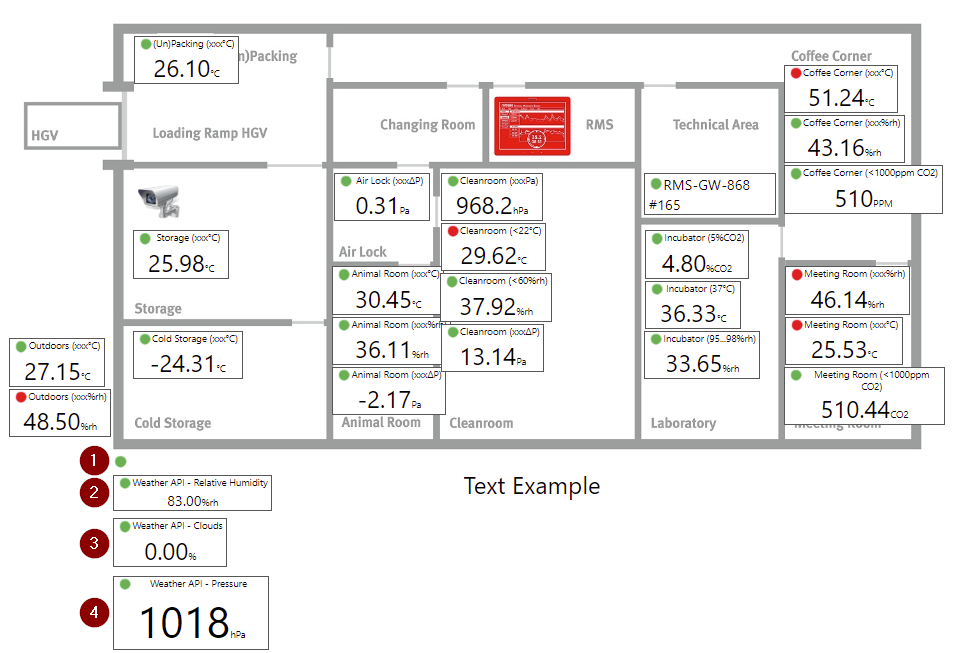 |
| Step 4 | Measuring points can be inhibited via the information button: 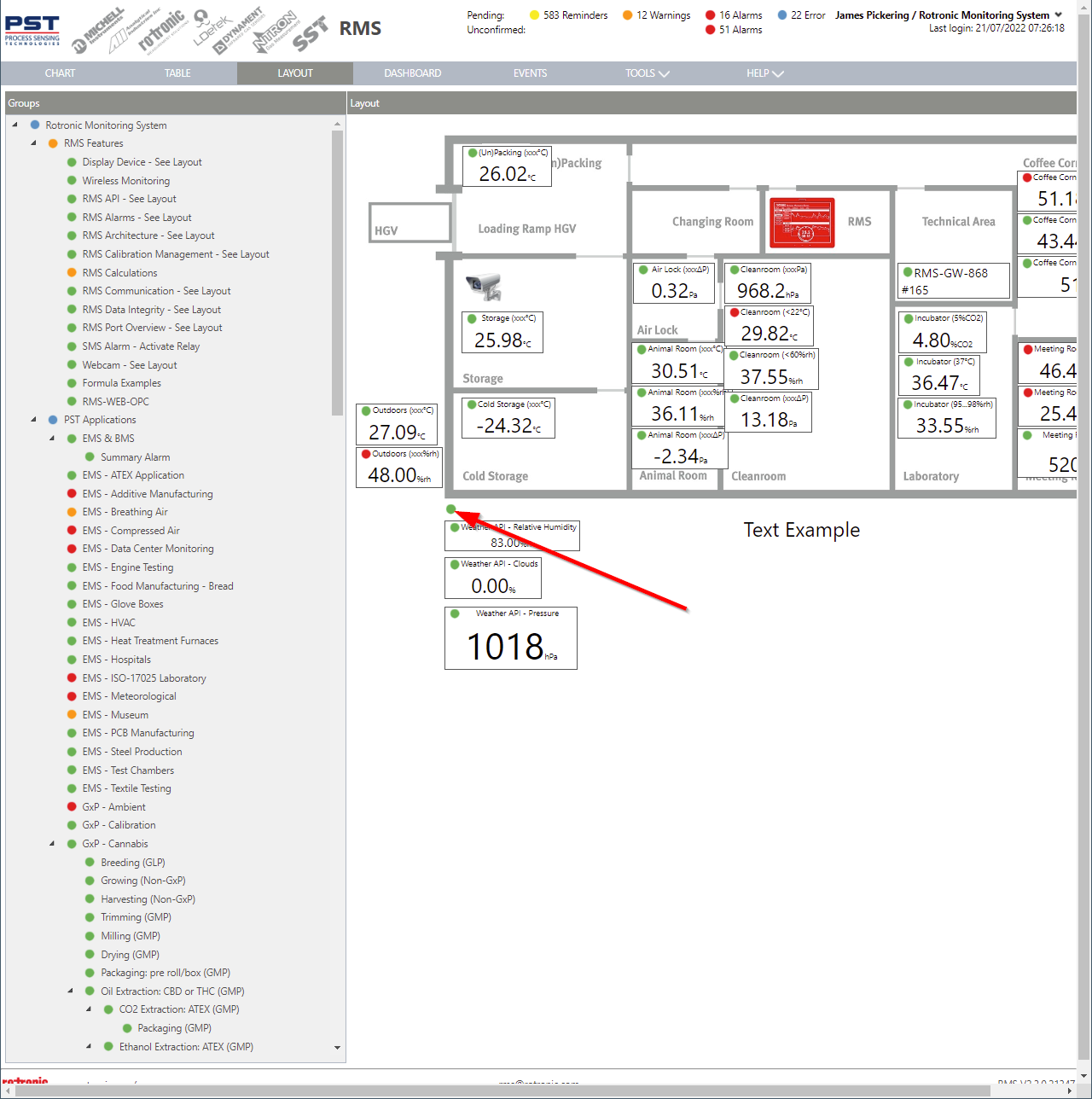 Inhibit alarm notifications via the layout view. |