Configuration with RMS-CONFIG
| Step 1 | Connect the probe to a laptop/PC with an AC3001 cable. Click on add Device>Search>Local Devices and select the device settings. |
|---|---|
| Step 2 | 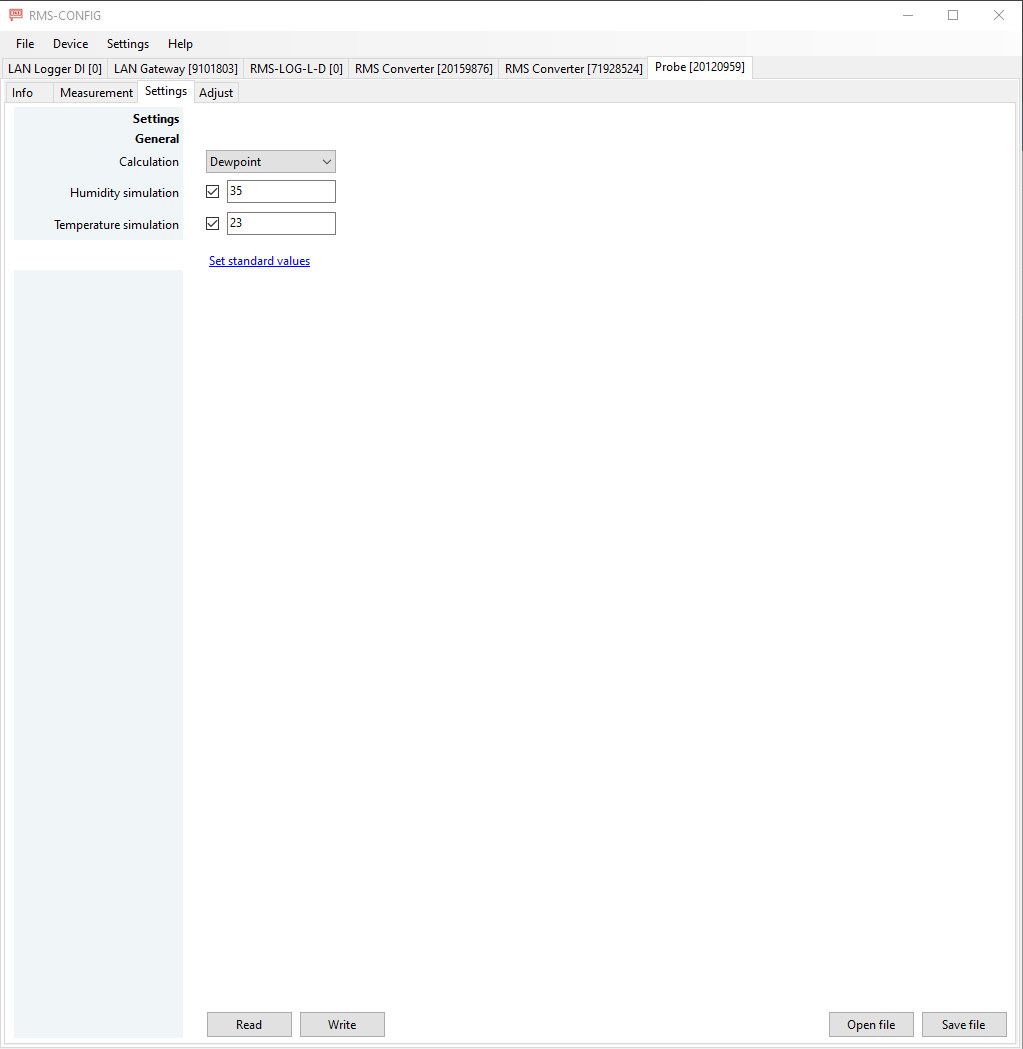 Calculation: The probe can be setup to calculate dewpoint and frostpoint. Humidity and temperature simulation: The HCD will deliver a fixed simulated value for either humidity and/or temperature. The probe will show up in RMS with a reminder event: simulator connected. |