Functions
Select the group you want to edit and add labels and background pictures to it with the following functions.
| Background picture | Shows a file dialog for selection of a background picture. The picture should have a width-to-height ratio of about 2:1 so that it is not distorted too much when fitting it in. The maximum file size is limited to 512 kB (adjustable in the web version). Only png and jpg files are supported. |
|---|---|
The values of the measuring points are shown in the layout as labels. The measuring point must, however, first be added to the groups as described in section 3.4. 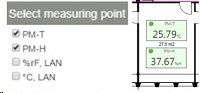 Figure 1: Add measuring points and subsequent display in the layout - Text label Adding of a text label for better clarification of the layout 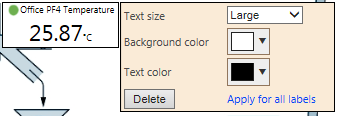 Figure 2: Add text label - Webcam Adding of a webcam (see Add Webcam for details). 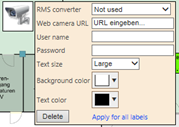 Figure 3: Add a webcam - RMS gateway Shows the current status of the gateway: OK / Timeout. |
|
| Save | Save layout view |