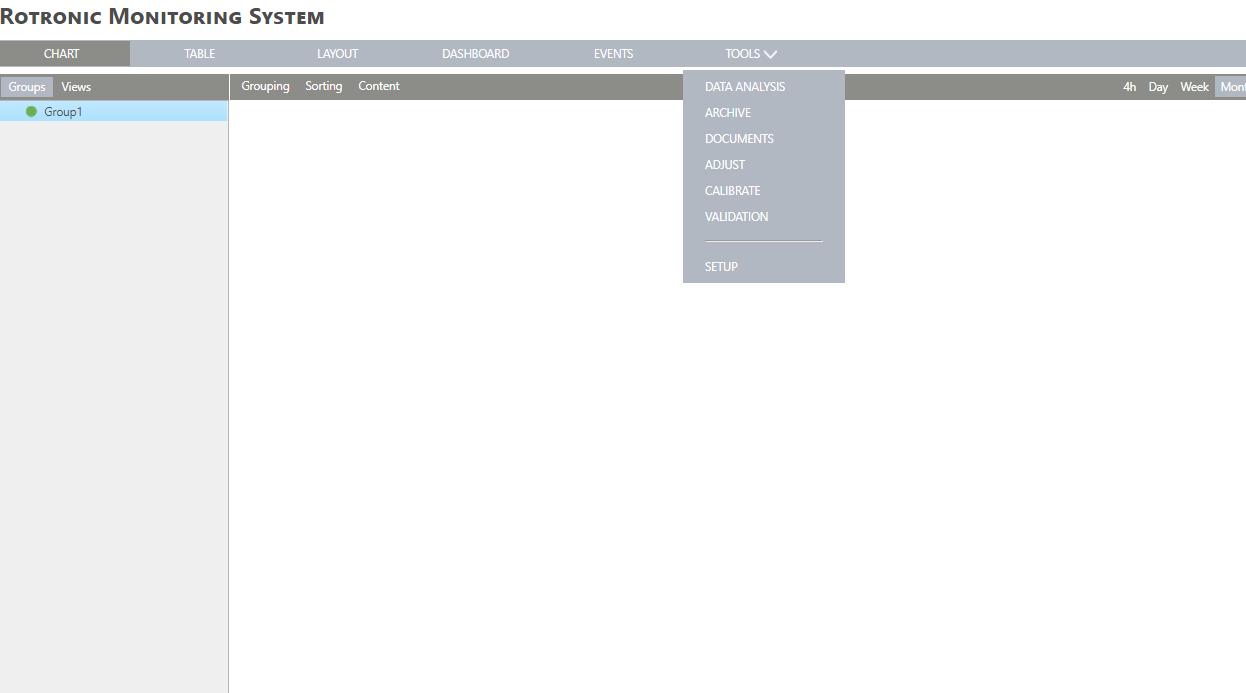
| Step 2 |
Under the device's menu, select "New" > "LAN device":
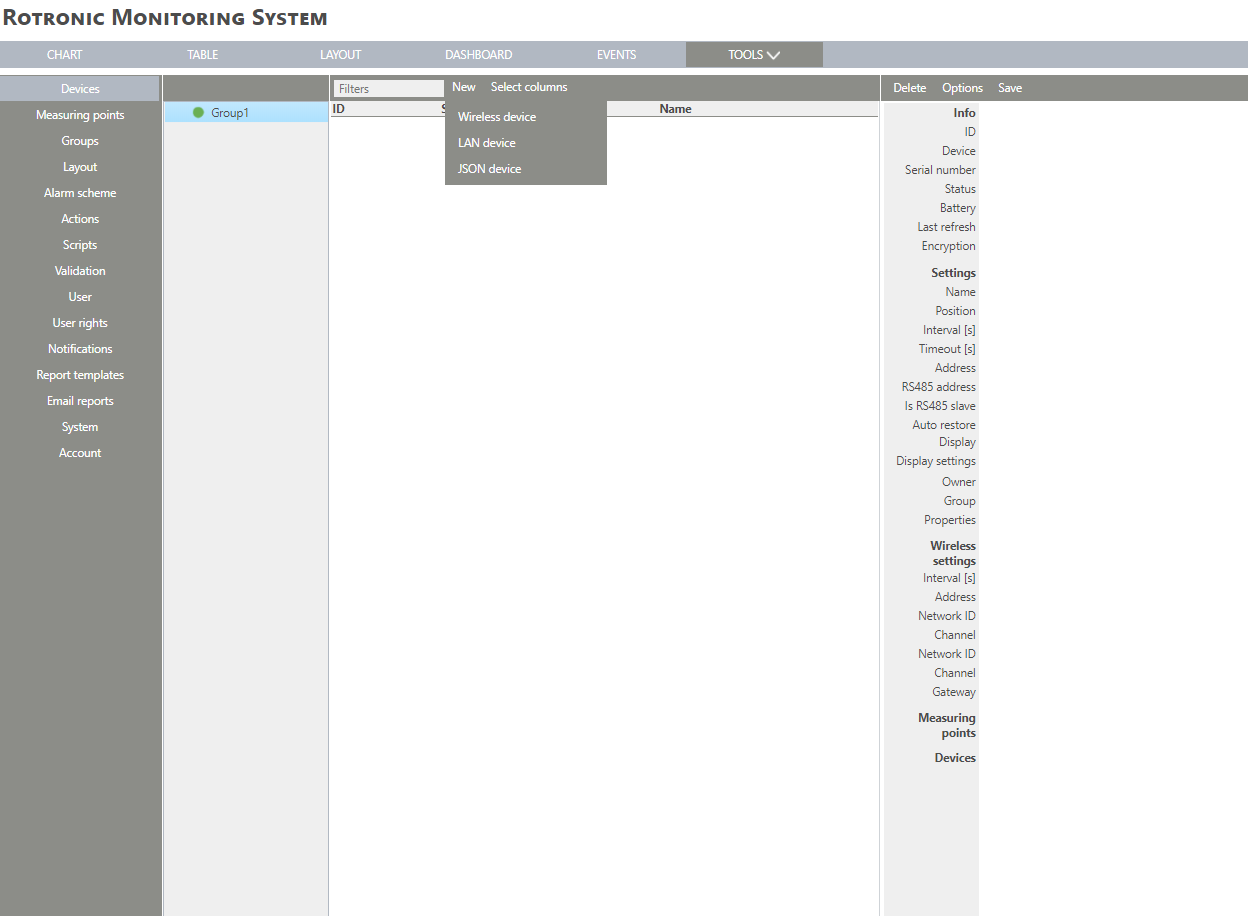 |
| Step 3 |
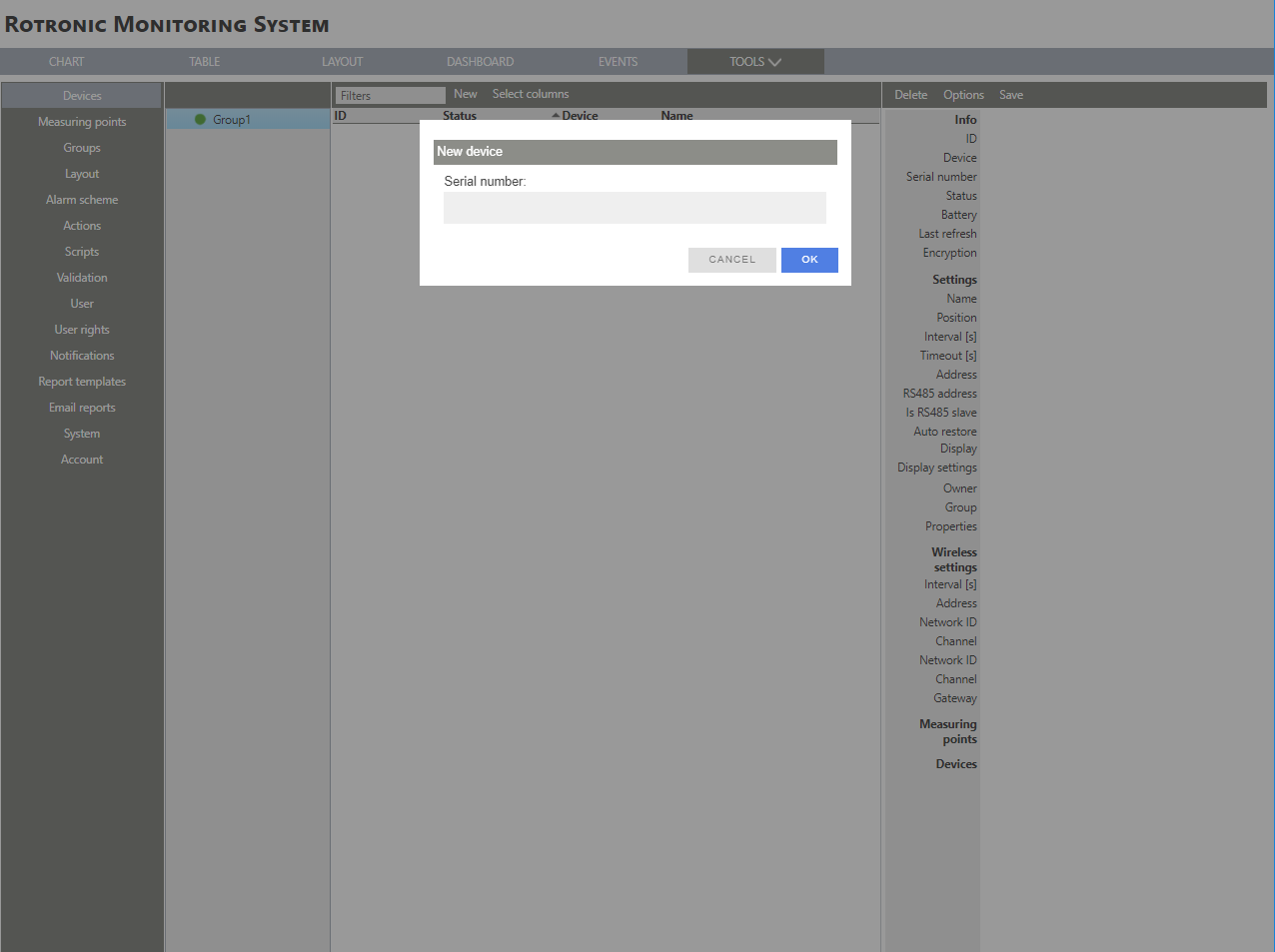
For a LAN device, enter the serial number:
 |
| Step 4 |
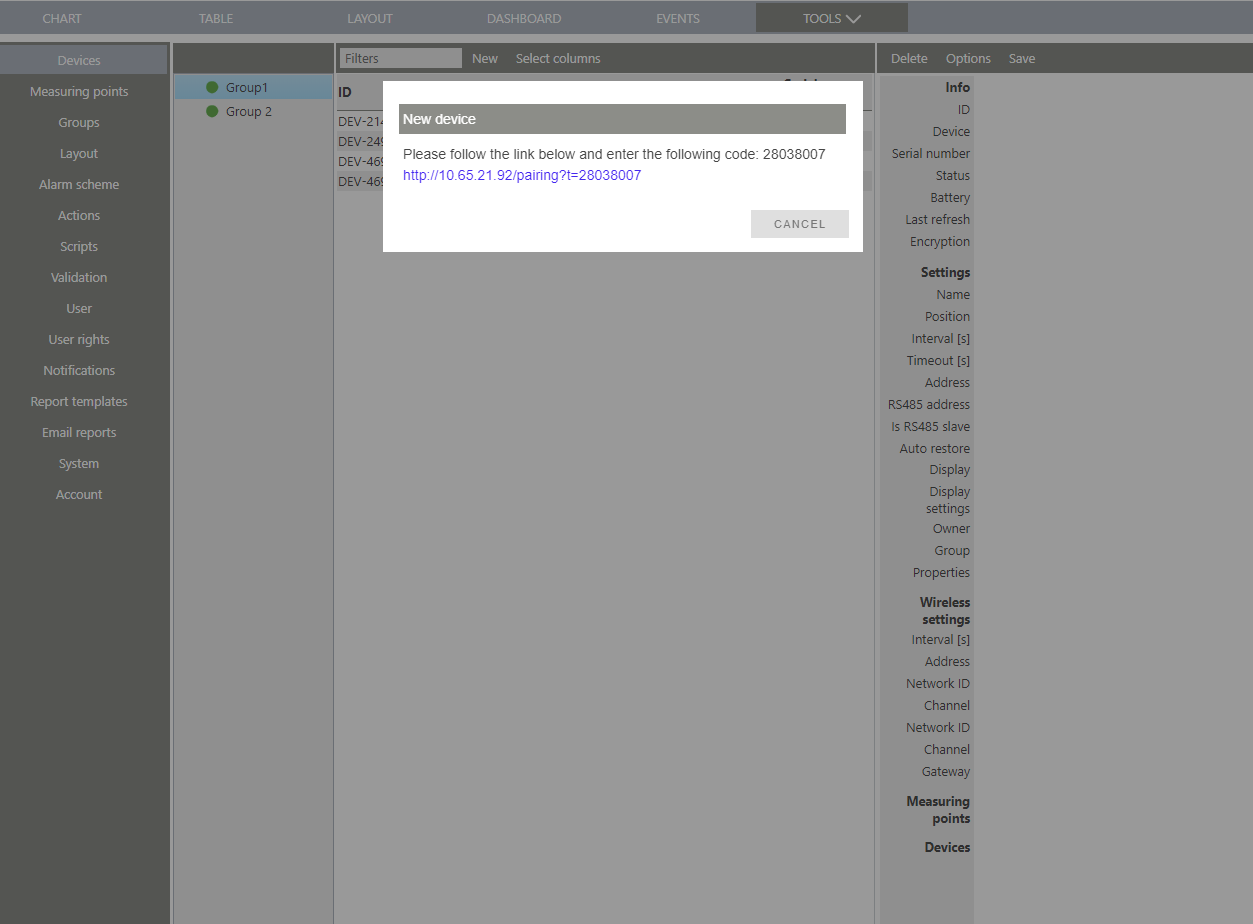
The Converter needs to be linked to the Software. Click on the link:
 |
| Step 5 |
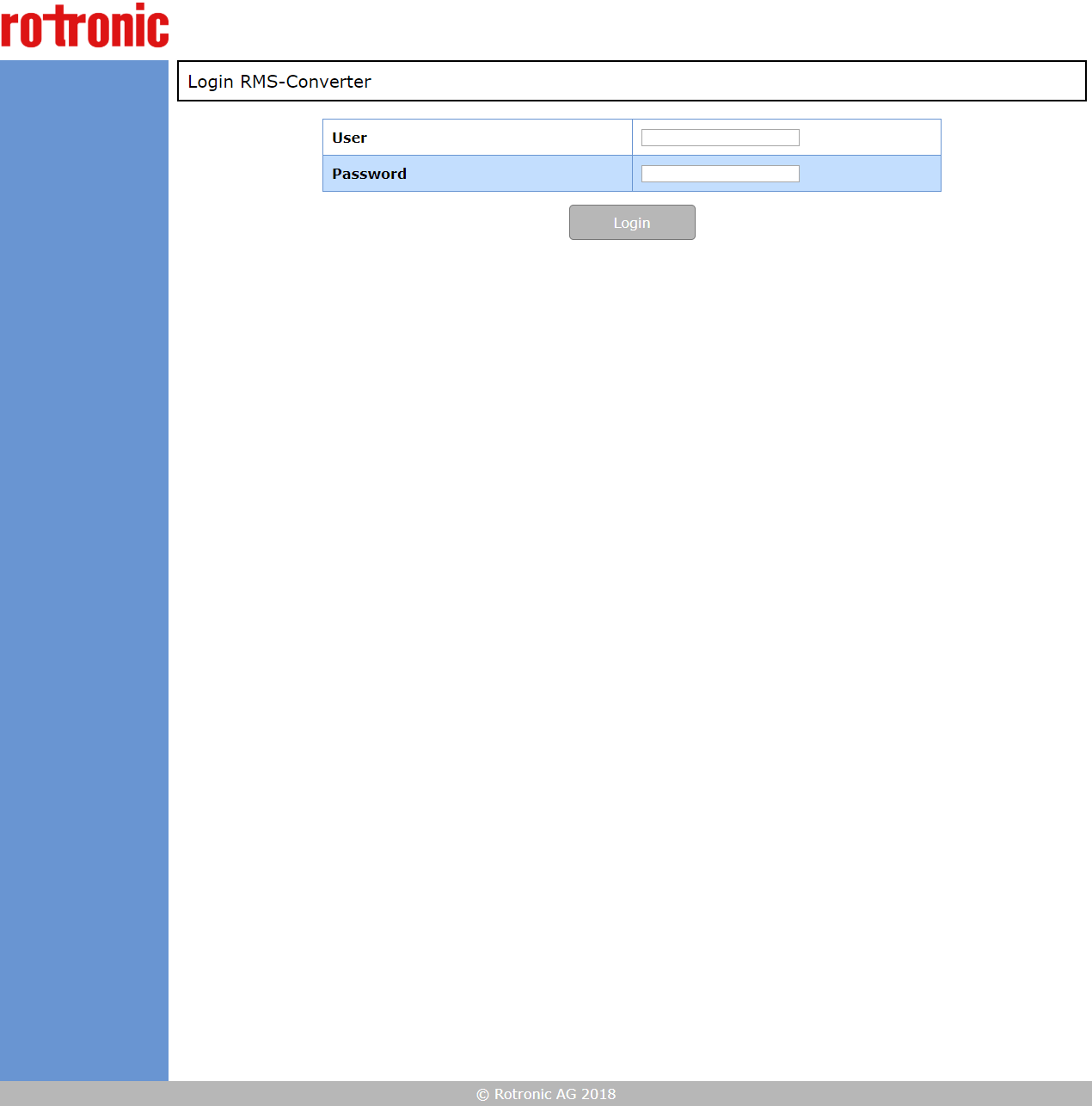
Within the browser, the RMS-Converter opens:
 |
| Step 6 |
Log in to the device by entering the following credentials and clicking on "Login": |
| Step 7 |
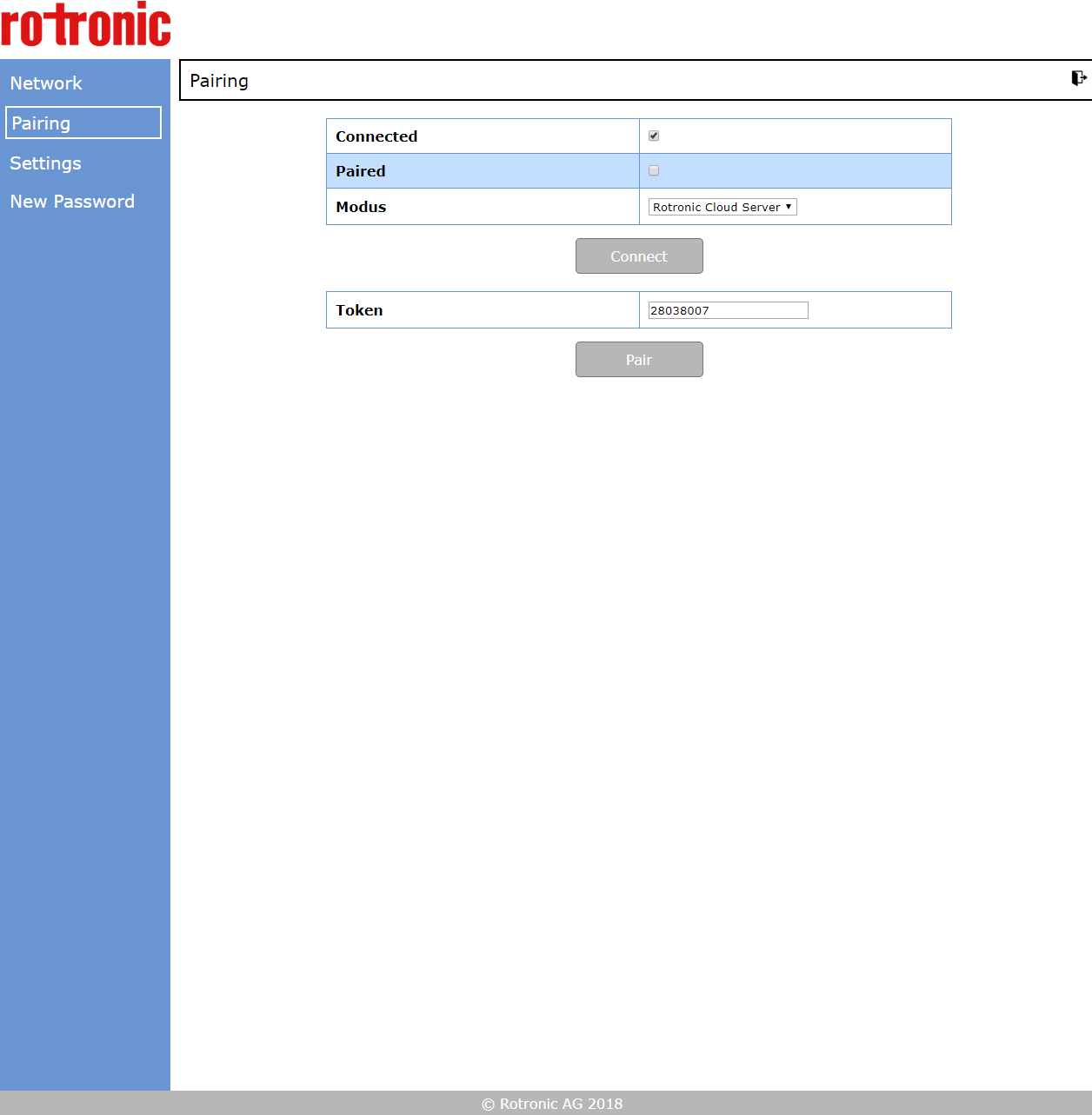
The following window appears:
 |
| Step 8 |
Make sure that the token is the same as the one given in the RMS software and click on "Pair". |
| Step 9 |
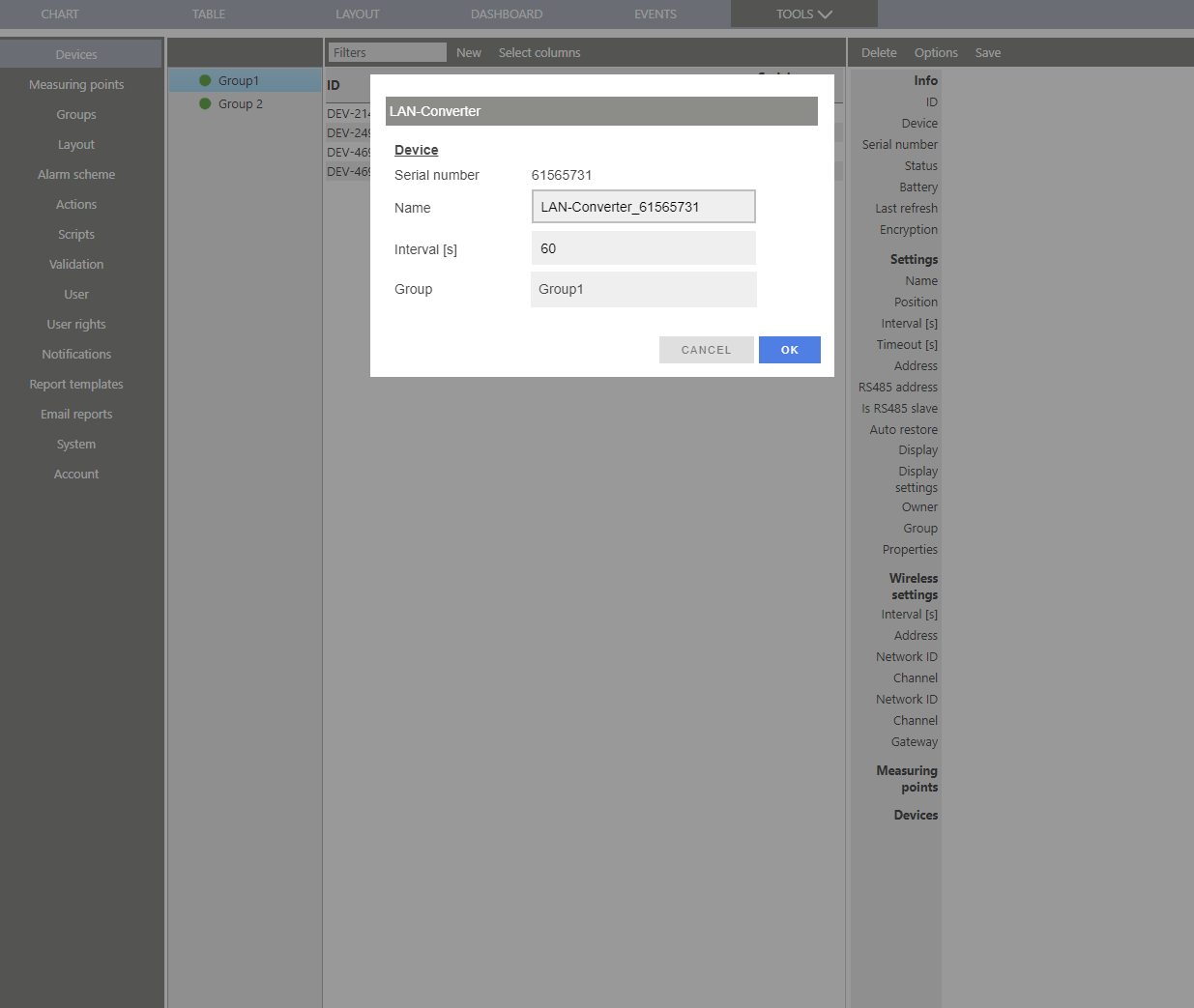
Switch back to the RMS Software on the browser:
 |
| Step 10 |
Configure the device accordingly and click on "OK". |
| Step 11 |
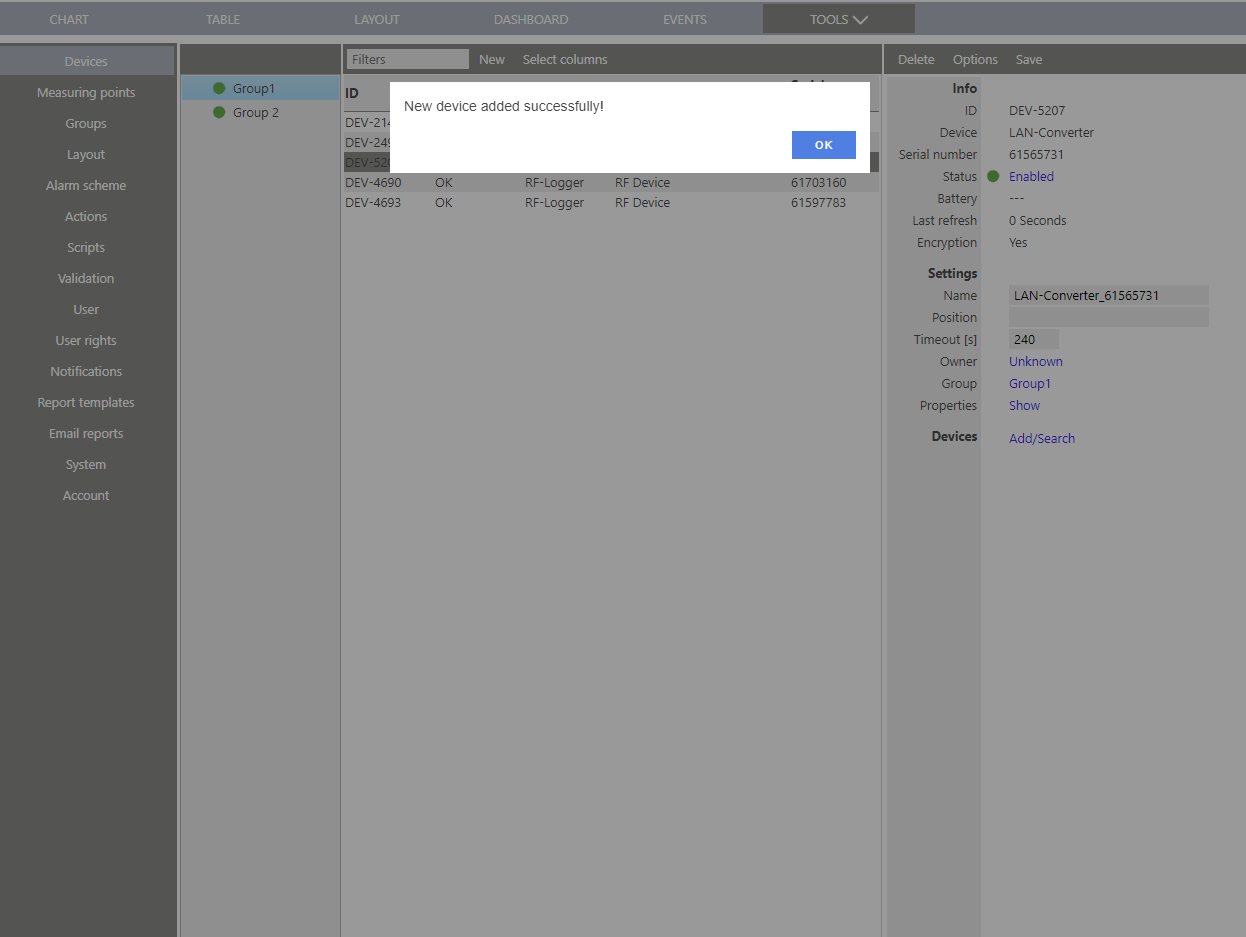
The device is added to RMS:
 |