Create New Database Instance
In this step you create a database that later interacts with the RMS server software.
| Step 1 | Right click on "Databases": select "New Database…" 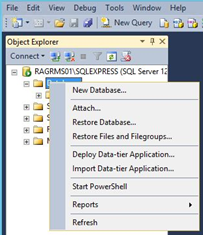 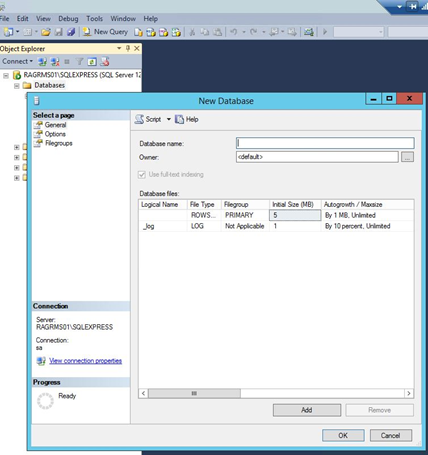 |
|---|---|
| Step 2 | Specify the database name: "rms". The default values can be used for the initial size of the database. 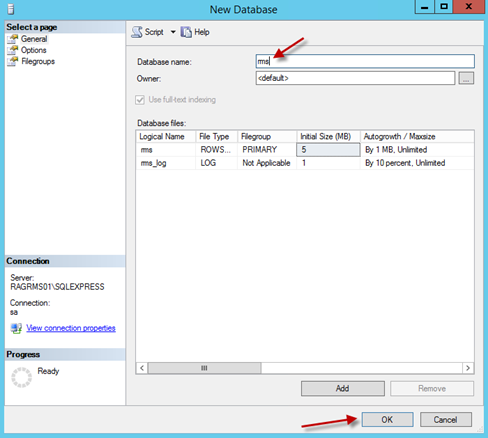 |
| Step 3 | In Object Explorer, right click on "New Login…" under "Security" > "Logins" 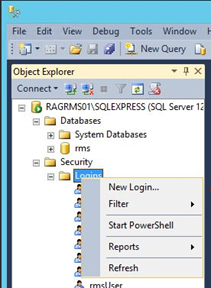 |
| Step 4 | Specify the login data for the user of the SQL database1 IMPORTANT: 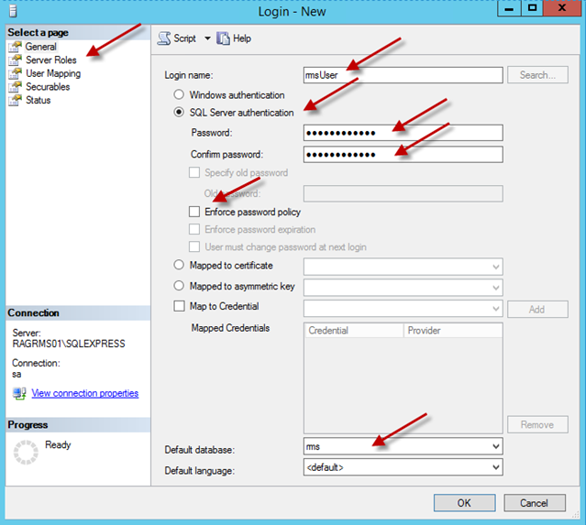 |
| Step 5 | Go to "Server Roles" when finished on this page. Specify the server roles: only "public" must be selected. 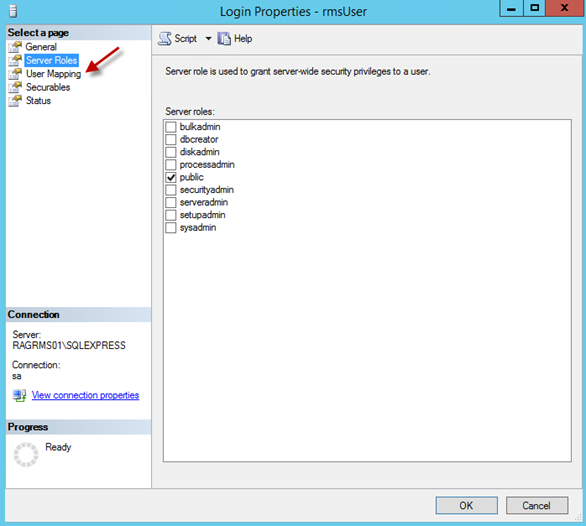 |
| Step 6 | Go to "User Mapping" when finished this page. Specify all settings under "User Mapping": 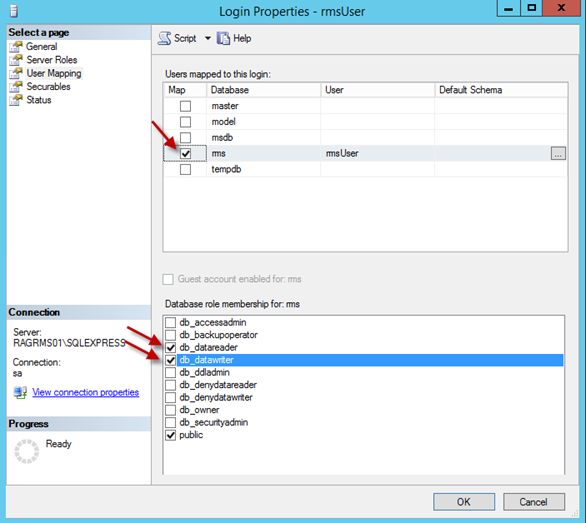 |
| Step 7 | No particular settings need to be made under "Securables" and "Status". Configuration of the database is then finished. 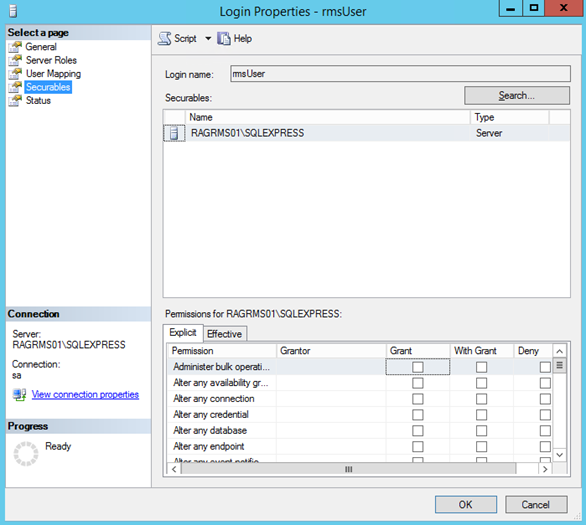 Figure a: "Securables" Settings 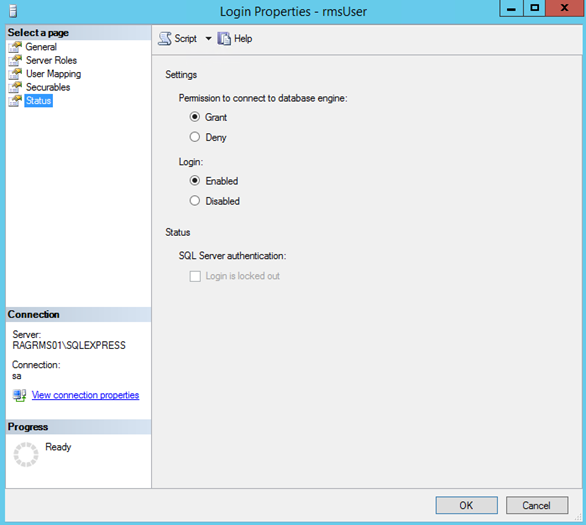 Figure b: "Status" Settings |
1The password should be different from the one of the administrator of the SQL Engine configuration.