Install Server Software
Extract the ZIP file and save the folder to the following path on the server: C:\\inetpub\wwwroot\rms\{Version}
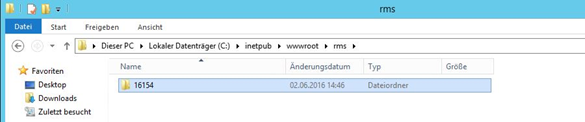
Figure 1: Location of the extracted ZIP folder with the software version (e.g. 16154)
- Setup connection configuration for wPage
In the extracted sub-directory (wPage), open the file connections.config.
Path: C:\\inetpub\wwwroot\rms\{Version}\wPage
The following information in the connection string must be modified according to chapter 3.3.
Is the database instance. SQLEXPRESS as used above. This must be adapted, when external SQL database is used. For example:
- Database instance name: InstanzName
- Database server: 12.34.56.789
Data source = 12.34.56.789\InstanzName
Name of the database. "RMS" as used above
- ID
User ID for database access of the software. "rmsUser" as used above.
- Password
Password for database access of the software. As defined in chapter 3.3.
Example:
- Setup connection configuration for wService
Repeat the setup above for also for wService, or just copy the connection.config file to this folder.
- SQL with Windows authentication only
| Note: If SQL authentication is not allowed, then use SQL with Windows authentication. |
|---|
Application Pool Identity
Connection String
- Edit the RMS connection string in the "Connections.config" file (Use your server and database name):
The RMS Server Service is now connected to the database.