Installation and Configuration of SQL Server Express
Proceed as follows to configure the SQL database:
| Step 1 | Extract the EXE file to the desired directory 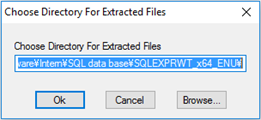 |
|---|---|
| Step 2 | Select new SQL installation 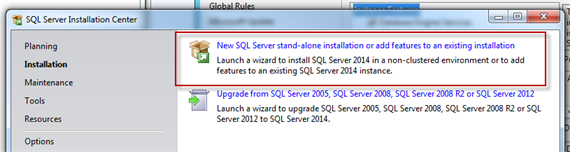 |
| Step 3 | Configuration of the features 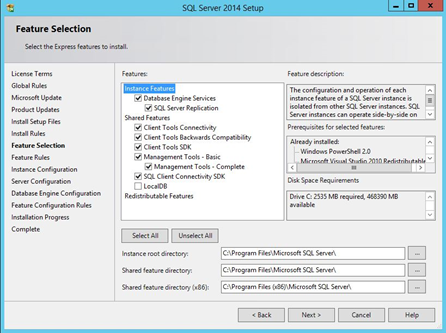 |
| Step 4 | If the server is not yet running .NET-FW V3.5, it must be installed later. 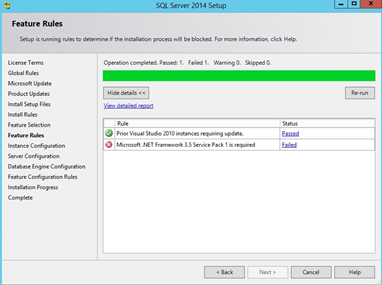 Figure a: If .NET Framework V3.5 is not yet installed, an error is reported 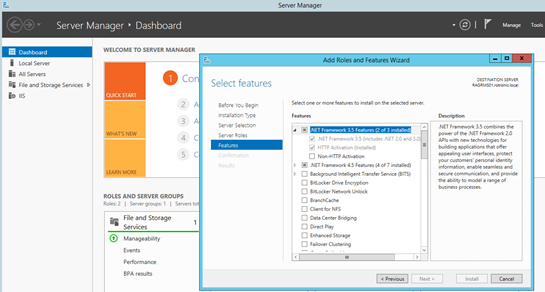 Figure b: Installation of .NET-FW V3.5 in Server Manager |
| Step 5 | Configuration of the instance 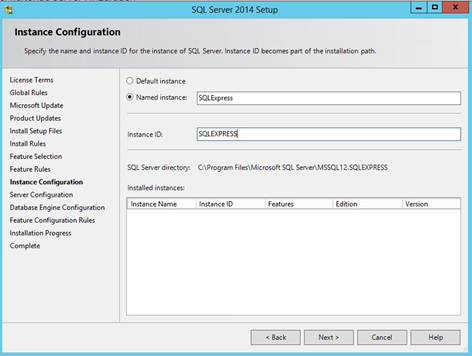 |
| Step 6 | Configuration of the server 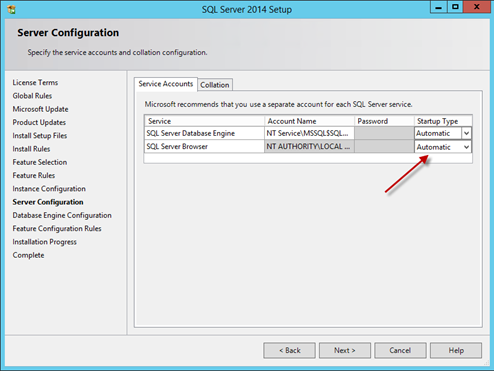 |
| Step 7 | To finish the installation of SQL, you must still specify the user (system administrator) and a password. This user must be an administrator. This user later has all rights to the database. 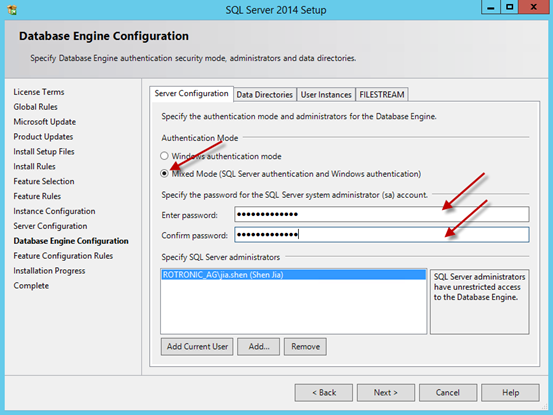 |
| Step 8 | When installation has been completed, you must launch SQL Server Management Studio. The password defined earlier is needed to log in. 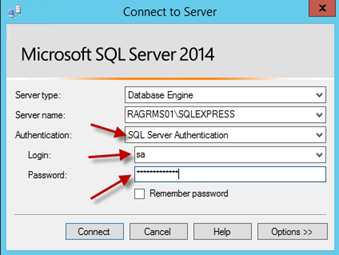 Figure: Screenshot with SQL Server Authentication and user name "sa", password is the one defined in the previous step |