Change your Password
| Step 1 | From the start page, click on the user name and Company: 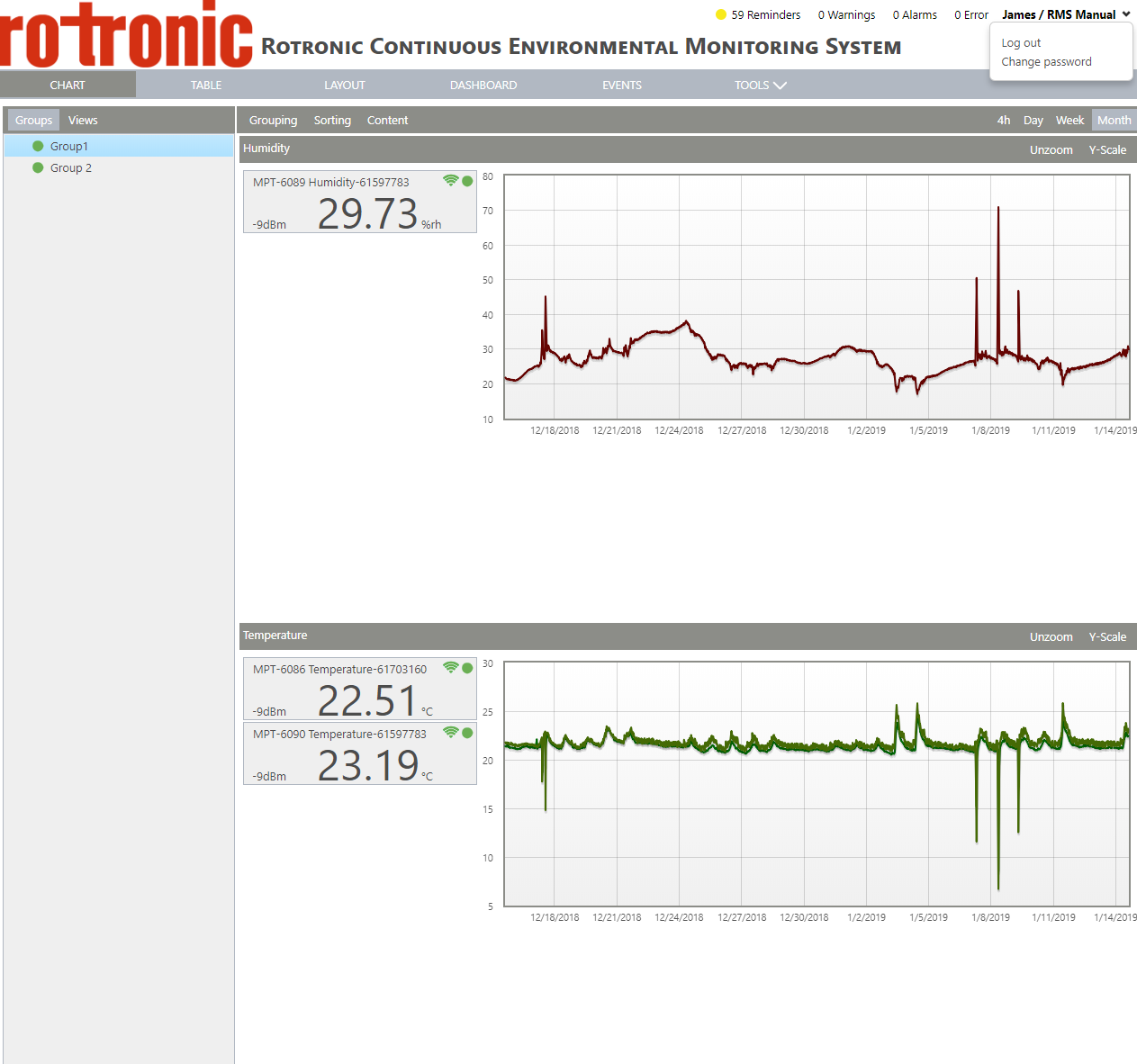 |
|---|---|
| Step 2 | Click on "Change password". Add your current password followed by the new password and a repeat of the new password: 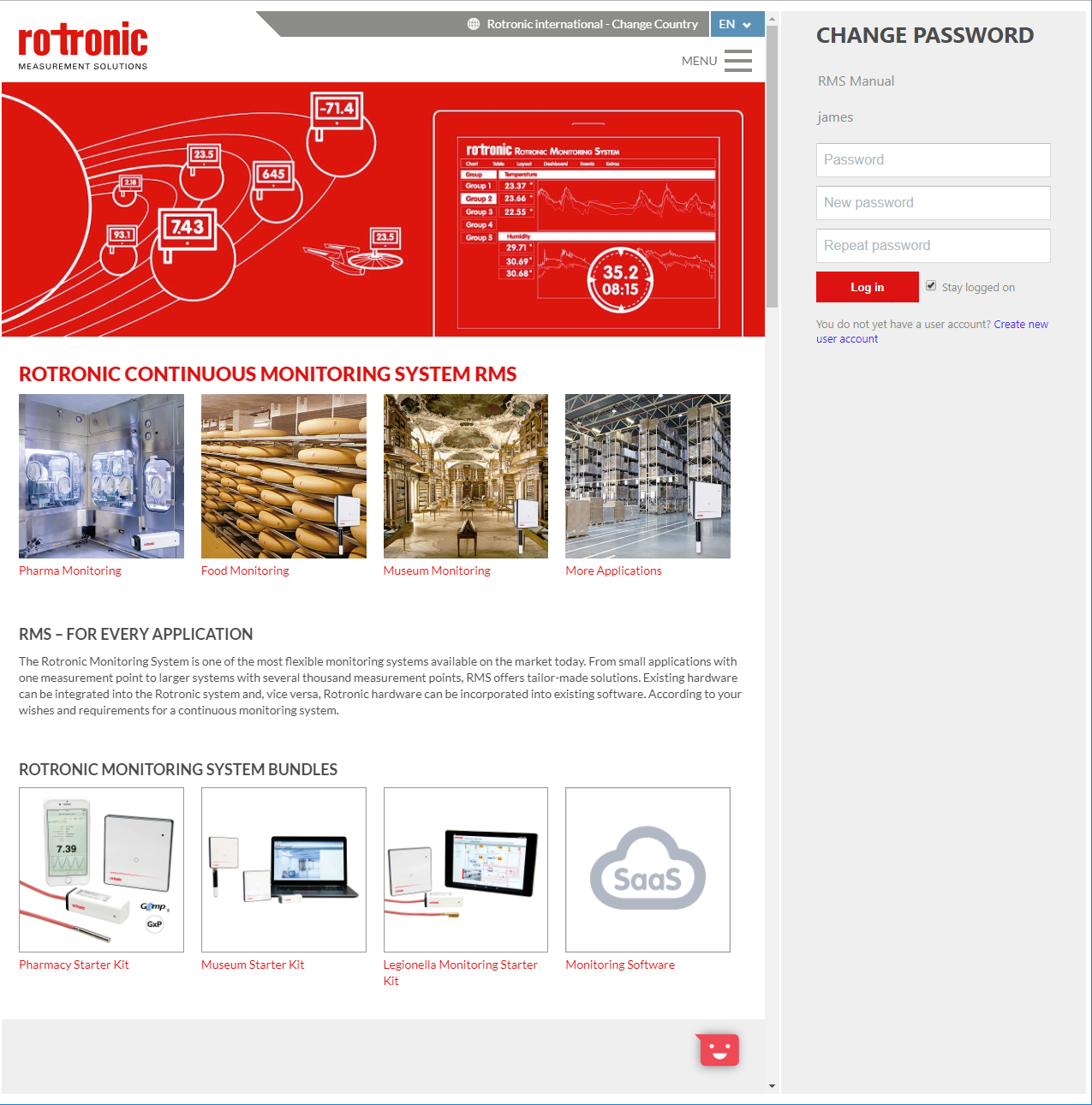 |
| Step 3 | Click on "Log in". |
| Step 1 | From the start page, click on the user name and Company: |
|---|---|
| Step 2 | Click on "Change password". Add your current password followed by the new password and a repeat of the new password: |
| Step 3 | Click on "Log in". |