Configure your User Table View
| Step 1 | From the start page, click on "Table": 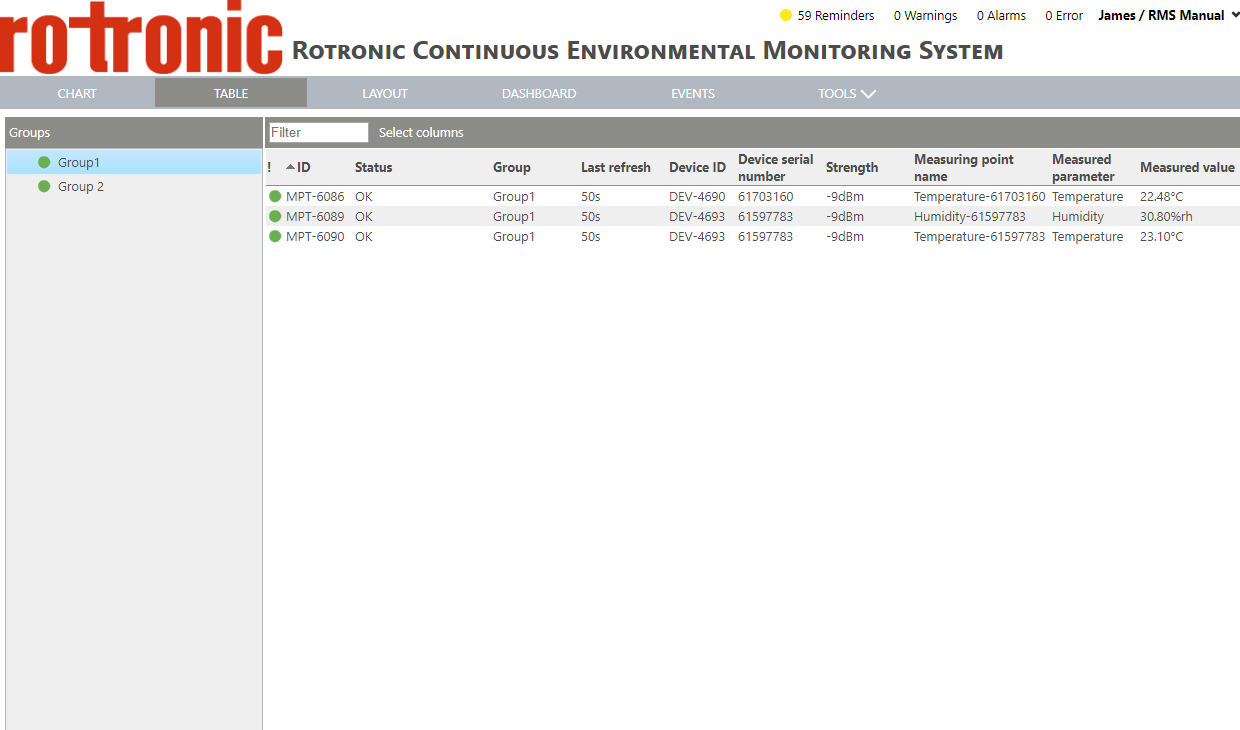 |
|---|---|
| Step 2 | Click on "Select columns": 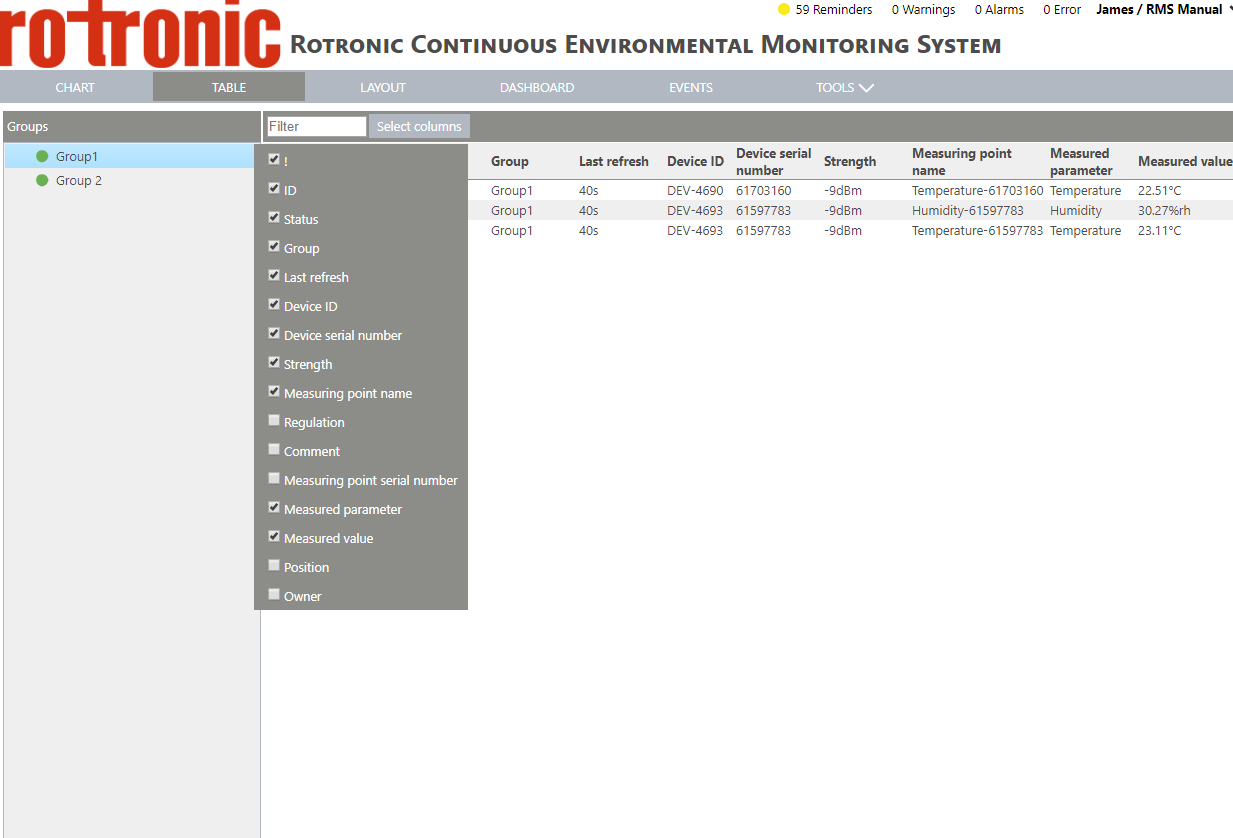 |
| Step 3 | Select the various points by clicking on the box: |
| Step 1 | From the start page, click on "Table": |
|---|---|
| Step 2 | Click on "Select columns": |
| Step 3 | Select the various points by clicking on the box: |