Configure your User User View
| Step 1 | From the start page, click on "Tools" > "Setup": 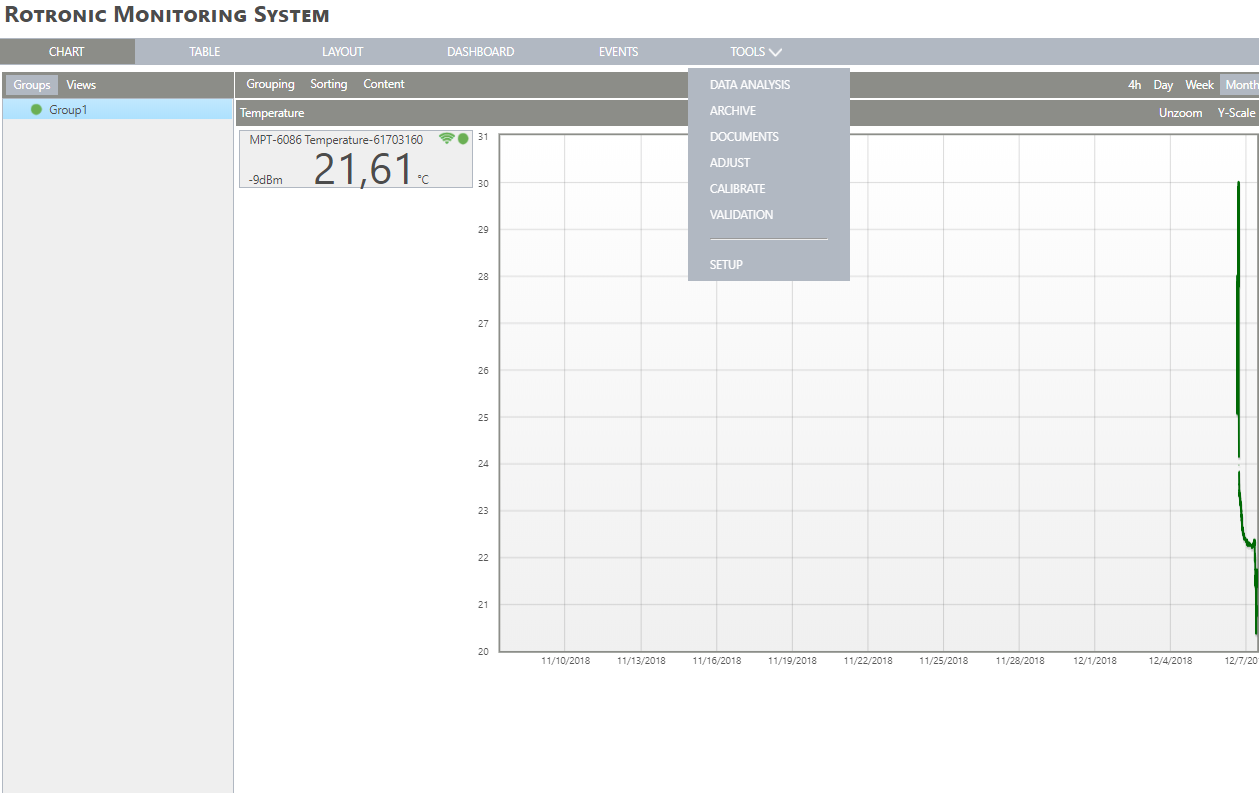 |
|---|---|
| Step 2 | On the left side, select "User": 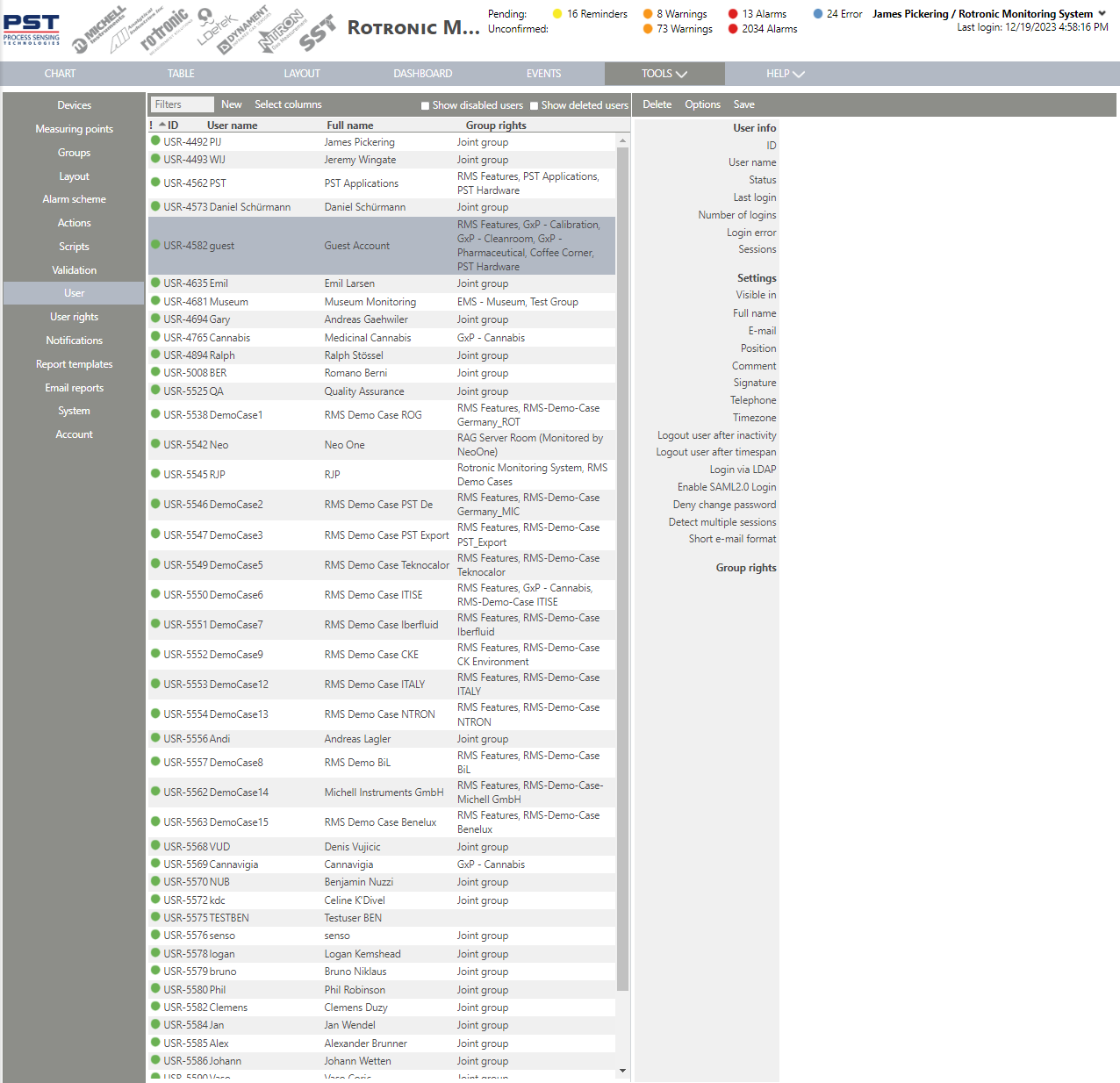 |
| Step 3 | Show disabled users Click on this button to also see the disabled users. Show deleted users Click on this button to also see the deleted users. Delete Delete the user. Save Save all changes made. |
| Step 4 | Click on "Select columns": 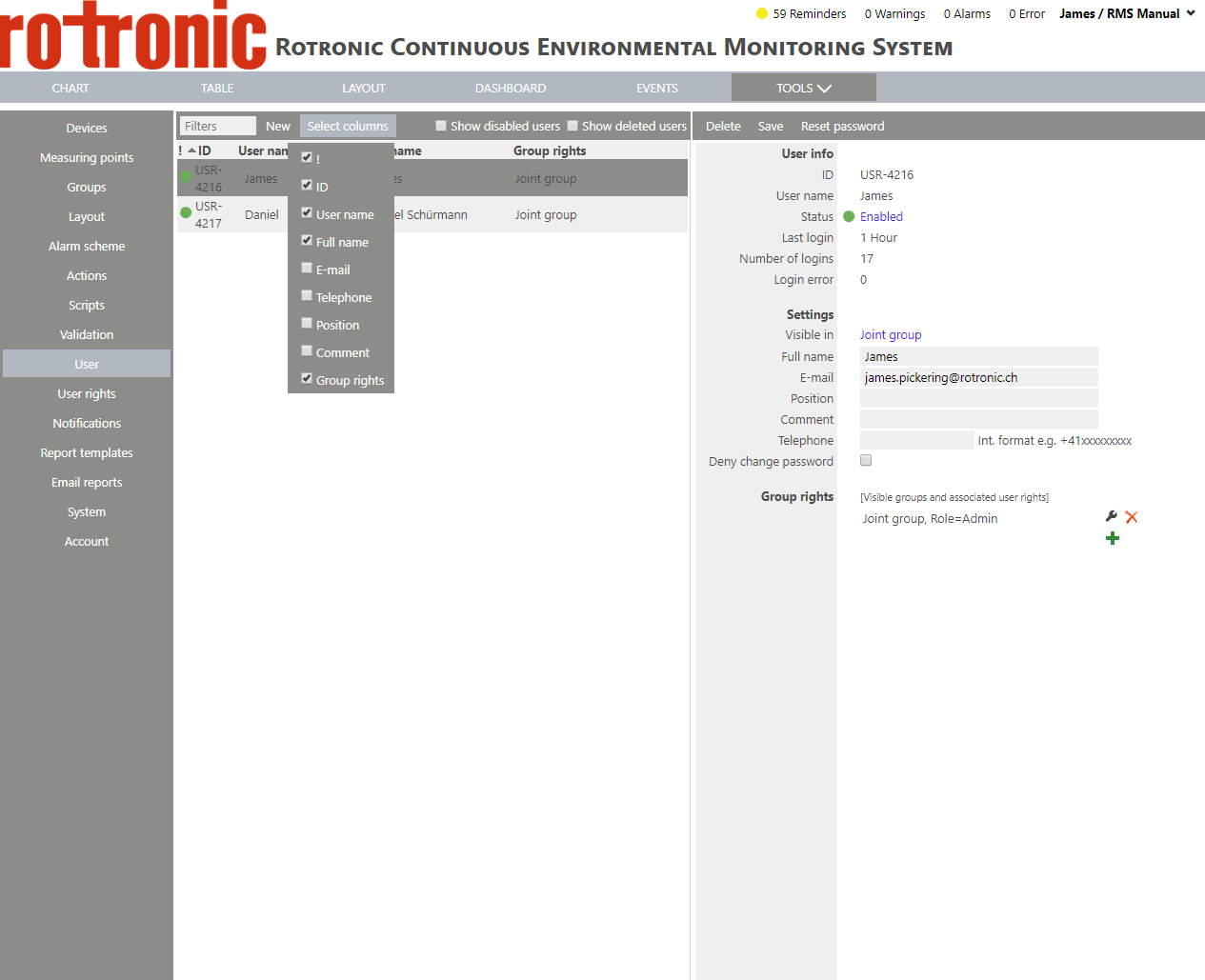 |
| Step 5 | Select the various points by clicking on the box: |