Configure your User Settings
| Step 1 | From the start page, click on "Tools" > "Setup": 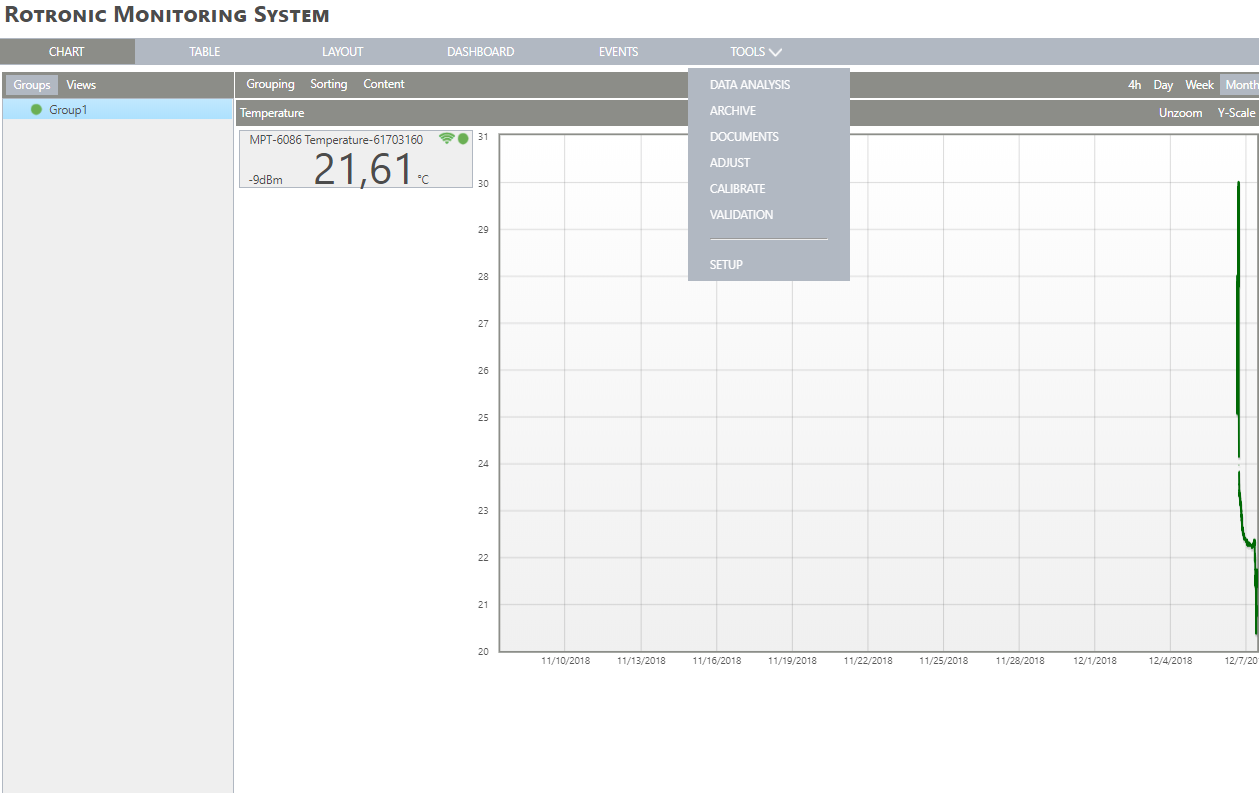 |
|---|---|
| Step 2 | On the left side, select "User": 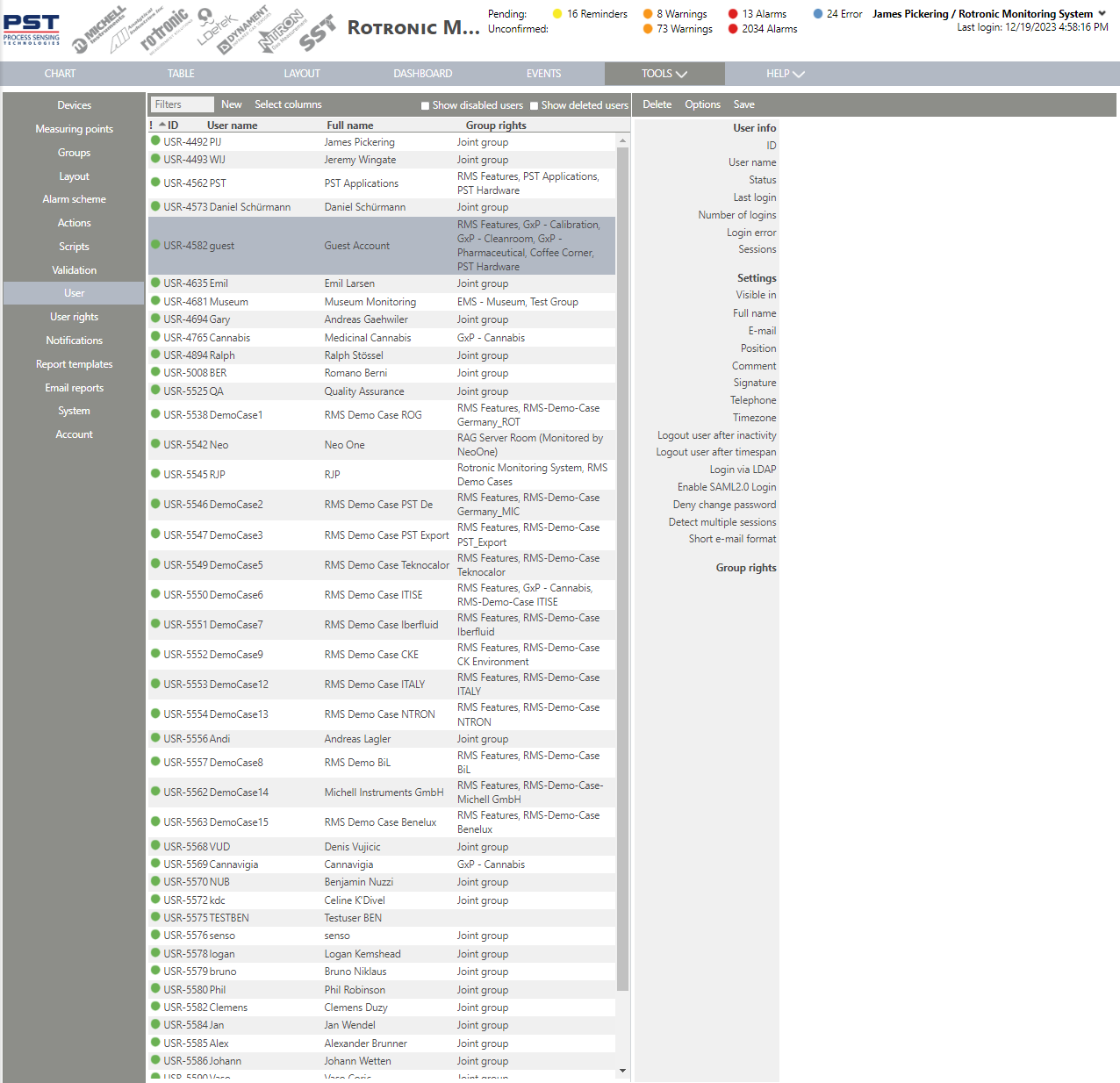 |
| Step 3 | User info: |
| Step 4 | Settings: 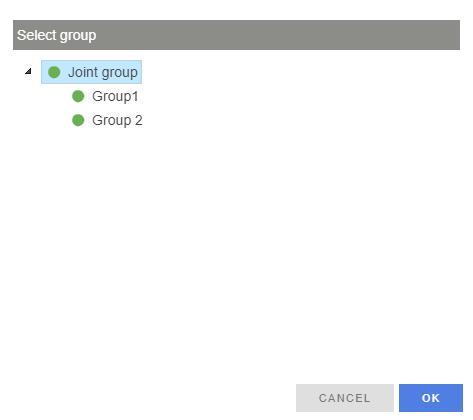 |
| Step 5 | Full name User's full name. User's email. Position User's position (free text). Comment A comment (free text). Signature User defined signature (free text or review, approval, responsibility or authorship). The signature appears next to the full user name as a signature in all documents and all audit trail events that the user has generated. Telephone The user's telephone number. International format with the country calling code required. Timezone The user's timezone. The user can choose between between the system timezone or a user defined time zone. Deny password change When selected, the user cannot request to change their password. Group rights Define the user's rights in various groups. Click on the spanner to change an existing right or on the "+" to add a new right. Simply select the group and then the user right from the drop down menu for that group. |
| Step 6 | 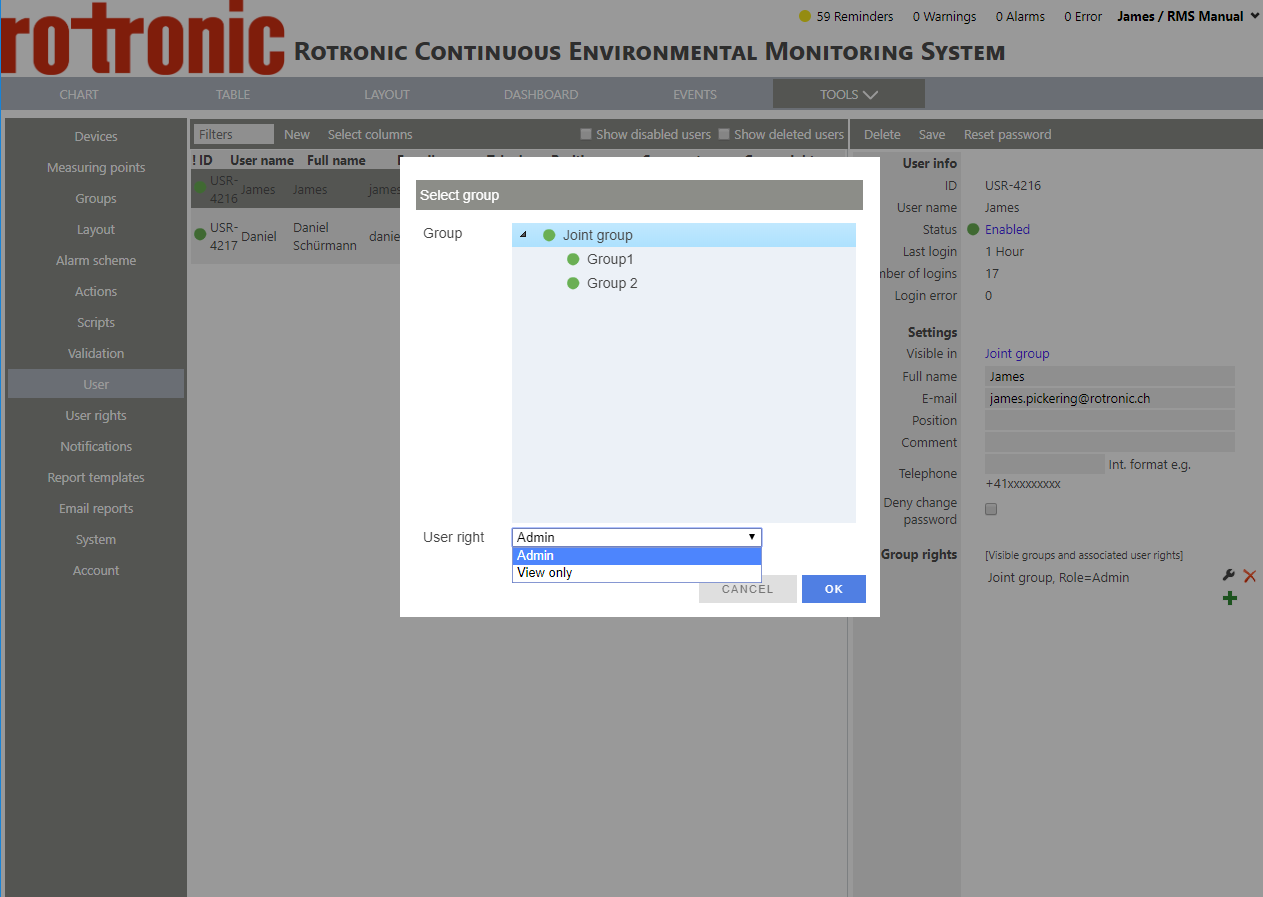 Click on "OK". |