Proxy Server Settings
The RMS-Converter offers the option of use a Proxy-Server. This feature is for security reason.
The RMS-Converter supports the use of a proxy server for secure communication with the RMS Monitoring WebService. Enabling this feature improves network security by acting as an intermediary between the RMS-Converter and the external server.
When a proxy server is used, all data sent to the WebService is first routed through the proxy. This helps to:
- Hide the IP address** of the RMS-Converter from external systems, reducing the risk of direct attacks.
- Control and monitor traffic** more effectively within secured network environments.
- Comply with corporate network policies that require the use of proxy servers for outbound communication.
To configure the RMS-Converter to use a proxy server, provide the necessary proxy settings (e.g. host, port, authentication if required) in the configuration interface.
Note: Make sure the proxy server allows outbound traffic to the RMS WebService domain and does not block required ports or protocols.
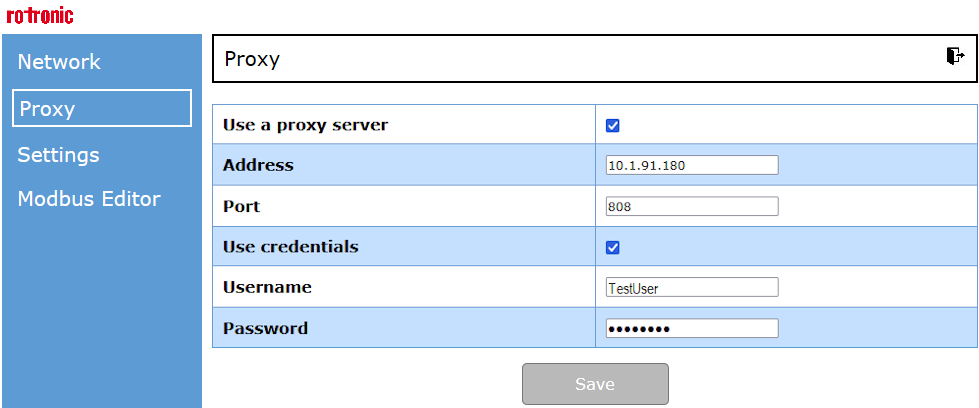
- Address and Port of the Proxy Server
- Use credentials, username and password for the Proxy-Server authentification
Created 14.07.2025