Add an RMS Gateway Label
| Step 1 | Add a text label by selecting "Add label" > "RMS gateway": 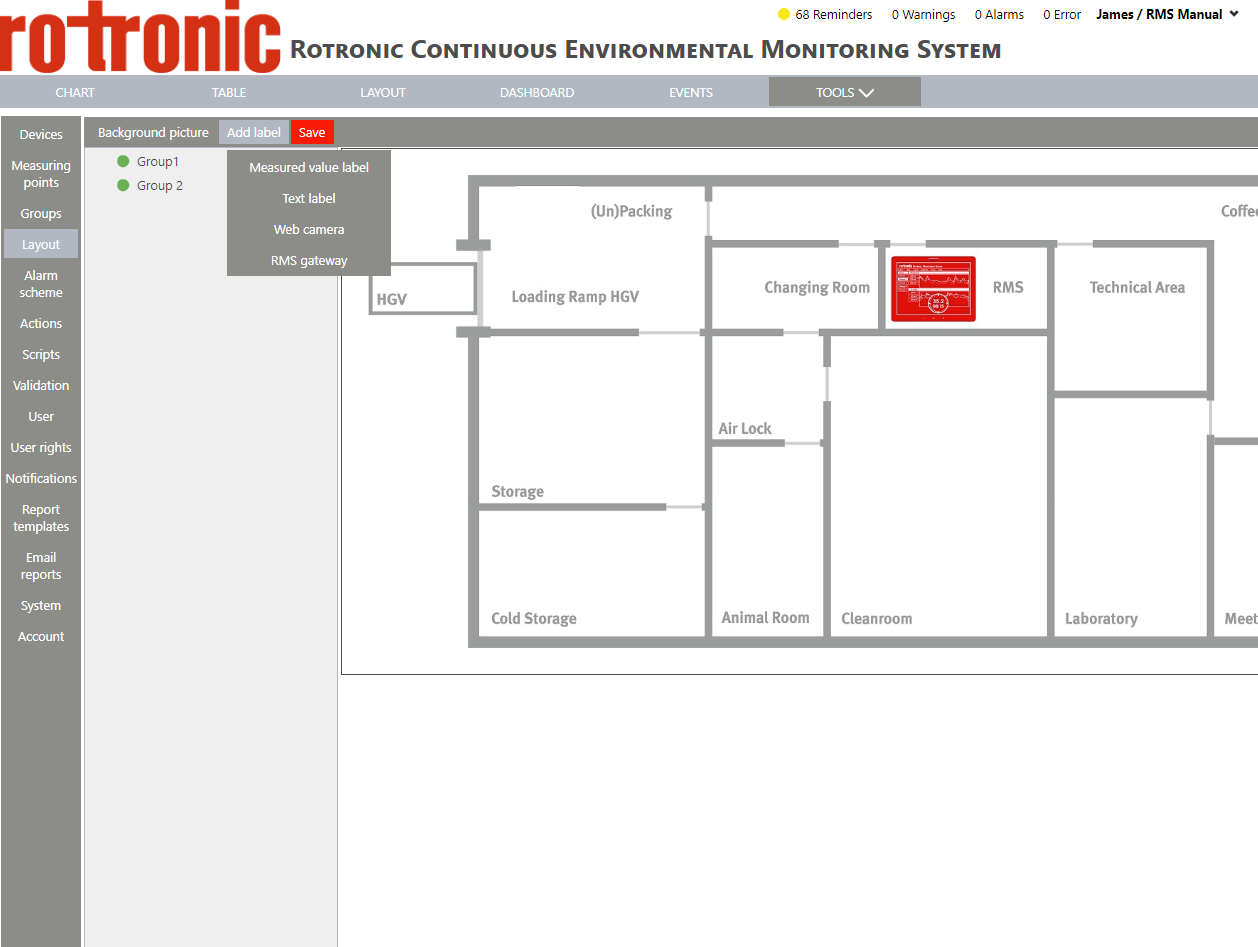 |
|---|---|
| Step 2 | The label appears on the background. |
| Step 3 | Using the mouse, click on the measuring point box and drag and drop the box to the desired location. |
| Step 4 | Delete: click on "Delete" to delete the text label. |
| Step 5 | Apply for all labels: click on "Apply for all labels" to apply the settings for all labels. |