Add a Tristate Button
| Step 1 | From the start page, click on "Tools" > "Setup": 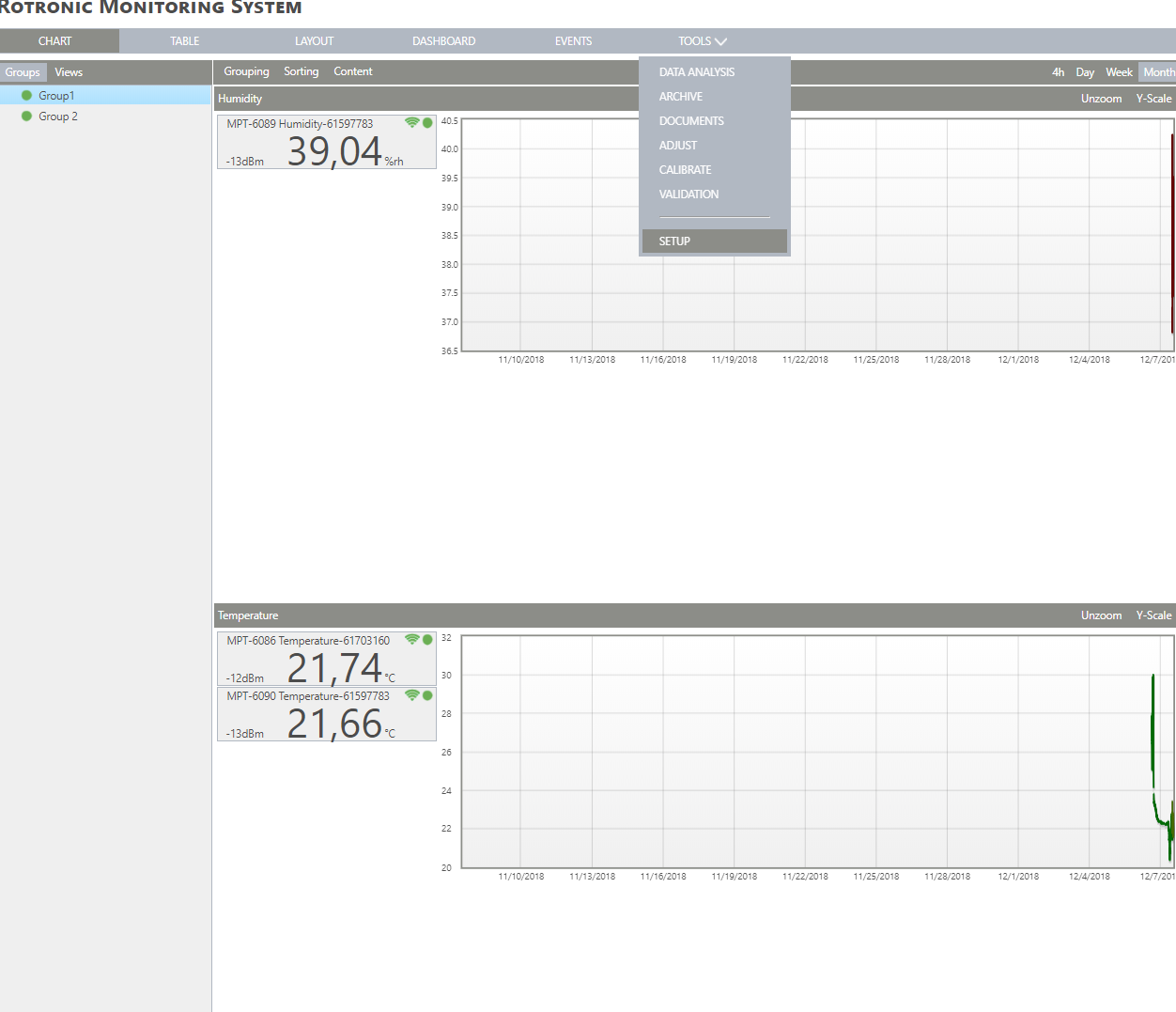 |
|---|---|
| Step 2 | On the left side, select "Measuring points": 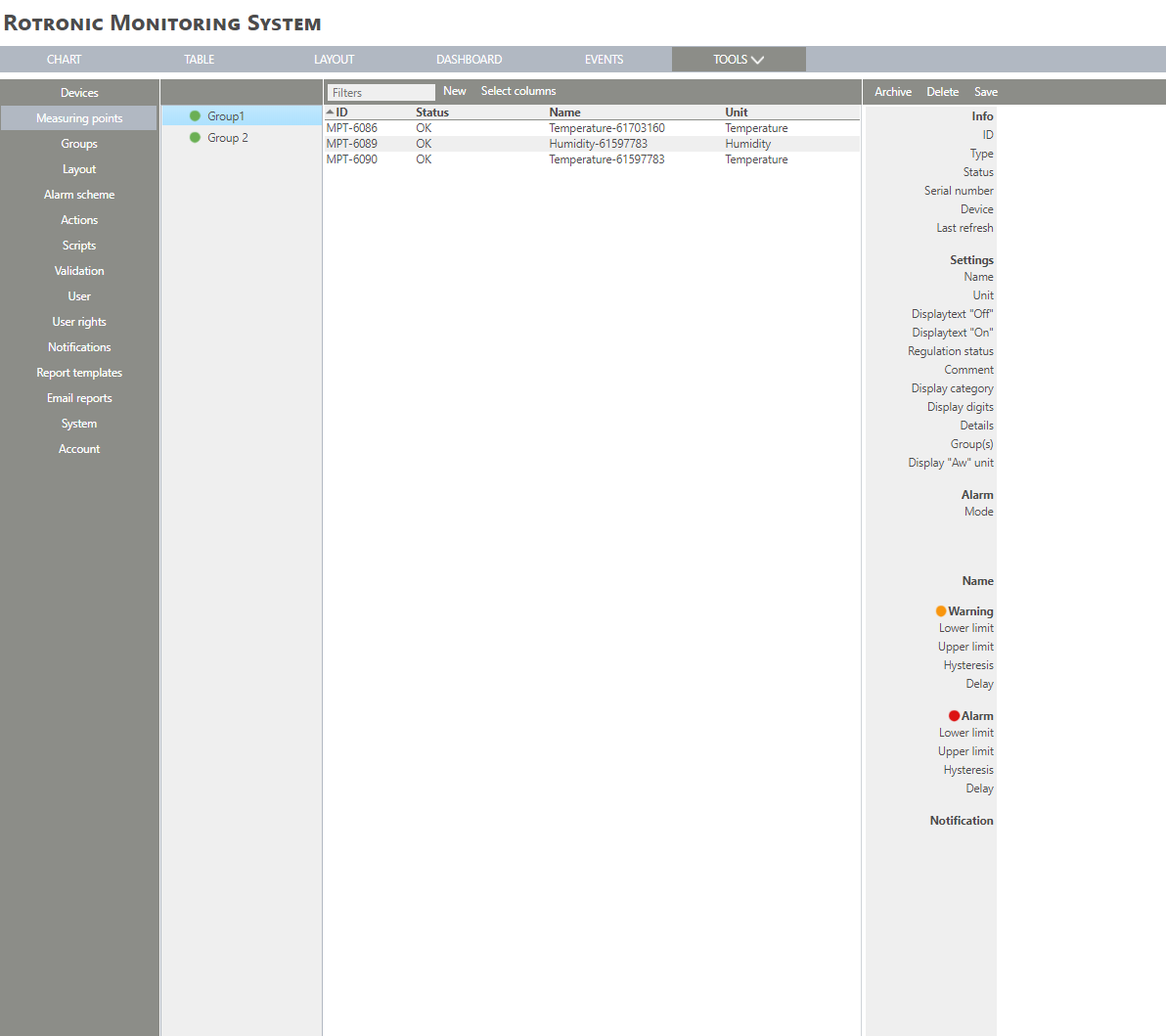 |
| Step 3 | Click on "New" > "Tristate button": 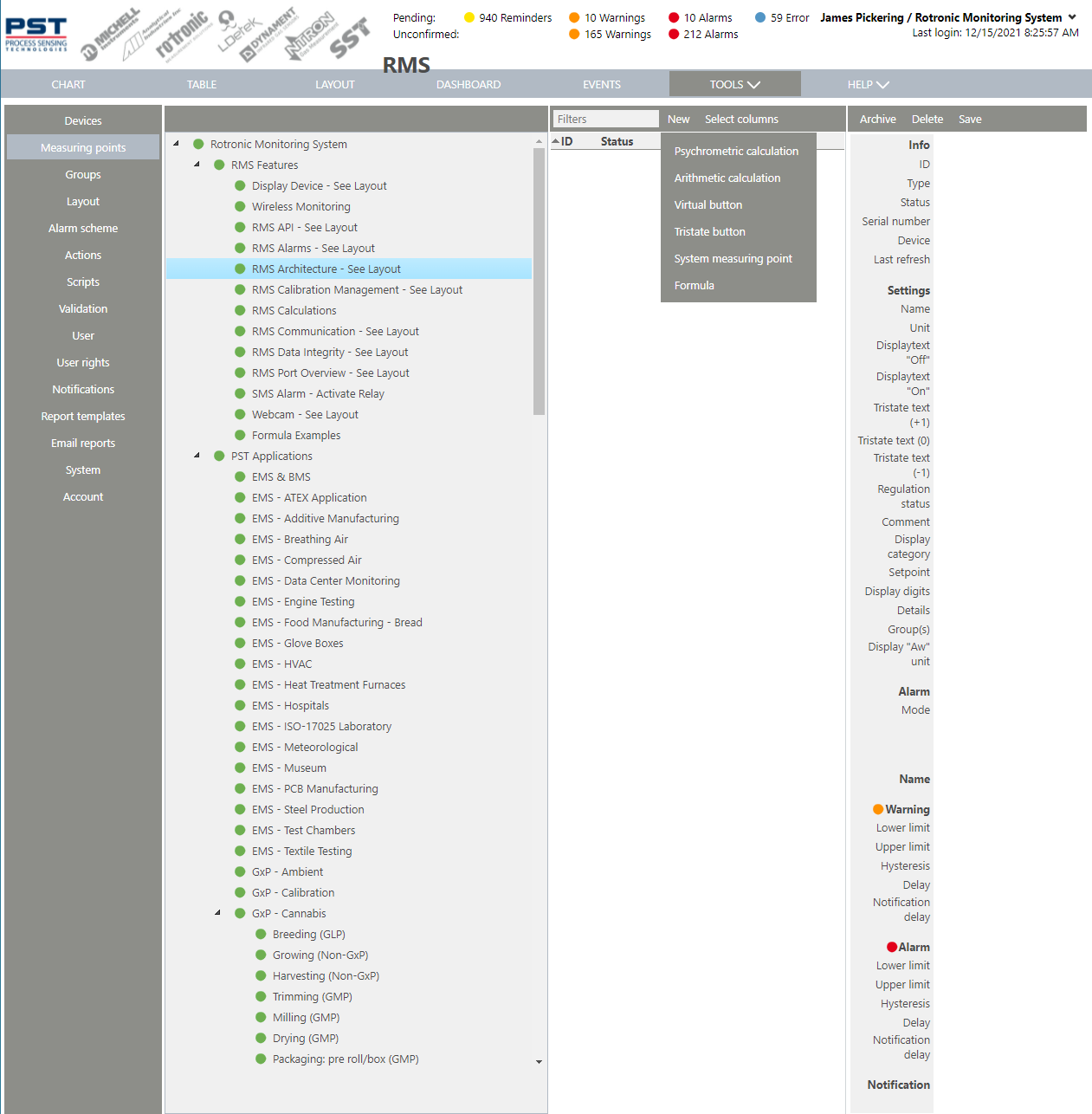 |
| Step 4 | The following window appears: 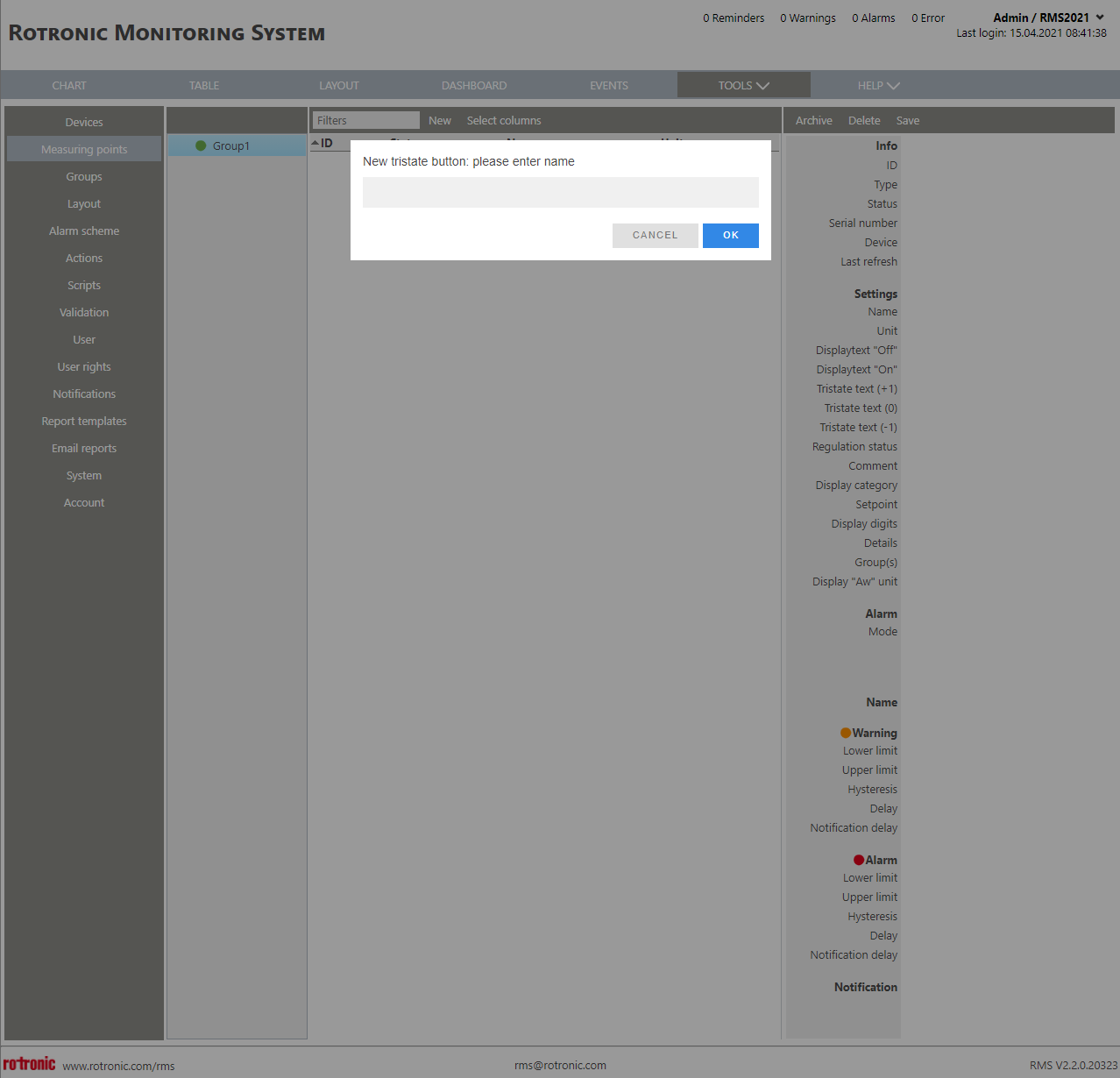 |
| Step 5 | Name: Choose a name for the tristate button. Click on "OK" to generate thetristate button. |
| Step 6 | The tristate button is added. The measuring point is also added to the chart. |