Configuration via RMS-CONFIG Software
The RMS-CONVERTER-100 can also be configured with the RMS-CONFIG software, a configuration software tool that can be downloaded from www.rotronic.com.
| Step 1 | Select "Search" > "Network devices" 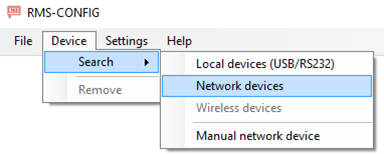 |
|---|---|
| Stop 2 | Select the RMS-CONVERTER-100 via the "Add" button 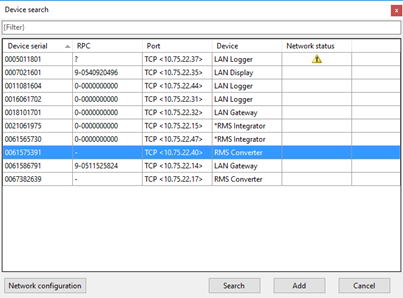 |
| Step 3 | Log in to the device: 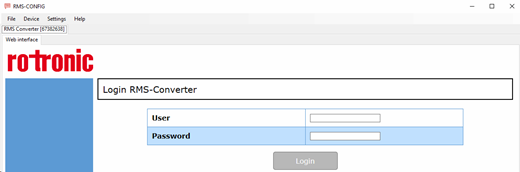 |
| Step 4 | Configure the network settings: 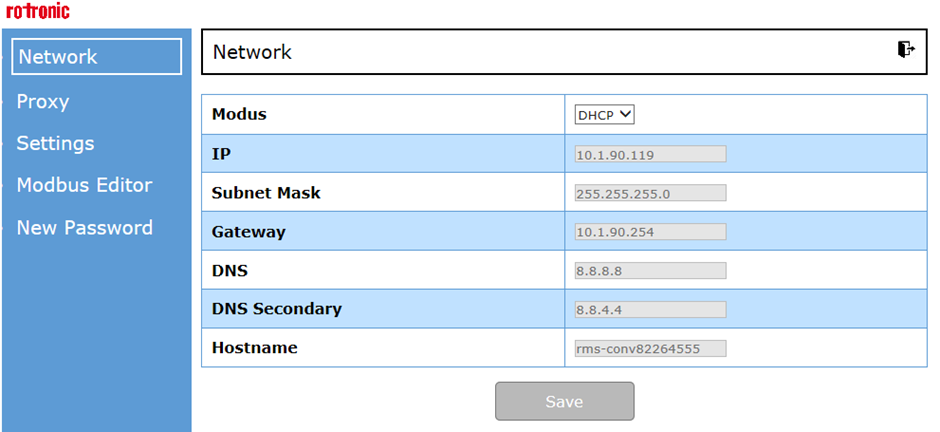 |
Updated 11.03.2025