Configuration via web browser
To configure the RMS-CONVERTER-100 please type in the host name of the device http://rms-convXXXXXXXX into the address bar of the web browser.
If the RMS-CONVERTER-100 is configured with a fixed IP address, the device can be accessed by typing the IP address into the web browser (example: http://192.168.0.1).
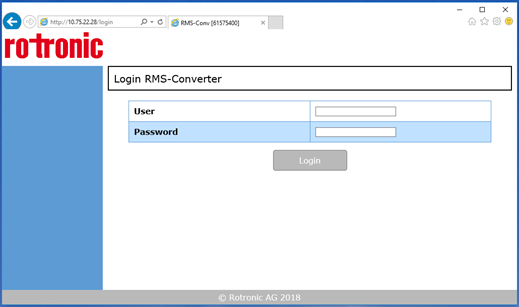
Figure 1: Log in to the RMS-CONVERTER-100 via web browser.
There is a default user and password specified for the RMS-Converter:
Recommendation: change the password for security reasons.
| Note: Should the password be forgotten, simply unplug the device and replug it in: the default login is valid for 10 minutes. |
|---|
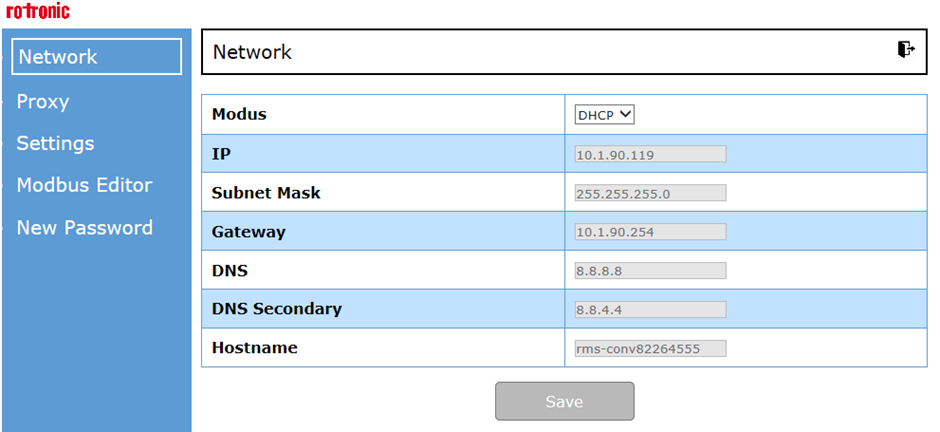
Figure 2: Configuration of the RMS-CONVERTER-100 via web browser
Updated 11.03.2025