Add Lan Device
Proceed as follows to add LAN device:
| Step 1 | Add wireless device 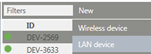 |
|---|---|
| Step 2 | Enter the serial number of the device 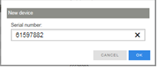 |
| Step 3 | Press the button on the device for clear identification1 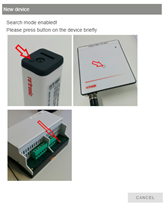 |
| Step 4 | Setting of: 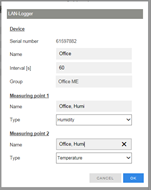 |
| Step 5 | Finish procedure  |
1 The dialog must be confirmed within 2 minutes because otherwise the device will switch back to standby.