Add New Measuring Point
In addition to the measuring points of devices, other measuring points can also be added.
| Psychrometric and arithmetic calculation (Dew point as example) |
Specify the name, type and input parameters of the measuring point. 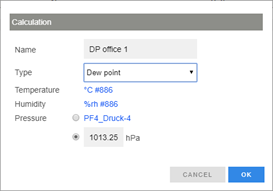 |
|---|---|
Define the other settings of the measuring point. 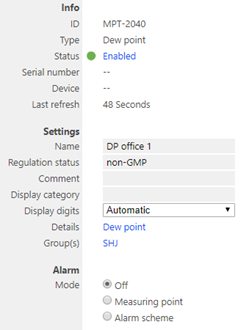 |
|
| Virtual button | Give the measuring point a name 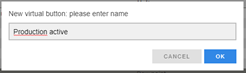 |
Define the other settings of the measuring point. 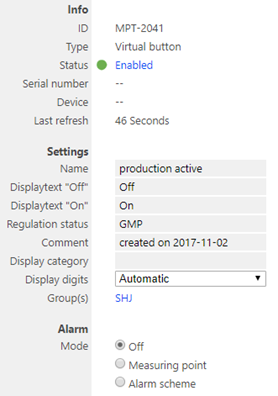 |
|
| System measuring point | Specify the name, type, input element and interval for resetting of the counter. 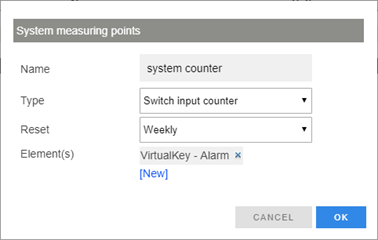 |
Define the other settings of the measuring point. 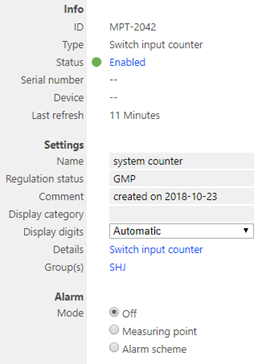 |
- Add Device Measuring Point
Measuring points are generated automatically when adding devices. It is, however, also possible to add measuring points to a device at a later point in time if the measuring point of the device has been archived or deleted.
| Step 1 | Select "Add" to add a measuring point to the device. 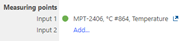 |
|---|---|
| Step 2 | Select the unit or calculation for the measuring point. 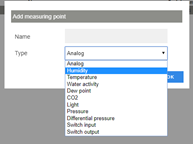 |
| Step 3 | Configure all settings of the measuring point as described in section 3.5.7. 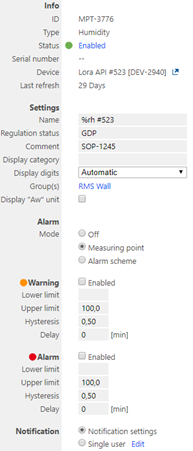 |