Add a device via the RMS-Converter
Add a device via the RMS-Converter in the menu "Tools" > "Setup" > "Devices". Select the RMS-Converter under the various devices. Then click on "Devices" > "Add/Search".
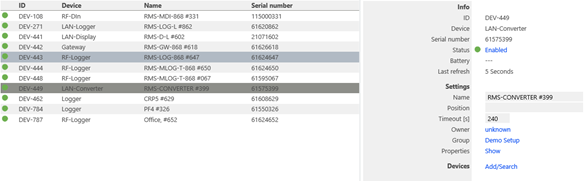
Figure 1: Add a device via the RMS-Converter
Via the RMS-Converter it is possible to add the following devices via the option select device type:
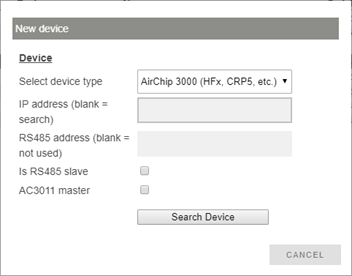
Figure 2: Find the device via the RMS-Converter
In order to search for the device, it is then possible to also add the specific IP address and the RS485 address. Should the setup be done over an AC3011 RS485 to Ethernet master box, tick the "AC3011" box.
Depending on the device being added, the settings will be required to be filled out accordingly.