Configure your Deviation Report E-Mail on Alarm
| Step 1 | From the start page, click on "Tools" > "Setup": 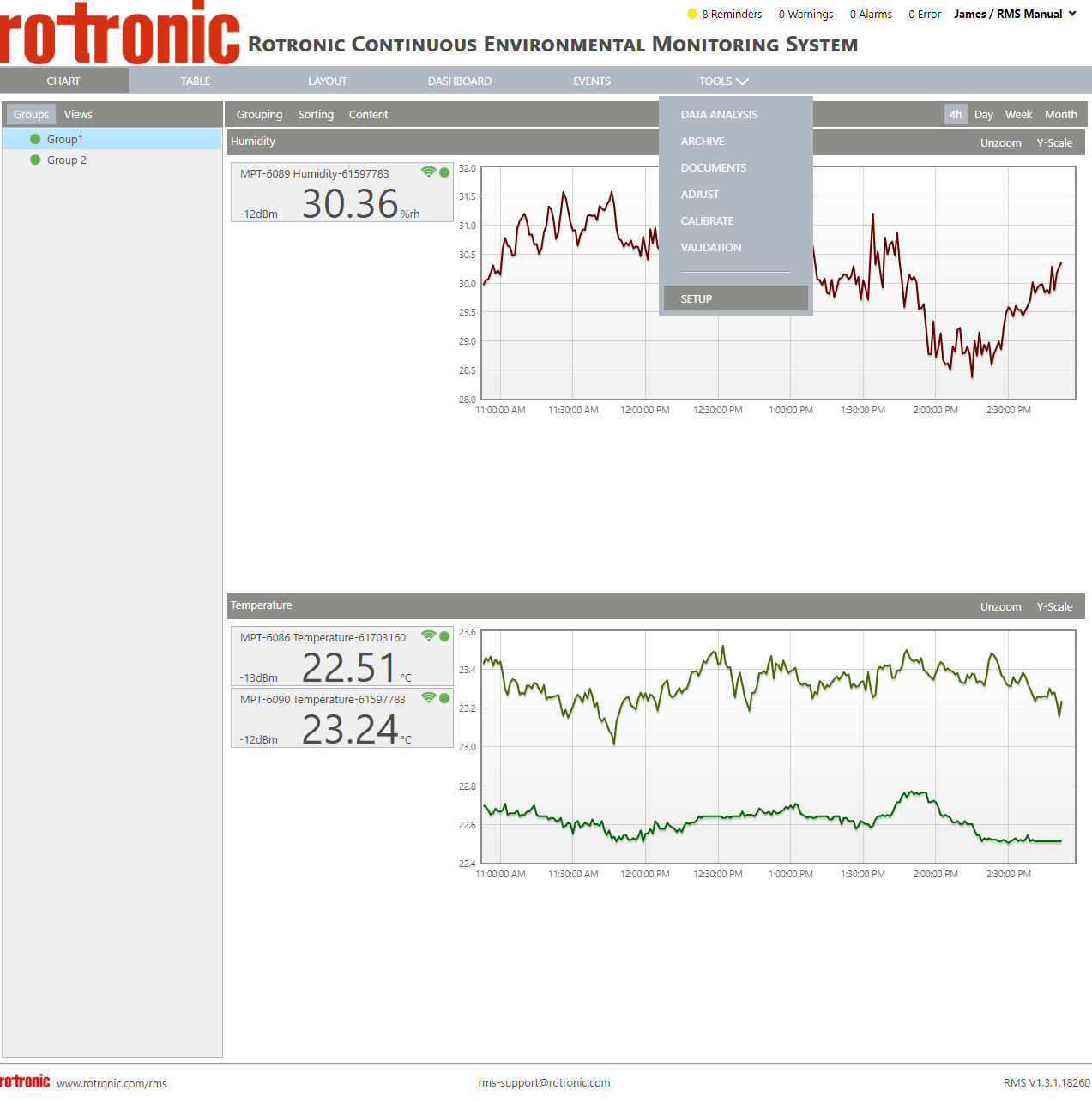 |
|---|---|
| Step 2 | On the left side, select "System": 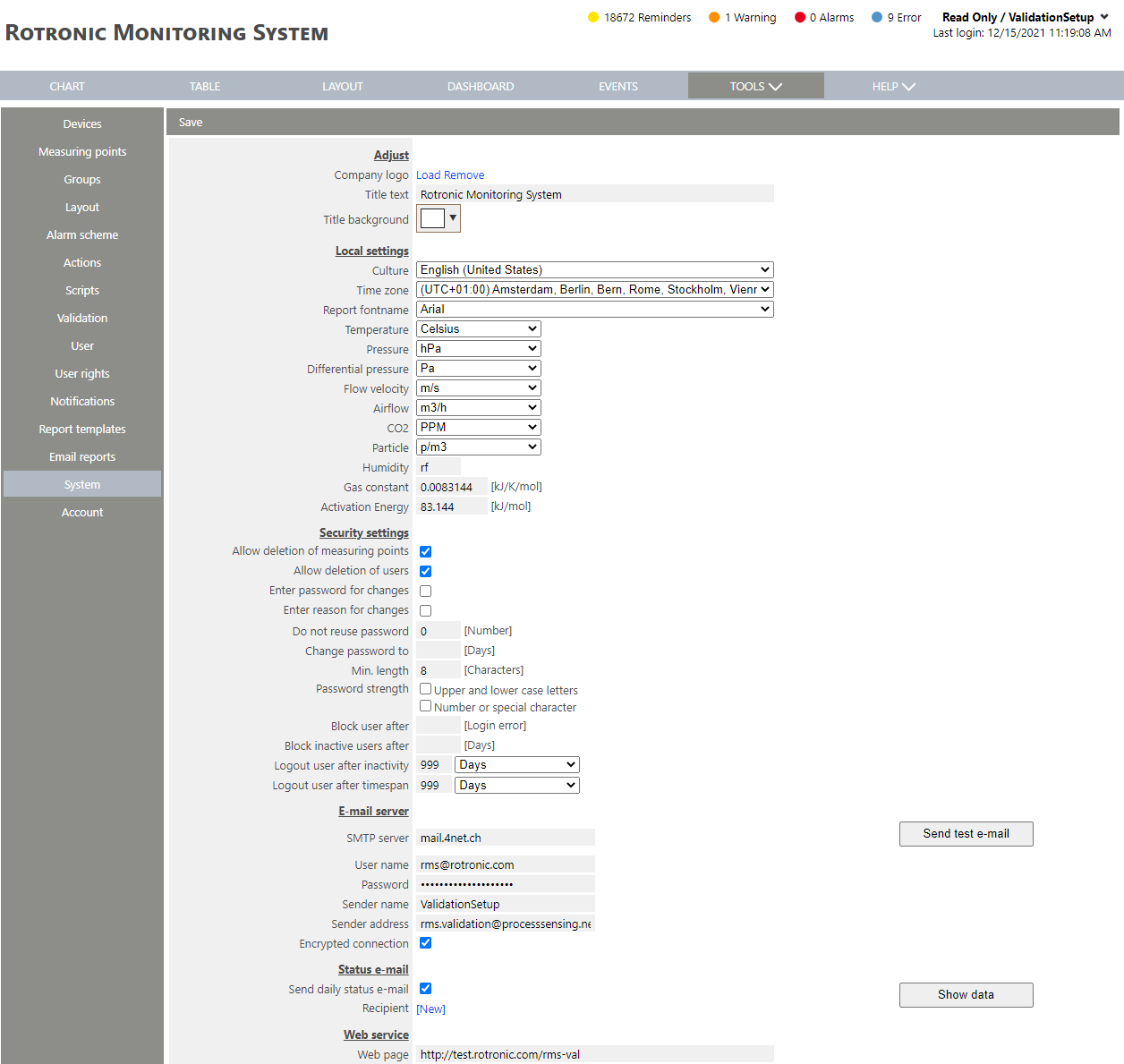 |
| Step 3 | Scroll down to deviation report email on alarm: 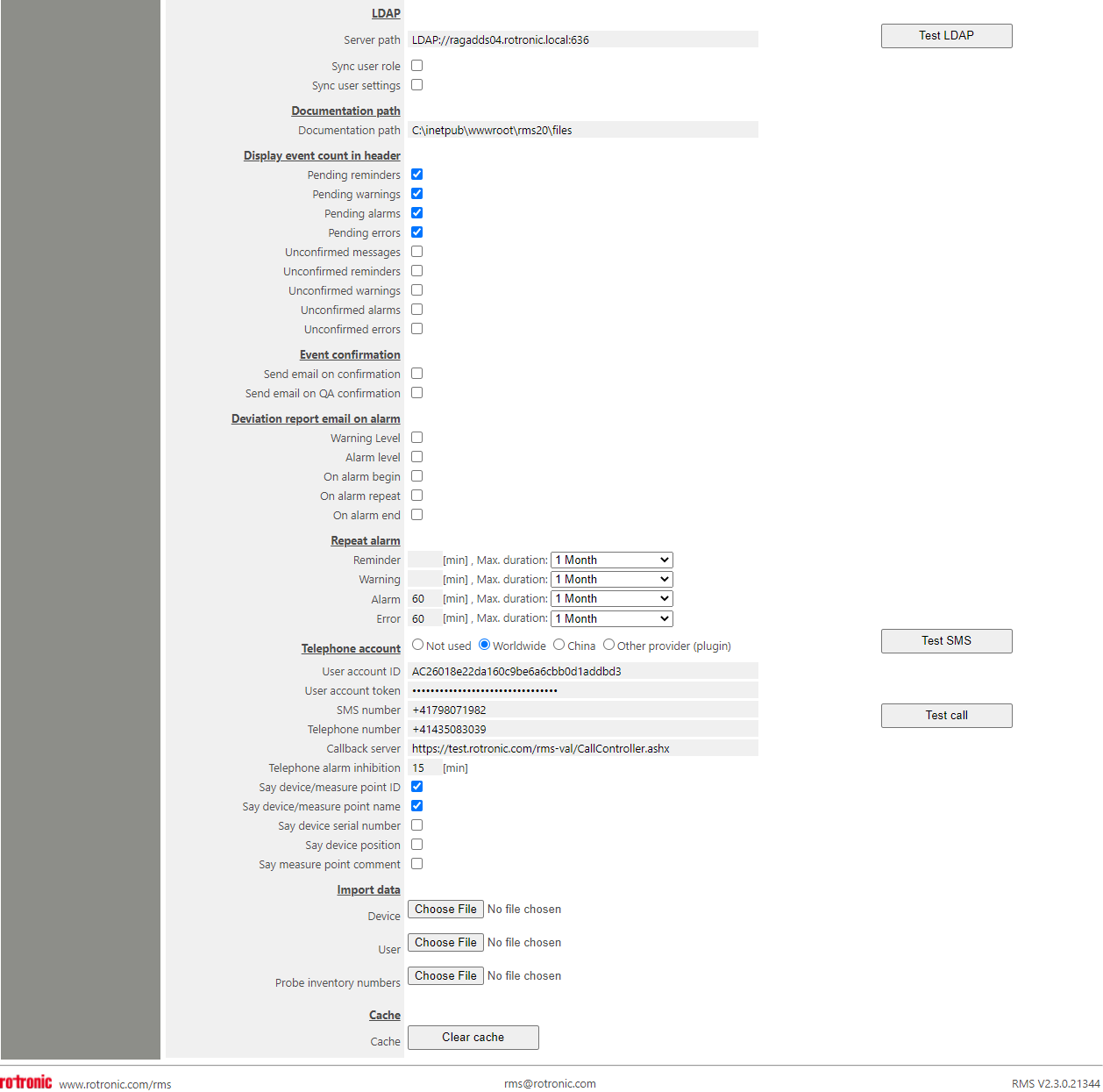 Under "Deviation report email on alarm", it is possible when to setup the notifications to include a deviation report. - Deviation Report E-Mail on Warning: Send a deviation report per E-Mail for warnings. - Deviation Report E-Mail on Alarm: Send a deviation report per E-Mail for alarms. - Deviation Report E-Mail on Alarm Begin: Send the deviation report when the alarm begins. - Deviation Report E-Mail on Alarm Repeat: Send the deviation report when the alarm repeats. - Deviation Report E-Mail on Alarm End: Send the deviation report when the alarm ends. The deviation report contains: Report: ID: DOC-xxx Name: Deviation Report. From. To. Created. Timezone. Measuring point: ID. Name. Serial Number. Regulation Status. Comments. Measurand. Group. DEV-ID. Device Name. Device Serial Number. Device Position. Device Owner. Battery. Interval. Warning limits. Alarm limits. Event: Name. ID. From. To. Level. Status. Source. Target. Details. Measured values. From. To. Duration. Limit. Setpoint. Measured values. Limit deviation. Setpoint deviation. Limit violations. From. To. Duration. Limit. Setpoint. Measured values. Limit deviation. Setpoint deviation. Chart (starting 1 hour before the event). Related events (all related events to the measuring point and device). Name. ID. From. To. Level. Status. Source. Target. Details. |
| Step 4 | Click on "Save" to save the settings. |